Compare commits
| Author | SHA1 | Date | |
|---|---|---|---|
 Ivan LepekhaandGitHub Ivan LepekhaandGitHub
|
af900dab3a | ||
|
Chris TitusandGitHub
|
31425a5520 | ||
|
GabiandGitHub
|
47f06e34e3 | ||
|
Chris TitusandGitHub
|
ae4c787545 | ||
|
NotDecidedandGitHub
|
b2a258a45f | ||
|
GabiandGitHub
|
d7cc5981e0 | ||
|
GabiandGitHub
|
9bfba35788 | ||
|
GabiandGitHub
|
51d7350e35 | ||
|
GabiandGitHub
|
652ea6368c | ||
|
GabiandGitHub
|
57be85b566 | ||
|
4hm3dn3d41andGitHub
|
376156f072 | ||
|
Chris TitusandGitHub
|
cc40fdf42a | ||
|
|
1b8a834d5d | ||
|
Chris TitusandGitHub
|
7ffb396786 | ||
|
DiegoandGitHub
|
1d4fa15f7e | ||
|
Paweł GwozdowskiandGitHub
|
aefbf1a847 | ||
|
Chris TitusandGitHub
|
edca5207ec | ||
|
|
3307e88f2c | ||
|
Paweł GwozdowskiandGitHub
|
36dc2e73ff | ||
|
Paweł GwozdowskiandGitHub
|
c5ed3a9773 | ||
|
Paweł GwozdowskiandGitHub
|
d268bb721b | ||
|
Chris TitusandGitHub
|
b9e324b01a | ||
|
|
910c9f698c | ||
|
Chris TitusandGitHub
|
dbab51061d | ||
|
GabiandGitHub
|
8eadd527ad | ||
|
|
7745364e66 | ||
|
GabiandGitHub
|
ac0982f9f5 | ||
|
GabiandGitHub
|
298542e4f7 | ||
|
Chris TitusandGitHub
|
9d75eadf16 | ||
|
|
36f39091ec | ||
|
GabiandGitHub
|
58a81b106c | ||
|
Paweł GwozdowskiandGitHub
|
a280ddb1fa | ||
|
Paweł GwozdowskiandGitHub
|
01c0e999c1 | ||
|
Paweł GwozdowskiandGitHub
|
5efef2c0f3 | ||
|
Chris TitusandGitHub
|
ea1cff0724 | ||
|
Chris TitusandGitHub
|
09569162a1 | ||
|
Neac0andGitHub
|
bced250ae1 | ||
|
Chris TitusandGitHub
|
80aa6af30a | ||
|
|
5a233b3422 | ||
|
GabiandGitHub
|
01ef78915a | ||
|
Chris TitusandGitHub
|
7dfebba70f | ||
|
|
0a018e0405 | ||
|
Chris TitusandGitHub
|
e50621a9dc | ||
|
|
3ef100a083 | ||
|
Chris TitusandGitHub
|
eebb56ac5a | ||
|
GabiandGitHub
|
daf045390d | ||
|
GabiandGitHub
|
6214012fd1 | ||
|
CodingWondersandGitHub
|
297b3079e5 | ||
|
Chris TitusandGitHub
|
9fdf944ef9 | ||
|
GabiandGitHub
|
6b5a9bcb9b | ||
|
|
e4d305284b | ||
|
GabiandGitHub
|
78593cc58d | ||
|
GabiandGitHub
|
e83033a122 | ||
|
Chris TitusandGitHub
|
5832f0df81 | ||
|
GabiandGitHub
|
26f3284919 | ||
|
GabiandGitHub
|
1f8455e90d | ||
|
Chris TitusandGitHub
|
62c43e6e82 | ||
|
GabiandGitHub
|
a1949ed917 | ||
|
Chris TitusandGitHub
|
74a3ddad1c | ||
|
GabiandGitHub
|
d7b0389a93 | ||
|
GabiandGitHub
|
23f197b644 | ||
|
Chris TitusandGitHub
|
b2eeda9eb2 | ||
|
GabiandGitHub
|
ceec8aeb53 | ||
|
GabiandGitHub
|
6b125346cd | ||
|
Chris TitusandGitHub
|
5f8e493536 | ||
|
GabiandGitHub
|
4db0248911 | ||
|
GabiandGitHub
|
2bee0d6f2c | ||
|
Chris TitusandGitHub
|
58df36841f | ||
|
GabiandGitHub
|
5ba840f87f | ||
|
GabiandGitHub
|
fe2dd829b8 | ||
|
AlfyusandGitHub
|
5cdb6c6e22 | ||
|
Chris TitusandGitHub
|
4bda00ec2d | ||
|
|
462cc40a6a | ||
|
GabiandGitHub
|
0e061692ba | ||
|
GabiandGitHub
|
ffec7a8a8f | ||
|
GabiandGitHub
|
6e4b1d26c6 | ||
|
Chris TitusandGitHub
|
32cec06ed6 | ||
|
GabiandGitHub
|
a24193ce18 | ||
|
PChaicotandGitHub
|
8f919be14b | ||
|
GabiandGitHub
|
ad5d103df9 | ||
|
Chris TitusandGitHub
|
b5160d9e24 | ||
|
GabiandGitHub
|
614eb949db | ||
|
GabiandGitHub
|
d1edd5b2ba | ||
|
GabiandGitHub
|
333937d2fa | ||
|
Chris TitusandGitHub
|
3ca87648b4 | ||
|
Jarosław Drzewiecki de OgańczykandGitHub
|
4894a545f0 | ||
|
Jarosław Drzewiecki de OgańczykandGitHub
|
9f55bced01 | ||
|
Chris TitusandGitHub
|
56e0541113 | ||
|
Jarosław Drzewiecki de OgańczykandGitHub
|
7607b92e21 | ||
|
Sean (ANGRYxScotsman)andGitHub
|
153900a77b | ||
|
GabiandGitHub
|
691224f465 | ||
|
Chris TitusandGitHub
|
893dca4055 | ||
|
GabiandGitHub
|
2ebc9bd6c4 | ||
|
GabiandGitHub
|
076ef02b2c | ||
|
GabiandGitHub
|
c99114e9e1 | ||
|
GabiandGitHub
|
9b72c1e2de | ||
|
Chris TitusandGitHub
|
b379574574 | ||
|
Sean (ANGRYxScotsman)andGitHub
|
565597a906 | ||
|
GabiandGitHub
|
62ccf80856 | ||
|
GabiandGitHub
|
70cdacb9f9 | ||
|
GabiandGitHub
|
459d0fd1b2 | ||
|
Chris TitusandGitHub
|
48e94f71bc | ||
|
GabiandGitHub
|
2582f094ff | ||
|
Chris TitusandGitHub
|
5aa099f6e2 | ||
|
|
9d85eea4e5 | ||
|
Sree Sankar SandGitHub
|
c765ffb317 | ||
|
Chris TitusandGitHub
|
82f51b4bf1 | ||
|
GabiandGitHub
|
d44c013464 | ||
|
Chris TitusandGitHub
|
753d47b9bc | ||
|
GabiandGitHub
|
8034e85521 | ||
|
GabiandGitHub
|
a09736f9a8 | ||
|
GabiandGitHub
|
24aaf9a3cf | ||
|
Chris TitusandGitHub
|
f57b5f4ffa | ||
|
Pinak DhabuandGitHub
|
32d24c8024 | ||
|
Nazrul IslamandGitHub
|
743f9e3783 | ||
|
Chris TitusandGitHub
|
522c4471c0 | ||
|
GabiandGitHub
|
ea698f3791 | ||
|
GabiandGitHub
|
8ffd15c9f3 | ||
|
GabiandGitHub
|
6c1cb0caab | ||
|
GabiandGitHub
|
bcafbe6234 | ||
|
|
fb54380b8b | ||
|
GabiandGitHub
|
39f26133f4 | ||
|
GabiandGitHub
|
09695f10aa | ||
|
tacostrangeandGitHub
|
d1becc5310 | ||
|
|
543b8958ef | ||
|
Sean (ANGRYxScotsman)andGitHub
|
c39c54c7c1 | ||
|
Chris TitusandGitHub
|
d8193fd8ac | ||
|
Chris Titus
|
25adabd622 | ||
|
GabiandGitHub
|
2d605f1875 | ||
|
GabiandGitHub
|
d46d324df8 | ||
|
Chris TitusandGitHub
|
3e16817640 | ||
|
Chris TitusandGitHub
|
d0b91d190a | ||
|
GabiandGitHub
|
bdbfdb6681 | ||
|
GabiandGitHub
|
0154b749a4 | ||
|
|
e6e44e3e04 | ||
|
GabiandGitHub
|
e6d8fdff75 | ||
|
GabiandGitHub
|
6ba184bdeb | ||
|
|
6d6defc206 | ||
|
Chris TitusandGitHub
|
fa073f8475 | ||
|
GabiandGitHub
|
63aecc0bee | ||
|
GabiandGitHub
|
a0887783f8 | ||
|
Ivan LepekhaandGitHub
|
f3880b66bb | ||
|
Chris TitusandGitHub
|
aa636926fa | ||
|
GabiandGitHub
|
ec3166bdc6 | ||
|
GabiandGitHub
|
a3f57532b6 |
@@ -2,7 +2,7 @@
|
|||||||
|
|
||||||
## Our Pledge
|
## Our Pledge
|
||||||
|
|
||||||
We as members, contributors, and leaders pledge to make participation in our
|
We, as members, contributors, and leaders, pledge to make participation in our
|
||||||
community a harassment-free experience for everyone, regardless of age, body
|
community a harassment-free experience for everyone, regardless of age, body
|
||||||
size, visible or invisible disability, ethnicity, sex characteristics, gender
|
size, visible or invisible disability, ethnicity, sex characteristics, gender
|
||||||
identity and expression, level of experience, education, socio-economic status,
|
identity and expression, level of experience, education, socio-economic status,
|
||||||
|
|||||||
@@ -1,119 +1,149 @@
|
|||||||
# How to Contribute?
|
## Contributing Code
|
||||||
|
|
||||||
## Testing
|
### Before You Start
|
||||||
|
|
||||||
* Test the latest changes to WinUtil by running the pre-release and reporting issues you are encountering to help us continually improve WinUtil!
|
- Keep each pull request focused on a single feature or fix.
|
||||||
|
- Avoid unnecessary formatting changes or large unrelated edits.
|
||||||
|
- Document what changed and why in your PR description.
|
||||||
|
|
||||||
#### **Run the latest pre-release**
|
---
|
||||||
```ps1
|
|
||||||
irm https://christitus.com/windev | iex
|
## Basic Git Workflow
|
||||||
|
|
||||||
|
### 1. Fork the Repository
|
||||||
|
|
||||||
|
Go to the ChrisTitusTech/winutil repository on GitHub and click the Fork button in the top right corner.
|
||||||
|
|
||||||
|
<img width="171" height="50" alt="{650A4723-F38A-44A4-9820-D232BC87C8A0}" src="https://github.com/user-attachments/assets/a214f27c-2fee-444a-920f-d87b14f5896f" />
|
||||||
|
|
||||||
|
---
|
||||||
|
|
||||||
|
### 2. Clone Your Fork
|
||||||
|
|
||||||
|
```powershell
|
||||||
|
git clone https://github.com/YOUR_USERNAME/winutil.git
|
||||||
|
cd winutil
|
||||||
```
|
```
|
||||||
|
|
||||||
!!! bug "Keep in mind"
|
---
|
||||||
|
|
||||||
This is a pre-release and should be treated as such. It exists for developers to test the utility and report or fix bugs before they get added to the stable release. Don't use it in production!
|
### 3. Create a Branch
|
||||||
|
|
||||||
## Issues
|
Never work directly on `main`.
|
||||||
|
|
||||||
* If you encounter any challenges or problems with the script, I kindly request that you submit them via the "Issues" tab on the GitHub repository. By filling out the provided template, you can provide specific details about the issue, allowing me (and others in the community) to promptly address any bugs or consider feature requests.
|
Create a branch related to your change:
|
||||||
|
|
||||||
## Contribute Code
|
```powershell
|
||||||
|
git checkout -b feature-name
|
||||||
* Pull requests are now handled directly on the **MAIN branch**. This was done since we can now select specific releases to launch via releases in GitHub.
|
|
||||||
|
|
||||||
* If you're doing code changes, then you can submit a PR to the `main` branch.
|
|
||||||
|
|
||||||
!!! warning "Important"
|
|
||||||
|
|
||||||
Do not use a code formatter, make massive amounts of line changes, or make multiple feature changes. EACH FEATURE CHANGE SHOULD BE IT'S OWN PULL REQUEST!
|
|
||||||
|
|
||||||
Do not open a pull request that adds support for other languages to WinUtil for now, until we decide how we want to move forward with language support.
|
|
||||||
|
|
||||||
* When creating pull requests, it is essential to thoroughly document all changes made. This includes, but is not limited to, documenting any additions made to the `tweaks` section and corresponding `undo tweak`, so users are able to remove the newly added tweaks if necessary, and comprehensive documentation is required for all code changes. Document your changes and briefly explain why you made your changes in your Pull Request Description. Failure to adhere to this format may result in the denial of the pull request. Additionally, any code lacking sufficient documentation may also be denied.
|
|
||||||
|
|
||||||
* By following these guidelines, we can maintain a high standard of quality and ensure that the codebase remains organized and well-documented.
|
|
||||||
|
|
||||||
!!! note
|
|
||||||
|
|
||||||
When creating a function, please include "WPF" or "WinUtil" in the file name so it can be loaded into the runspace.
|
|
||||||
|
|
||||||
## Walk through
|
|
||||||
|
|
||||||
* This is a guide for beginners. If you are still having issues, look at the following official GitHub documentation:
|
|
||||||
* [Commit through WEB](https://docs.github.com/en/pull-requests/committing-changes-to-your-project/creating-and-editing-commits/about-commits)
|
|
||||||
* [Commit through GitHub Desktop](https://docs.github.com/en/desktop/making-changes-in-a-branch/committing-and-reviewing-changes-to-your-project-in-github-desktop#about-commits)
|
|
||||||
* [Create a Pull Request](https://docs.github.com/en/pull-requests/collaborating-with-pull-requests/proposing-changes-to-your-work-with-pull-requests/creating-a-pull-request)
|
|
||||||
|
|
||||||
|
|
||||||
### Overview
|
|
||||||
|
|
||||||
``` mermaid
|
|
||||||
%%{init: {"flowchart": {"curve": "cardinal"}} }%%
|
|
||||||
graph TD
|
|
||||||
A[Fork Project] --> B[Clone Repository];
|
|
||||||
B --> C[Create New Branch];
|
|
||||||
C --> D[Make Changes];
|
|
||||||
D --> G[Test Changes];
|
|
||||||
G --> H{Tests Passed?};
|
|
||||||
H -->|Yes| E[Commit Changes];
|
|
||||||
H -->|No| J[Fix Issues];
|
|
||||||
J --> G;
|
|
||||||
E --> F[Push Branch];
|
|
||||||
F --> K[Create Pull Request];
|
|
||||||
K --> L[Fill out PR template];
|
|
||||||
classDef default stroke:#333,stroke-width:4px,font-size:12pt;
|
|
||||||
```
|
```
|
||||||
!!! info
|
|
||||||
|
|
||||||
This is a diagram to guide you through the process. It may vary depending on the type of change you're making.
|
Example:
|
||||||
|
|
||||||
### Fork the Repo
|
```powershell
|
||||||
* Fork the WinUtil Repository [here](https://github.com/ChrisTitusTech/winutil) to create a copy that will be available in your repository list.
|
git checkout -b add-firefox-tweak
|
||||||
|
```
|
||||||
|
|
||||||

|
---
|
||||||
|
|
||||||

|
### 4. Edit the Code
|
||||||
|
|
||||||
### Clone the Fork
|
Open the project in your preferred text editor and make your changes.
|
||||||
!!! tip
|
|
||||||
|
|
||||||
While you can make your changes directly through the Web, we recommend cloning the repo to your device using the application GitHub Desktop (available in WinUtil) to test your fork easily.
|
Keep changes small and focused.
|
||||||
|
|
||||||
* Install GitHub Desktop if it is not already installed.
|
---
|
||||||
* Log in using the same GitHub account you used to fork WinUtil.
|
|
||||||
* Choose the fork under "Your Repositories" and press "clone {repo name}"
|
|
||||||
* Create a new branch and name it something relatable to your changes.
|
|
||||||
|
|
||||||
* Now you can modify WinUtil to your liking using your preferred text editor.
|
### 5. Test Your Changes
|
||||||
|
|
||||||
|
Open Powershell as Administrator.
|
||||||
|
|
||||||
### Testing your changes
|
Go to the project folder:
|
||||||
|
|
||||||
* To test to see if your changes work as intended, run the following commands in a PowerShell terminal as admin:
|
```powershell
|
||||||
|
cd path\to\winutil
|
||||||
|
```
|
||||||
|
|
||||||
* Change the directory where you are running the commands to the forked project.
|
Run:
|
||||||
* `cd {path to the folder with the compile.ps1}`
|
|
||||||
* Run the following command to compile and run WinUtil:
|
|
||||||
* `.\Compile.ps1 -run`
|
|
||||||
|
|
||||||

|
```powershell
|
||||||
|
.\Compile.ps1 -Run
|
||||||
|
```
|
||||||
|
|
||||||
* After seeing that your changes work properly, feel free to commit the changes to the repository and make a PR. For help on that, follow the documentation below.
|
Verify:
|
||||||
|
|
||||||
### Committing the changes
|
- WinUtil launches correctly
|
||||||
* Before committing your changes, please discard changes made to the `winutil.ps1` file, like the following:
|
- Your feature works
|
||||||
|
- Nothing else breaks
|
||||||
|
|
||||||

|
If something fails, fix it before committing.
|
||||||
|
|
||||||
* Now, commit your changes once you are happy with the result.
|
---
|
||||||
|
|
||||||

|
### 6. Review Your Changes
|
||||||
|
|
||||||
* Push the changes to upload them to your fork on github.com.
|
Check what changed:
|
||||||
|
|
||||||

|
```powershell
|
||||||
|
git status
|
||||||
|
```
|
||||||
|
|
||||||
### Making a PR
|
Review the diff:
|
||||||
* To make a PR on your repo under a new branch linking to the main branch, a button will show and say Preview and Create pull request. Click that button and fill in all the information that is provided on the template. Once all the information is filled in correctly, check your PR to make sure there is no WinUtil.ps1 file attached to the PR. Once everything is good, make the PR and wait for Chris (the maintainer) to accept or deny your PR. Once it is accepted by Chris, you will be able to see your changes in the "/windev" build.
|
|
||||||
* If you do not see your feature in the main "/win" build, that is fine. All new changes go into the /windev build to make sure everything is working OK before going fully public.
|
```powershell
|
||||||
* Congratulations! You just submitted your first PR. Thank you so much for contributing to WinUtil.
|
git diff
|
||||||
|
```
|
||||||
|
|
||||||
|
Make sure you did not accidentally modify unrelated files.
|
||||||
|
|
||||||
|
---
|
||||||
|
|
||||||
|
### 7. Commit Your Changes
|
||||||
|
|
||||||
|
Stage files:
|
||||||
|
|
||||||
|
```powershell
|
||||||
|
git add .
|
||||||
|
```
|
||||||
|
|
||||||
|
Commit them:
|
||||||
|
|
||||||
|
```powershell
|
||||||
|
git commit -m "Add feature description"
|
||||||
|
```
|
||||||
|
|
||||||
|
Example:
|
||||||
|
|
||||||
|
```powershell
|
||||||
|
git commit -m "Add Firefox package tweak"
|
||||||
|
```
|
||||||
|
|
||||||
|
---
|
||||||
|
|
||||||
|
### 8. Push Your Branch
|
||||||
|
|
||||||
|
```powershell
|
||||||
|
git push origin branch-name
|
||||||
|
```
|
||||||
|
|
||||||
|
Example:
|
||||||
|
|
||||||
|
```powershell
|
||||||
|
git push origin add-firefox-tweak
|
||||||
|
```
|
||||||
|
|
||||||
|
---
|
||||||
|
|
||||||
|
### 9. Open a Pull Request
|
||||||
|
|
||||||
|
Go to your fork on GitHub.
|
||||||
|
|
||||||
|
GitHub will show a button to create a pull request.
|
||||||
|
<img width="1009" height="71" alt="{C8C6A3CC-79D4-44FD-A54C-4C5717F12730}" src="https://github.com/user-attachments/assets/0419d193-d4e7-47c0-87cf-b986742201a0" />
|
||||||
|
|
||||||
|
Before submitting:
|
||||||
|
|
||||||
|
- Explain what changed
|
||||||
|
- Explain why you changed it
|
||||||
|
- Make sure unrelated files are not included
|
||||||
|
|
||||||
|
Once submitted, maintainers will review your PR.
|
||||||
|
|||||||
@@ -0,0 +1,28 @@
|
|||||||
|
title: "[App Suggestion] "
|
||||||
|
body:
|
||||||
|
- type: input
|
||||||
|
attributes:
|
||||||
|
label: "Application Link"
|
||||||
|
description: "Provide a link where this application can downloaded officially"
|
||||||
|
- type: checkboxes
|
||||||
|
attributes:
|
||||||
|
label: "Rules Checklist"
|
||||||
|
description: "You should agree with next rules"
|
||||||
|
options:
|
||||||
|
- label: "This application is popular enough, so is not considered as niche"
|
||||||
|
required: true
|
||||||
|
- label: "This application is not considered bloatware"
|
||||||
|
required: true
|
||||||
|
- label: "This application is free to access"
|
||||||
|
required: true
|
||||||
|
- label: "This application should be included on majority of fresh installed systems"
|
||||||
|
required: true
|
||||||
|
- label: "This application is present on WinGet (check winstall.app or do 'winget search your-app' in terminal)"
|
||||||
|
required: true
|
||||||
|
- type: checkboxes
|
||||||
|
attributes:
|
||||||
|
label: "Check for denied applications"
|
||||||
|
options:
|
||||||
|
- label: "Yes, I checked PRs, issues and discussions for existing suggestions and their result"
|
||||||
|
required: true
|
||||||
|
|
||||||
@@ -9,10 +9,19 @@ body:
|
|||||||
- Remember, we only support Windows 11. If you encounter problems on Windows 10, please consider upgrading to Windows 11.
|
- Remember, we only support Windows 11. If you encounter problems on Windows 10, please consider upgrading to Windows 11.
|
||||||
- For general questions, join our Community-driven [Discord Server](https://discord.gg/RUbZUZyByQ).
|
- For general questions, join our Community-driven [Discord Server](https://discord.gg/RUbZUZyByQ).
|
||||||
|
|
||||||
|
- type: checkboxes
|
||||||
|
id: read_issues
|
||||||
|
attributes:
|
||||||
|
label: "I have read the known issues"
|
||||||
|
description: "You [better do](https://winutil.christitus.com/knownissues/), cause your issue can be already there"
|
||||||
|
options:
|
||||||
|
- label: Yes, I did
|
||||||
|
required: true
|
||||||
|
|
||||||
- type: dropdown
|
- type: dropdown
|
||||||
id: affected_part
|
id: affected_part
|
||||||
attributes:
|
attributes:
|
||||||
label: What part of Winutil are you having issues with?
|
label: What part of WinUtil are you having issues with?
|
||||||
options:
|
options:
|
||||||
- Program Install Tab
|
- Program Install Tab
|
||||||
- Tweaks Tab
|
- Tweaks Tab
|
||||||
|
|||||||
@@ -2,4 +2,7 @@ blank_issues_enabled: false
|
|||||||
contact_links:
|
contact_links:
|
||||||
- name: 💻 Community Discord
|
- name: 💻 Community Discord
|
||||||
url: https://discord.gg/RUbZUZyByQ
|
url: https://discord.gg/RUbZUZyByQ
|
||||||
about: Join our Community Discord server to chat with other users in the Winutil community.
|
about: Join our Community Discord server to chat with other users in the WinUtil community.
|
||||||
|
- name: Suggest an application
|
||||||
|
url: https://github.com/ChrisTitusTech/winutil/discussions/new?category=app-suggestion
|
||||||
|
about: If you want to suggest an application to be added, create a discussion with given template
|
||||||
|
|||||||
@@ -11,7 +11,7 @@ body:
|
|||||||
|
|
||||||
## ⚠️ **IMPORTANT**
|
## ⚠️ **IMPORTANT**
|
||||||
- 🛠️ **Supported environments only:** We only support Windows 11.
|
- 🛠️ **Supported environments only:** We only support Windows 11.
|
||||||
- 💡 For general questions, use the [Discussions section](https://github.com/Christitustech/winutil/discussions) or join our Community-driven [Discord Server](https://discord.gg/RUbZUZyByQ).
|
- 💡 For general questions, use the [Discussions section](https://github.com/ChrisTitusTech/winutil/discussions) or join our Community-driven [Discord Server](https://discord.gg/RUbZUZyByQ).
|
||||||
|
|
||||||
- type: textarea
|
- type: textarea
|
||||||
id: proposed_solution
|
id: proposed_solution
|
||||||
|
|||||||
@@ -5,6 +5,7 @@
|
|||||||
- [ ] New feature
|
- [ ] New feature
|
||||||
- [ ] Bug fix
|
- [ ] Bug fix
|
||||||
- [ ] Documentation update
|
- [ ] Documentation update
|
||||||
|
- [ ] Refactor
|
||||||
- [ ] UI/UX improvement
|
- [ ] UI/UX improvement
|
||||||
|
|
||||||
<!-- This automatically adds labels to your PR based on the selections above. -->
|
<!-- This automatically adds labels to your PR based on the selections above. -->
|
||||||
|
|||||||
@@ -0,0 +1,105 @@
|
|||||||
|
# Chris Titus Tech's Windows Utility
|
||||||
|
|
||||||
|
[](https://github.com/ChrisTitusTech/winutil/releases/latest)
|
||||||
|

|
||||||
|
[](https://discord.gg/RUbZUZyByQ)
|
||||||
|
[](https://winutil.christitus.com/)
|
||||||
|
|
||||||
|
Questa utility è una raccolta di attività Windows che eseguo personalmente su ogni sistema che utilizzo. È progettata per snellire le *installazioni*, rimuovere i componenti superflui tramite *ottimizzazioni*, risolvere problemi tramite la *configurazione*, e riparare *aggiornamenti* di Windows. Sono estremamente selettivo riguardo ai contributi per mantenere questo progetto pulito ed efficiente.
|
||||||
|
|
||||||
|

|
||||||
|
|
||||||
|
## 💡 Come usarlo
|
||||||
|
|
||||||
|
Winutil deve essere eseguito con privilegi di amministratore, poiché apporta modifiche all'intero sistema. Per farlo, avvia PowerShell come amministratore. Ecco alcuni modi per procedere:
|
||||||
|
|
||||||
|
1. **Metodo del menu di Start:**
|
||||||
|
- Fai clic con il tasto destro sul menu Start.
|
||||||
|
- Scegli "Windows PowerShell (esegui come Amministratore)" (per Windows 10) o "Terminale (esegui come Amministratore)" (per Windows 11).
|
||||||
|
|
||||||
|
2. **Metodo tramite ricerca:**
|
||||||
|
- Premi il tasto Windows.
|
||||||
|
- Digita "PowerShell" o "Terminal" (per Windows 11).
|
||||||
|
- Premi `Ctrl + Shift + Invio` oppure fai clic con il tasto destro e seleziona "Esegui come amministratore" per avviarlo con privilegi elevati.
|
||||||
|
|
||||||
|
### Comando di avvio
|
||||||
|
|
||||||
|
#### Branch stabile (Consigliato)
|
||||||
|
|
||||||
|
```ps1
|
||||||
|
irm "https://christitus.com/win" | iex
|
||||||
|
```
|
||||||
|
#### Branch Sviluppatore
|
||||||
|
|
||||||
|
```ps1
|
||||||
|
irm "https://christitus.com/windev" | iex
|
||||||
|
```
|
||||||
|
|
||||||
|
### Automazione
|
||||||
|
|
||||||
|
Winutil supporta anche preset predefiniti che applicano automaticamente configurazioni comuni:
|
||||||
|
|
||||||
|
- `Standard`
|
||||||
|
- `Minimal`
|
||||||
|
- `Advanced`
|
||||||
|
|
||||||
|
Esempio:
|
||||||
|
|
||||||
|
```powershell
|
||||||
|
& ([ScriptBlock]::Create((irm "https://christitus.com/win"))) -Preset Standard
|
||||||
|
```
|
||||||
|
|
||||||
|
Per vedere esattamente cosa fa ogni preset, consulta:
|
||||||
|
https://github.com/ChrisTitusTech/winutil/blob/main/config/preset.json
|
||||||
|
|
||||||
|
In caso di problemi, consulta i [Problemi noti](https://winutil.christitus.com/knownissues/) o [Apri una segnalazione](https://github.com/ChrisTitusTech/winutil/issues)
|
||||||
|
|
||||||
|
## 🎓 Documentazione
|
||||||
|
|
||||||
|
### [Documentazione ufficiale di WinUtil](https://winutil.christitus.com/)
|
||||||
|
|
||||||
|
### [Tutorial su YouTube](https://www.youtube.com/watch?v=6UQZ5oQg8XA)
|
||||||
|
|
||||||
|
### [Articolo su ChrisTitus.com](https://christitus.com/windows-tool/)
|
||||||
|
|
||||||
|
## 🛠️ Build & Sviluppo
|
||||||
|
|
||||||
|
> [!NOTE]
|
||||||
|
> Winutil è uno script piuttosto esteso, per questo è suddiviso in più file che vengono combinati in un unico file `.ps1` tramite un compilatore personalizzato. Questo rende la manutenzione del progetto molto più semplice.
|
||||||
|
|
||||||
|
Ottieni una copia del codice sorgente. Puoi farlo tramite l'interfaccia di GitHub (**Code** > **Download ZIP**), oppure clonando (scaricando) la repo tramite git.
|
||||||
|
|
||||||
|
Se git è installato, esegui i seguenti comandi in una finestra PowerShell per clonare e accedere alla directory del progetto:
|
||||||
|
```ps1
|
||||||
|
git clone --depth 1 "https://github.com/ChrisTitusTech/winutil.git"
|
||||||
|
cd winutil
|
||||||
|
```
|
||||||
|
|
||||||
|
Per compilare il progetto, esegui lo script di compilazione in una finestra PowerShell (i permessi di amministratore NON sono richiesti):
|
||||||
|
```ps1
|
||||||
|
.\Compile.ps1
|
||||||
|
```
|
||||||
|
|
||||||
|
Troverai un nuovo file chiamato `winutil.ps1`, creato dallo script `Compile.ps1`. Ora puoi eseguirlo come amministratore e apparirà una nuova finestra. Goditi la tua versione compilata di WinUtil :)
|
||||||
|
|
||||||
|
> [!TIP]
|
||||||
|
> Per ulteriori informazioni sull'utilizzo di WinUtil e su come contribuire allo sviluppo, ti invitiamo a leggere le [Linee guida per i contributi](https://winutil.christitus.com/contributing/). Se non sai da dove iniziare o hai domande, puoi chiedere sul nostro [Server Discord della community](https://discord.gg/RUbZUZyByQ); i membri attivi del progetto risponderanno appena possibile.
|
||||||
|
|
||||||
|
## 💖 Supporto
|
||||||
|
- Per sostenere il progetto moralmente e mentalmente, non dimenticare di lasciare una ⭐️!
|
||||||
|
- Wrapper EXE a 10$ su https://www.cttstore.com/windows-toolbox
|
||||||
|
|
||||||
|
## 💖 Sponsor
|
||||||
|
|
||||||
|
Questi sono gli sponsor che aiutano a mantenere vivo il progetto con contributi mensili.
|
||||||
|
|
||||||
|
<!-- sponsors --><a href="https://github.com/dwelfusius"><img src="https://github.com/dwelfusius.png" width="60px" alt="Avatar utente: " /></a><a href="https://github.com/mews-se"><img src="https://github.com/mews-se.png" width="60px" alt="Avatar utente: Martin Stockzell" /></a><a href="https://github.com/jdiegmueller"><img src="https://github.com/jdiegmueller.png" width="60px" alt="Avatar utente: Jason A. Diegmueller" /></a><a href="https://github.com/robertsandrock"><img src="https://github.com/robertsandrock.png" width="60px" alt="Avatar utente: RMS" /></a><a href="https://github.com/paulsheets"><img src="https://github.com/paulsheets.png" width="60px" alt="Avatar utente: Paul" /></a><a href="https://github.com/djones369"><img src="https://github.com/djones369.png" width="60px" alt="Avatar utente: Dave J (WhamGeek)" /></a><a href="https://github.com/anthonymendez"><img src="https://github.com/anthonymendez.png" width="60px" alt="Avatar utente: Anthony Mendez" /></a><a href="https://github.com/FatBastard0"><img src="https://github.com/FatBastard0.png" width="60px" alt="Avatar utente: " /></a><a href="https://github.com/DursleyGuy"><img src="https://github.com/DursleyGuy.png" width="60px" alt="Avatar utente: DursleyGuy" /></a><a href="https://github.com/DwayneTheRockLobster1"><img src="https://github.com/DwayneTheRockLobster1.png" width="60px" alt="Avatar utente: " /></a><a href="https://github.com/KieraKujisawa"><img src="https://github.com/KieraKujisawa.png" width="60px" alt="Avatar utente: Kiera Meredith" /></a><a href="https://github.com/andrewpayne68"><img src="https://github.com/andrewpayne68.png" width="60px" alt="Avatar utente: Andrew P" /></a><!-- sponsors -->
|
||||||
|
|
||||||
|
## 🏅 Grazie a tutti i collaboratori
|
||||||
|
Un ringraziamento speciale per aver dedicato il vostro tempo ad aiutare Winutil a crescere. Grazie mille! Continuate così 🍻.
|
||||||
|
|
||||||
|
[](https://github.com/ChrisTitusTech/winutil/graphs/contributors)
|
||||||
|
|
||||||
|
## 📊 Statistiche GitHub
|
||||||
|
|
||||||
|
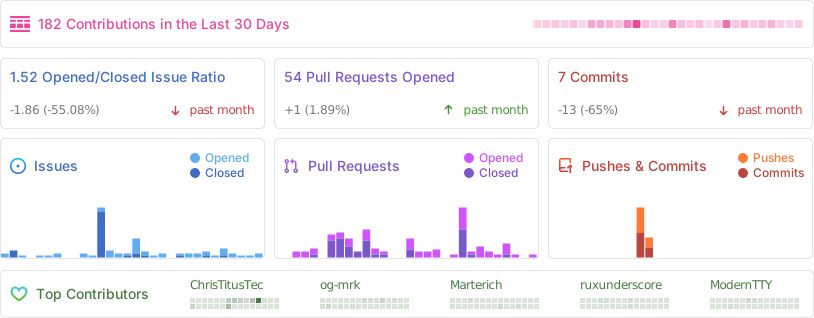
|
||||||
@@ -1,5 +1,7 @@
|
|||||||
# Security Policy
|
# Security Policy
|
||||||
|
|
||||||
If you find a security issue please make post it in the issues tab. If you think it should be private you can email me at contact@christitus.com.
|
If you find a security issue, please post it in the Issues tab. If you think it should be private, you can email me at contact@christitus.com.
|
||||||
|
|
||||||
For immediate response check out our discord server @ [](https://discord.gg/RUbZUZyByQ)
|
For immediate response check out our Discord server:
|
||||||
|
|
||||||
|
[](https://discord.gg/RUbZUZyByQ)
|
||||||
|
|||||||
@@ -1,18 +1,18 @@
|
|||||||
tag-prefix: ''
|
tag-prefix: ''
|
||||||
categories:
|
categories:
|
||||||
- title: '🚀 Features'
|
- title: 'Features'
|
||||||
labels:
|
labels:
|
||||||
- 'feature'
|
- 'feature'
|
||||||
- 'enhancement'
|
- 'enhancement'
|
||||||
- 'new feature'
|
- 'new feature'
|
||||||
- title: '🐛 Bug Fixes'
|
- title: 'Bug Fixes'
|
||||||
labels:
|
labels:
|
||||||
- 'hotfix'
|
- 'hotfix'
|
||||||
- 'bugfix'
|
- 'bugfix'
|
||||||
- 'bug'
|
- 'bug'
|
||||||
- title: '📚 Documentation'
|
- title: 'Documentation'
|
||||||
label: 'documentation'
|
label: 'documentation'
|
||||||
- title: '🎨 UI/UX Improvements'
|
- title: 'UI/UX Improvements'
|
||||||
label: 'ui update'
|
label: 'ui update'
|
||||||
change-template: '- $TITLE @$AUTHOR (#$NUMBER)'
|
change-template: '- $TITLE @$AUTHOR (#$NUMBER)'
|
||||||
template: |
|
template: |
|
||||||
|
|||||||
@@ -15,7 +15,7 @@ jobs:
|
|||||||
contents: write
|
contents: write
|
||||||
steps:
|
steps:
|
||||||
- name: Checkout
|
- name: Checkout
|
||||||
uses: actions/checkout@v6
|
uses: actions/checkout@v7
|
||||||
|
|
||||||
- name: Auto-approve PR
|
- name: Auto-approve PR
|
||||||
if: github.event.pull_request.user.login == 'github-actions[bot]'
|
if: github.event.pull_request.user.login == 'github-actions[bot]'
|
||||||
|
|||||||
@@ -9,7 +9,7 @@ jobs:
|
|||||||
runs-on: ubuntu-latest
|
runs-on: ubuntu-latest
|
||||||
steps:
|
steps:
|
||||||
- name: Checkout repository
|
- name: Checkout repository
|
||||||
uses: actions/checkout@v6
|
uses: actions/checkout@v7
|
||||||
|
|
||||||
- name: Check if PR was merged
|
- name: Check if PR was merged
|
||||||
if: github.event.pull_request.merged == true
|
if: github.event.pull_request.merged == true
|
||||||
|
|||||||
@@ -17,11 +17,11 @@ jobs:
|
|||||||
uses: actions/stale@v10
|
uses: actions/stale@v10
|
||||||
with:
|
with:
|
||||||
# A list of labels to reference when looking through issues,
|
# A list of labels to reference when looking through issues,
|
||||||
# and only when one (or even more) of these labels are found..
|
# and only when one (or even more) of these labels is found.
|
||||||
# then skip this issue, and never try to stale and/or close it.
|
# then skip this issue, and never try to stale and/or close it.
|
||||||
exempt-issue-labels: "Keep Issue Open"
|
exempt-issue-labels: "Keep Issue Open"
|
||||||
# Split it into two weeks, after one week the issue will be marked as stale,
|
# Split it into two weeks, after one week, the issue will be marked as stale,
|
||||||
# after another week have pasted without any update.. the issue will then be closed.
|
# after another week have passed without any update, the issue will then be closed.
|
||||||
days-before-issue-stale: 90
|
days-before-issue-stale: 90
|
||||||
days-before-issue-close: 365
|
days-before-issue-close: 365
|
||||||
# NEVER mark PRs as Stale or Close + this workflow should never have write permissions on PRs, EVER!
|
# NEVER mark PRs as Stale or Close + this workflow should never have write permissions on PRs, EVER!
|
||||||
|
|||||||
@@ -13,7 +13,7 @@ jobs:
|
|||||||
runs-on: windows-latest
|
runs-on: windows-latest
|
||||||
steps:
|
steps:
|
||||||
- name: Checkout Sources
|
- name: Checkout Sources
|
||||||
uses: actions/checkout@v6
|
uses: actions/checkout@v7
|
||||||
|
|
||||||
- name: Compile and Syntax check winutil.ps1
|
- name: Compile and Syntax check winutil.ps1
|
||||||
shell: pwsh
|
shell: pwsh
|
||||||
|
|||||||
@@ -39,7 +39,7 @@ jobs:
|
|||||||
wget -O ${{ runner.temp }}/hugo.deb https://github.com/gohugoio/hugo/releases/download/v${HUGO_VERSION}/hugo_extended_${HUGO_VERSION}_linux-amd64.deb \
|
wget -O ${{ runner.temp }}/hugo.deb https://github.com/gohugoio/hugo/releases/download/v${HUGO_VERSION}/hugo_extended_${HUGO_VERSION}_linux-amd64.deb \
|
||||||
&& sudo dpkg -i ${{ runner.temp }}/hugo.deb
|
&& sudo dpkg -i ${{ runner.temp }}/hugo.deb
|
||||||
- name: Checkout
|
- name: Checkout
|
||||||
uses: actions/checkout@v6
|
uses: actions/checkout@v7
|
||||||
with:
|
with:
|
||||||
submodules: recursive
|
submodules: recursive
|
||||||
fetch-depth: 0
|
fetch-depth: 0
|
||||||
|
|||||||
@@ -15,101 +15,63 @@ jobs:
|
|||||||
contents: read
|
contents: read
|
||||||
|
|
||||||
steps:
|
steps:
|
||||||
- run: echo "command=false" >> $GITHUB_ENV
|
- name: Process slash command
|
||||||
|
uses: actions/github-script@v9
|
||||||
|
with:
|
||||||
|
script: |
|
||||||
|
const allowedUsers = ["ChrisTitusTech", "og-mrk", "Marterich", "MyDrift-user", "Real-MullaC", "CodingWonders", "GabiNun2", "FluffyPunk"];
|
||||||
|
const commenter = context.payload.comment.user.login;
|
||||||
|
|
||||||
- name: Check for /label command
|
// Authorization check first — before any parsing of comment content
|
||||||
id: check_label_command
|
if (!allowedUsers.includes(commenter)) {
|
||||||
run: |
|
console.log(`User ${commenter} is not in the allowlist. Skipping.`);
|
||||||
if [[ "${{ contains(github.event.comment.body, '/label') }}" == "true" ]]; then
|
return;
|
||||||
echo "command=true" >> $GITHUB_ENV
|
}
|
||||||
LABEL_NAME=$(echo "${{ github.event.comment.body }}" | awk -F"/label" '/\/label/ { match($2, /'\''([^'\'']*)'\''/, arr); if (arr[1] != "") print arr[1] }')
|
|
||||||
echo "label_command=true" >> $GITHUB_ENV
|
|
||||||
echo "label_name=${LABEL_NAME}" >> $GITHUB_ENV
|
|
||||||
else
|
|
||||||
echo "label_command=false" >> $GITHUB_ENV
|
|
||||||
fi
|
|
||||||
|
|
||||||
- name: Check for /unlabel command
|
// Read comment body as data, never interpolated into shell
|
||||||
id: check_unlabel_command
|
const body = context.payload.comment.body;
|
||||||
run: |
|
const issueNumber = context.issue.number;
|
||||||
if [[ "${{ contains(github.event.comment.body, '/unlabel') }}" == "true" ]]; then
|
const owner = context.repo.owner;
|
||||||
echo "command=true" >> $GITHUB_ENV
|
const repo = context.repo.repo;
|
||||||
UNLABEL_NAME=$(echo "${{ github.event.comment.body }}" | awk -F"/unlabel" '/\/unlabel/ { match($2, /'\''([^'\'']*)'\''/, arr); if (arr[1] != "") print arr[1] }')
|
|
||||||
echo "unlabel_command=true" >> $GITHUB_ENV
|
|
||||||
echo "unlabel_name=${UNLABEL_NAME}" >> $GITHUB_ENV
|
|
||||||
else
|
|
||||||
echo "unlabel_command=false" >> $GITHUB_ENV
|
|
||||||
fi
|
|
||||||
|
|
||||||
- name: Check for /close command
|
// /label 'name' or /label name
|
||||||
id: check_close_command
|
const labelMatch = body.match(/\/label\s+'([^']+)'|\/label\s+(\S+?)(?:\s|$)/);
|
||||||
run: |
|
if (labelMatch) {
|
||||||
if [[ "${{ contains(github.event.comment.body, '/close') }}" == "true" ]]; then
|
const labelName = (labelMatch[1] || labelMatch[2]).trim();
|
||||||
echo "command=true" >> $GITHUB_ENV
|
console.log(`Adding label: ${labelName}`);
|
||||||
echo "close_command=true" >> $GITHUB_ENV
|
await github.rest.issues.addLabels({
|
||||||
echo "reopen_command=false" >> $GITHUB_ENV
|
owner, repo, issue_number: issueNumber,
|
||||||
else
|
labels: [labelName],
|
||||||
echo "close_command=false" >> $GITHUB_ENV
|
});
|
||||||
fi
|
}
|
||||||
|
|
||||||
- name: Check for /open or /reopen command
|
// /unlabel 'name' or /unlabel name
|
||||||
id: check_reopen_command
|
const unlabelMatch = body.match(/\/unlabel\s+'([^']+)'|\/unlabel\s+(\S+?)(?:\s|$)/);
|
||||||
run: |
|
if (unlabelMatch) {
|
||||||
if [[ "${{ contains(github.event.comment.body, '/open') }}" == "true" ]] || [[ "${{ contains(github.event.comment.body, '/reopen') }}" == "true" ]]; then
|
const labelName = (unlabelMatch[1] || unlabelMatch[2]).trim();
|
||||||
echo "command=true" >> $GITHUB_ENV
|
console.log(`Removing label: ${labelName}`);
|
||||||
echo "reopen_command=true" >> $GITHUB_ENV
|
await github.rest.issues.removeLabel({
|
||||||
echo "close_command=false" >> $GITHUB_ENV
|
owner, repo, issue_number: issueNumber,
|
||||||
else
|
name: labelName,
|
||||||
echo "reopen_command=false" >> $GITHUB_ENV
|
});
|
||||||
fi
|
}
|
||||||
|
|
||||||
- name: Check if the user is allowed
|
// /close (optionally with 'not planned')
|
||||||
id: check_user
|
if (body.includes('/close')) {
|
||||||
if: env.command == 'true'
|
const stateReason = body.includes('not planned') ? 'not_planned' : 'completed';
|
||||||
run: |
|
console.log(`Closing issue (reason: ${stateReason})`);
|
||||||
ALLOWED_USERS=("ChrisTitusTech" "og-mrk" "Marterich" "MyDrift-user" "Real-MullaC" "CodingWonders" "GabiNun")
|
await github.rest.issues.update({
|
||||||
if [[ " ${ALLOWED_USERS[@]} " =~ " ${{ github.event.comment.user.login }} " ]]; then
|
owner, repo, issue_number: issueNumber,
|
||||||
echo "user=true" >> $GITHUB_ENV
|
state: 'closed',
|
||||||
else
|
state_reason: stateReason,
|
||||||
exit 0
|
});
|
||||||
fi
|
}
|
||||||
|
|
||||||
- name: Close issue
|
// /open or /reopen
|
||||||
if: env.close_command == 'true'
|
if (body.includes('/open') || body.includes('/reopen')) {
|
||||||
env:
|
console.log('Reopening issue');
|
||||||
GITHUB_TOKEN: ${{ secrets.GITHUB_TOKEN }}
|
await github.rest.issues.update({
|
||||||
ISSUE_NUMBER: ${{ github.event.issue.number }}
|
owner, repo, issue_number: issueNumber,
|
||||||
run: |
|
state: 'open',
|
||||||
echo Closing the issue...
|
});
|
||||||
if [[ "${{ contains(github.event.comment.body, 'not planned') }}" == "true" ]]; then
|
}
|
||||||
gh issue close $ISSUE_NUMBER --repo ${{ github.repository }} --reason 'not planned'
|
|
||||||
else
|
|
||||||
gh issue close $ISSUE_NUMBER --repo ${{ github.repository }}
|
|
||||||
fi
|
|
||||||
|
|
||||||
- name: Reopen issue
|
|
||||||
if: env.reopen_command == 'true'
|
|
||||||
env:
|
|
||||||
GITHUB_TOKEN: ${{ secrets.GITHUB_TOKEN }}
|
|
||||||
ISSUE_NUMBER: ${{ github.event.issue.number }}
|
|
||||||
run: |
|
|
||||||
echo Reopening the issue...
|
|
||||||
gh issue reopen $ISSUE_NUMBER --repo ${{ github.repository }}
|
|
||||||
|
|
||||||
- name: Label issue
|
|
||||||
if: env.label_command == 'true'
|
|
||||||
env:
|
|
||||||
GITHUB_TOKEN: ${{ secrets.GITHUB_TOKEN }}
|
|
||||||
ISSUE_NUMBER: ${{ github.event.issue.number }}
|
|
||||||
run: |
|
|
||||||
echo Labeling the issue...
|
|
||||||
gh issue edit $ISSUE_NUMBER --repo ${{ github.repository }} --add-label "${{ env.label_name }}"
|
|
||||||
|
|
||||||
- name: Remove labels
|
|
||||||
if: env.unlabel_command == 'true'
|
|
||||||
env:
|
|
||||||
GITHUB_TOKEN: ${{ secrets.GITHUB_TOKEN }}
|
|
||||||
ISSUE_NUMBER: ${{ github.event.issue.number }}
|
|
||||||
run: |
|
|
||||||
echo Unlabeling the issue...
|
|
||||||
gh issue edit $ISSUE_NUMBER --repo ${{ github.repository }} --remove-label "${{ env.unlabel_name }}"
|
|
||||||
|
|||||||
@@ -17,7 +17,7 @@ jobs:
|
|||||||
CERTIFICATE_BASE64: ${{ secrets.CERTIFICATE_BASE64 }}
|
CERTIFICATE_BASE64: ${{ secrets.CERTIFICATE_BASE64 }}
|
||||||
steps:
|
steps:
|
||||||
- name: Checkout Repository
|
- name: Checkout Repository
|
||||||
uses: actions/checkout@v6
|
uses: actions/checkout@v7
|
||||||
|
|
||||||
- name: Generate Dev Docs and Update JSON Links
|
- name: Generate Dev Docs and Update JSON Links
|
||||||
shell: pwsh
|
shell: pwsh
|
||||||
@@ -46,7 +46,7 @@ jobs:
|
|||||||
config/feature.json
|
config/feature.json
|
||||||
labels: |
|
labels: |
|
||||||
automated
|
automated
|
||||||
documentation
|
skip-changelog
|
||||||
|
|
||||||
- name: Check outputs
|
- name: Check outputs
|
||||||
shell: bash
|
shell: bash
|
||||||
|
|||||||
@@ -11,7 +11,7 @@ jobs:
|
|||||||
|
|
||||||
steps:
|
steps:
|
||||||
- name: Checkout code
|
- name: Checkout code
|
||||||
uses: actions/checkout@v6
|
uses: actions/checkout@v7
|
||||||
|
|
||||||
- name: Check if winutil.ps1 exists
|
- name: Check if winutil.ps1 exists
|
||||||
id: check_existence
|
id: check_existence
|
||||||
|
|||||||
@@ -12,7 +12,7 @@ jobs:
|
|||||||
if: (github.event_name == 'schedule' && github.repository == 'ChrisTitusTech/winutil') || (github.event_name != 'schedule')
|
if: (github.event_name == 'schedule' && github.repository == 'ChrisTitusTech/winutil') || (github.event_name != 'schedule')
|
||||||
steps:
|
steps:
|
||||||
- name: Checkout 🛎️
|
- name: Checkout 🛎️
|
||||||
uses: actions/checkout@v6
|
uses: actions/checkout@v7
|
||||||
with:
|
with:
|
||||||
persist-credentials: false
|
persist-credentials: false
|
||||||
|
|
||||||
|
|||||||
@@ -8,7 +8,7 @@ jobs:
|
|||||||
name: PS Script Analyzer
|
name: PS Script Analyzer
|
||||||
runs-on: ubuntu-latest
|
runs-on: ubuntu-latest
|
||||||
steps:
|
steps:
|
||||||
- uses: actions/checkout@v6
|
- uses: actions/checkout@v7
|
||||||
- name: lint
|
- name: lint
|
||||||
uses: devblackops/github-action-psscriptanalyzer@master
|
uses: devblackops/github-action-psscriptanalyzer@master
|
||||||
with:
|
with:
|
||||||
@@ -22,7 +22,7 @@ jobs:
|
|||||||
|
|
||||||
steps:
|
steps:
|
||||||
- name: Checkout code
|
- name: Checkout code
|
||||||
uses: actions/checkout@v6
|
uses: actions/checkout@v7
|
||||||
|
|
||||||
- name: Install Pester
|
- name: Install Pester
|
||||||
run: |
|
run: |
|
||||||
|
|||||||
@@ -1,62 +1,19 @@
|
|||||||
### VSCode ###
|
# winutil
|
||||||
|
|
||||||
# Configuration folder
|
|
||||||
.vscode/
|
|
||||||
.idea/
|
|
||||||
|
|
||||||
### Visual Studio ###
|
|
||||||
|
|
||||||
# Visual Studio user-specific files
|
|
||||||
.vs/
|
|
||||||
|
|
||||||
winutil.pdb
|
|
||||||
|
|
||||||
### Preprocessor Hashes ###
|
|
||||||
.preprocessor_hashes.json
|
|
||||||
|
|
||||||
### Windows ###
|
|
||||||
|
|
||||||
# Folder config file
|
|
||||||
[Dd]esktop.ini
|
|
||||||
|
|
||||||
# Ignore Generated XAML Files
|
|
||||||
xaml/inputApp.xaml
|
|
||||||
xaml/inputFeatures.xaml
|
|
||||||
xaml/inputTweaks.xaml
|
|
||||||
|
|
||||||
# Executables and Configs
|
|
||||||
winget.msixbundle
|
|
||||||
pester.ps1
|
|
||||||
*.psd*
|
|
||||||
ooshutup10.cfg
|
|
||||||
winutil.exe.config
|
|
||||||
Microsoft.UI.Xaml*
|
|
||||||
license1.xml
|
|
||||||
winutil.ps1
|
|
||||||
|
|
||||||
# Libraries
|
|
||||||
System.Management.Automation.dll
|
System.Management.Automation.dll
|
||||||
Microsoft.PowerShell.ConsoleHost.dll
|
Microsoft.PowerShell.ConsoleHost.dll
|
||||||
|
|
||||||
# Compressed files
|
winutil.exe.config
|
||||||
*.zip
|
|
||||||
|
|
||||||
### MacOS ###
|
|
||||||
|
|
||||||
# General
|
|
||||||
.DS_Store
|
|
||||||
True
|
|
||||||
test.ps1
|
|
||||||
winutil.ps1
|
winutil.ps1
|
||||||
|
|
||||||
# temporary excludes for docs
|
|
||||||
.github/site/
|
|
||||||
|
|
||||||
binary/
|
binary/
|
||||||
|
|
||||||
.preprocessor_hashes.json
|
# general software/os specific
|
||||||
|
desktop.ini
|
||||||
|
.DS_Store
|
||||||
|
|
||||||
# Hugo Files
|
.vscode/
|
||||||
|
.idea/
|
||||||
|
|
||||||
|
# hugo files
|
||||||
docs/public/
|
docs/public/
|
||||||
docs/.hugo_build.lock
|
docs/.hugo_build.lock
|
||||||
docs/resources/
|
docs/resources/
|
||||||
|
|||||||
@@ -1,144 +1,44 @@
|
|||||||
param (
|
param (
|
||||||
[switch]$Run,
|
[switch]$Run
|
||||||
[string]$Arguments
|
|
||||||
)
|
)
|
||||||
|
|
||||||
if ((Get-Item ".\winutil.ps1" -ErrorAction SilentlyContinue).IsReadOnly) {
|
|
||||||
Remove-Item ".\winutil.ps1" -Force
|
|
||||||
}
|
|
||||||
|
|
||||||
$OFS = "`r`n"
|
$OFS = "`r`n"
|
||||||
$scriptname = "winutil.ps1"
|
|
||||||
$workingdir = $PSScriptRoot
|
|
||||||
|
|
||||||
# Variable to sync between runspaces
|
# Variable to sync between runspaces
|
||||||
$sync = [Hashtable]::Synchronized(@{})
|
$sync = [Hashtable]::Synchronized(@{})
|
||||||
$sync.configs = @{}
|
$sync.configs = @{}
|
||||||
|
|
||||||
function Update-Progress {
|
$script = (Get-Content -Path scripts\start.ps1) -replace '#{replaceme}', (Get-Date -Format 'yy.MM.dd')
|
||||||
param (
|
|
||||||
[Parameter(Mandatory, position=0)]
|
|
||||||
[string]$StatusMessage,
|
|
||||||
|
|
||||||
[Parameter(Mandatory, position=1)]
|
$script += Get-ChildItem -Path functions -Recurse -File | Get-Content -Raw
|
||||||
[ValidateRange(0,100)]
|
|
||||||
[int]$Percent,
|
|
||||||
|
|
||||||
[Parameter(position=2)]
|
Get-ChildItem config | ForEach-Object {
|
||||||
[string]$Activity = "Compiling"
|
$obj = Get-Content -Path $_.FullName -Raw | ConvertFrom-Json
|
||||||
)
|
|
||||||
|
|
||||||
Write-Progress -Activity $Activity -Status $StatusMessage -PercentComplete $Percent
|
if ($_.Name -eq "applications.json") {
|
||||||
|
$fixed = [ordered]@{}
|
||||||
|
foreach ($p in $obj.PSObject.Properties) {
|
||||||
|
$fixed["WPFInstall$($p.Name)"] = $p.Value
|
||||||
|
}
|
||||||
|
$obj = [pscustomobject]$fixed
|
||||||
}
|
}
|
||||||
|
|
||||||
Update-Progress "Pre-req: Running Preprocessor..." 0
|
$json = $obj | ConvertTo-Json -Depth 10
|
||||||
|
|
||||||
# Dot source the 'Invoke-Preprocessing' Function from 'tools/Invoke-Preprocessing.ps1' Script
|
$sync.configs[$_.BaseName] = $obj
|
||||||
$preprocessingFilePath = ".\tools\Invoke-Preprocessing.ps1"
|
$script += "`$sync.configs.$($_.BaseName) = @'`r`n$json`r`n'@ | ConvertFrom-Json"
|
||||||
. $preprocessingFilePath
|
|
||||||
|
|
||||||
$excludedFiles = @()
|
|
||||||
|
|
||||||
# Add directories only if they exist
|
|
||||||
if (Test-Path '.\.git\') { $excludedFiles += '.\.git\' }
|
|
||||||
if (Test-Path '.\binary\') { $excludedFiles += '.\binary\' }
|
|
||||||
|
|
||||||
# Add files that should always be excluded
|
|
||||||
$excludedFiles += @(
|
|
||||||
'.\.gitignore',
|
|
||||||
'.\.gitattributes',
|
|
||||||
'.\.github\CODEOWNERS',
|
|
||||||
'.\LICENSE',
|
|
||||||
"$preprocessingFilePath",
|
|
||||||
'*.png',
|
|
||||||
'.\.preprocessor_hashes.json'
|
|
||||||
)
|
|
||||||
|
|
||||||
$msg = "Pre-req: Code Formatting"
|
|
||||||
Invoke-Preprocessing -WorkingDir "$workingdir" -ExcludedFiles $excludedFiles -ProgressStatusMessage $msg
|
|
||||||
|
|
||||||
# Create the script in memory.
|
|
||||||
Update-Progress "Pre-req: Allocating Memory" 0
|
|
||||||
$script_content = [System.Collections.Generic.List[string]]::new()
|
|
||||||
|
|
||||||
Update-Progress "Adding: Version" 10
|
|
||||||
$script_content.Add($(Get-Content "scripts\start.ps1").replace('#{replaceme}',"$(Get-Date -Format yy.MM.dd)"))
|
|
||||||
|
|
||||||
Update-Progress "Adding: Functions" 20
|
|
||||||
Get-ChildItem "functions" -Recurse -File | ForEach-Object {
|
|
||||||
$script_content.Add($(Get-Content $psitem.FullName))
|
|
||||||
}
|
|
||||||
Update-Progress "Adding: Config *.json" 40
|
|
||||||
Get-ChildItem "config" | Where-Object {$psitem.extension -eq ".json"} | ForEach-Object {
|
|
||||||
$json = (Get-Content $psitem.FullName -Raw)
|
|
||||||
$jsonAsObject = $json | ConvertFrom-Json
|
|
||||||
|
|
||||||
# Add 'WPFInstall' as a prefix to every entry-name in 'applications.json' file
|
|
||||||
if ($psitem.Name -eq "applications.json") {
|
|
||||||
foreach ($appEntryName in $jsonAsObject.PSObject.Properties.Name) {
|
|
||||||
$appEntryContent = $jsonAsObject.$appEntryName
|
|
||||||
$jsonAsObject.PSObject.Properties.Remove($appEntryName)
|
|
||||||
$jsonAsObject | Add-Member -MemberType NoteProperty -Name "WPFInstall$appEntryName" -Value $appEntryContent
|
|
||||||
}
|
|
||||||
}
|
}
|
||||||
|
|
||||||
# Line 90 requires no whitespace inside the here-strings, to keep formatting of the JSON in the final script.
|
$xaml = Get-Content -Path xaml\inputXML.xaml -Raw
|
||||||
$json = @"
|
$script += "`$inputXML = @'`r`n$xaml`r`n'@"
|
||||||
$($jsonAsObject | ConvertTo-Json -Depth 3)
|
|
||||||
"@
|
|
||||||
|
|
||||||
$sync.configs.$($psitem.BaseName) = $json | ConvertFrom-Json
|
$autounattendXml = Get-Content -Path tools\autounattend.xml -Raw
|
||||||
$script_content.Add($(Write-Output "`$sync.configs.$($psitem.BaseName) = @'`r`n$json`r`n'@ `| ConvertFrom-Json" ))
|
$script += "`$WinUtilAutounattendXml = @'`r`n$autounattendXml`r`n'@"
|
||||||
}
|
|
||||||
|
|
||||||
# Read the entire XAML file as a single string, preserving line breaks
|
$script += Get-Content -Path scripts\main.ps1 -Raw
|
||||||
$xaml = Get-Content "$workingdir\xaml\inputXML.xaml" -Raw
|
|
||||||
|
|
||||||
Update-Progress "Adding: Xaml " 90
|
Set-Content -Path winutil.ps1 -Value $script
|
||||||
|
|
||||||
# Add the XAML content to $script_content using a here-string
|
if ($Run) {
|
||||||
$script_content.Add(@"
|
.\Winutil.ps1
|
||||||
`$inputXML = @'
|
|
||||||
$xaml
|
|
||||||
'@
|
|
||||||
"@)
|
|
||||||
|
|
||||||
Update-Progress "Adding: autounattend.xml" 95
|
|
||||||
$autounattendRaw = Get-Content "$workingdir\tools\autounattend.xml" -Raw
|
|
||||||
# Strip XML comments (<!-- ... -->, including multi-line)
|
|
||||||
$autounattendRaw = [regex]::Replace($autounattendRaw, '<!--.*?-->', '', [System.Text.RegularExpressions.RegexOptions]::Singleline)
|
|
||||||
# Drop blank lines and trim trailing whitespace per line
|
|
||||||
$autounattendXml = ($autounattendRaw -split "`r?`n" |
|
|
||||||
Where-Object { $_.Trim() -ne '' } |
|
|
||||||
ForEach-Object { $_.TrimEnd() }) -join "`r`n"
|
|
||||||
$script_content.Add(@"
|
|
||||||
`$WinUtilAutounattendXml = @'
|
|
||||||
$autounattendXml
|
|
||||||
'@
|
|
||||||
"@)
|
|
||||||
|
|
||||||
$script_content.Add($(Get-Content "scripts\main.ps1"))
|
|
||||||
|
|
||||||
Update-Progress "Removing temporary files" 99
|
|
||||||
Remove-Item "xaml\inputApp.xaml" -ErrorAction SilentlyContinue
|
|
||||||
Remove-Item "xaml\inputTweaks.xaml" -ErrorAction SilentlyContinue
|
|
||||||
Remove-Item "xaml\inputFeatures.xaml" -ErrorAction SilentlyContinue
|
|
||||||
|
|
||||||
Set-Content -Path "$scriptname" -Value ($script_content -join "`r`n") -Encoding ascii
|
|
||||||
Write-Progress -Activity "Compiling" -Completed
|
|
||||||
|
|
||||||
Update-Progress -Activity "Validating" -StatusMessage "Checking winutil.ps1 Syntax" -Percent 0
|
|
||||||
try {
|
|
||||||
Get-Command -Syntax .\winutil.ps1 | Out-Null
|
|
||||||
} catch {
|
|
||||||
Write-Warning "Syntax Validation for 'winutil.ps1' has failed"
|
|
||||||
Write-Host "$($Error[0])" -ForegroundColor Red
|
|
||||||
exit 1
|
|
||||||
}
|
|
||||||
Write-Progress -Activity "Validating" -Completed
|
|
||||||
|
|
||||||
if ($run) {
|
|
||||||
Set-ExecutionPolicy -Scope Process -ExecutionPolicy Bypass
|
|
||||||
.\Winutil.ps1 $Arguments
|
|
||||||
break
|
|
||||||
}
|
}
|
||||||
|
|||||||
@@ -1,88 +1,88 @@
|
|||||||
# Chris Titus Tech's Windows Utility
|
# Chris Titus Tech's Windows Utility
|
||||||
|
|
||||||
[](https://github.com/ChrisTitusTech/winutil/releases/latest)
|
[](https://github.com/ChrisTitusTech/winutil/releases/latest)
|
||||||

|

|
||||||
[](https://discord.gg/RUbZUZyByQ)
|
[](https://discord.gg/RUbZUZyByQ)
|
||||||
[](https://winutil.christitus.com/)
|
|
||||||
|
|
||||||
This utility is a compilation of Windows tasks I perform on each Windows system I use. It is meant to streamline *installs*, debloat with *tweaks*, troubleshoot with *config*, and fix Windows *updates*. I am extremely picky about any contributions to keep this project clean and efficient.
|
A curated compilation of Windows system tasks streamline **installs**, debloat with **tweaks**, troubleshoot with **config**, and configure **Windows updates**. Run it fresh on every new Windows install.
|
||||||
|
|
||||||

|

|
||||||
|
|
||||||
## 💡 Usage
|
---
|
||||||
|
|
||||||
Winutil must be run in Admin mode because it performs system-wide tweaks. To achieve this, run PowerShell as an administrator. Here are a few ways to do it:
|
## Quick Start
|
||||||
|
|
||||||
1. **Start menu Method:**
|
> **WinUtil must be run as Administrator** Because it performs system-wide changes.
|
||||||
- Right-click on the start menu.
|
|
||||||
- Choose "Windows PowerShell (Admin)" (for Windows 10) or "Terminal (Admin)" (for Windows 11).
|
|
||||||
|
|
||||||
2. **Search and Launch Method:**
|
Open PowerShell or Terminal as admin, then run:
|
||||||
- Press the Windows key.
|
|
||||||
- Type "PowerShell" or "Terminal" (for Windows 11).
|
|
||||||
- Press `Ctrl + Shift + Enter` or Right-click and choose "Run as administrator" to launch it with administrator privileges.
|
|
||||||
|
|
||||||
### Launch Command
|
|
||||||
|
|
||||||
#### Stable Branch (Recommended)
|
|
||||||
|
|
||||||
|
**Stable Branch (recommended)**
|
||||||
```ps1
|
```ps1
|
||||||
irm "https://christitus.com/win" | iex
|
irm https://christitus.com/win | iex
|
||||||
```
|
|
||||||
#### Dev Branch
|
|
||||||
|
|
||||||
```ps1
|
|
||||||
irm "https://christitus.com/windev" | iex
|
|
||||||
```
|
```
|
||||||
|
|
||||||
If you have Issues, refer to [Known Issues](https://winutil.christitus.com/knownissues/) or [Create Issue](https://github.com/ChrisTitusTech/winutil/issues)
|
**Development Branch**
|
||||||
|
|
||||||
## 🎓 Documentation
|
|
||||||
|
|
||||||
### [WinUtil Official Documentation](https://winutil.christitus.com/)
|
|
||||||
|
|
||||||
### [YouTube Tutorial](https://www.youtube.com/watch?v=6UQZ5oQg8XA)
|
|
||||||
|
|
||||||
### [ChrisTitus.com Article](https://christitus.com/windows-tool/)
|
|
||||||
|
|
||||||
## 🛠️ Build & Develop
|
|
||||||
|
|
||||||
> [!NOTE]
|
|
||||||
> Winutil is a relatively large script, so it's split into multiple files which're combined into a single `.ps1` file using a custom compiler. This makes maintaining the project a lot easier.
|
|
||||||
|
|
||||||
Get a copy of the source code. This can be done using GitHub UI (**Code** > **Download ZIP**), or by cloning (downloading) the repo using git.
|
|
||||||
|
|
||||||
If git is installed, run the following commands under a PowerShell window to clone and move into the project's directory:
|
|
||||||
```ps1
|
```ps1
|
||||||
git clone --depth 1 "https://github.com/ChrisTitusTech/winutil.git"
|
irm https://christitus.com/windev | iex
|
||||||
cd winutil
|
|
||||||
```
|
```
|
||||||
|
|
||||||
To build the project, run the Compile Script under a PowerShell window (admin permissions IS NOT required):
|
### How to open an admin terminal
|
||||||
```ps1
|
|
||||||
.\Compile.ps1
|
- **Start menu:** Right-click Start → *Windows PowerShell (Admin)* or *Terminal (Admin)*
|
||||||
|
- **Search:** Press the `Windows key`, and type `PowerShell` or `Terminal`, then `Ctrl + Shift + Enter`
|
||||||
|
|
||||||
|
---
|
||||||
|
|
||||||
|
## Automation / Presets
|
||||||
|
|
||||||
|
Apply a predefined configuration without manual selection:
|
||||||
|
|
||||||
|
```powershell
|
||||||
|
& ([ScriptBlock]::Create((irm https://christitus.com/win))) -Preset Standard
|
||||||
```
|
```
|
||||||
|
|
||||||
You'll see a new file named `winutil.ps1`, which was created by `Compile.ps1` script. Now you can run it as admin, and a new window will pop up. Enjoy your own compiled version of WinUtil :)
|
| Preset | Description |
|
||||||
|
|--------|-------------|
|
||||||
|
| `Standard` | Balanced defaults for most users |
|
||||||
|
| `Minimal` | Minimal changes to suit every user |
|
||||||
|
| `Advanced` | Deep tweaks for power users |
|
||||||
|
|
||||||
> [!TIP]
|
To view exactly what each preset does, see:
|
||||||
> For more info on using WinUtil and how to develop for it, please consider reading [the Contribution Guidelines](https://winutil.christitus.com/contributing/). If you don't know where to start, or have questions, you can ask over on our [Discord Community Server](https://discord.gg/RUbZUZyByQ), and active project members will answer when they can.
|
https://github.com/ChrisTitusTech/winutil/blob/main/config/preset.json
|
||||||
|
|
||||||
## 💖 Support
|
---
|
||||||
- To morally and mentally support the project, make sure to leave a ⭐️!
|
|
||||||
|
## Build & Develop
|
||||||
|
|
||||||
|
See https://github.com/ChrisTitusTech/winutil/blob/main/.github/CONTRIBUTING.md
|
||||||
|
|
||||||
|
---
|
||||||
|
|
||||||
|
## Resources
|
||||||
|
|
||||||
|
- [Official Documentation](https://winutil.christitus.com/)
|
||||||
|
- [YouTube Tutorial](https://www.youtube.com/watch?v=6UQZ5oQg8XA)
|
||||||
|
- [ChrisTitus.com Article](https://christitus.com/windows-tool/)
|
||||||
|
- [Known Issues](https://winutil.christitus.com/knownissues/)
|
||||||
|
- [Report an Issue](https://github.com/ChrisTitusTech/winutil/issues)
|
||||||
|
|
||||||
|
---
|
||||||
|
|
||||||
|
## Support
|
||||||
|
|
||||||
|
- Leave a ⭐ to show support!
|
||||||
- EXE Wrapper for $10 @ https://www.cttstore.com/windows-toolbox
|
- EXE Wrapper for $10 @ https://www.cttstore.com/windows-toolbox
|
||||||
|
|
||||||
## 💖 Sponsors
|
## Sponsors
|
||||||
|
|
||||||
These are the sponsors that help keep this project alive with monthly contributions.
|
These are the sponsors that help keep this project alive with monthly contributions.
|
||||||
|
|
||||||
<!-- sponsors --><a href="https://github.com/dwelfusius"><img src="https://github.com/dwelfusius.png" width="60px" alt="User avatar: " /></a><a href="https://github.com/mews-se"><img src="https://github.com/mews-se.png" width="60px" alt="User avatar: Martin Stockzell" /></a><a href="https://github.com/jdiegmueller"><img src="https://github.com/jdiegmueller.png" width="60px" alt="User avatar: Jason A. Diegmueller" /></a><a href="https://github.com/robertsandrock"><img src="https://github.com/robertsandrock.png" width="60px" alt="User avatar: RMS" /></a><a href="https://github.com/paulsheets"><img src="https://github.com/paulsheets.png" width="60px" alt="User avatar: Paul" /></a><a href="https://github.com/djones369"><img src="https://github.com/djones369.png" width="60px" alt="User avatar: Dave J (WhamGeek)" /></a><a href="https://github.com/anthonymendez"><img src="https://github.com/anthonymendez.png" width="60px" alt="User avatar: Anthony Mendez" /></a><a href="https://github.com/FatBastard0"><img src="https://github.com/FatBastard0.png" width="60px" alt="User avatar: " /></a><a href="https://github.com/DursleyGuy"><img src="https://github.com/DursleyGuy.png" width="60px" alt="User avatar: DursleyGuy" /></a><a href="https://github.com/DwayneTheRockLobster1"><img src="https://github.com/DwayneTheRockLobster1.png" width="60px" alt="User avatar: " /></a><a href="https://github.com/KieraKujisawa"><img src="https://github.com/KieraKujisawa.png" width="60px" alt="User avatar: Kiera Meredith" /></a><a href="https://github.com/andrewpayne68"><img src="https://github.com/andrewpayne68.png" width="60px" alt="User avatar: Andrew P" /></a><a href="https://github.com/Di3Z1E"><img src="https://github.com/Di3Z1E.png" width="60px" alt="User avatar: Di3Z1E" /></a><a href="https://github.com/AbdulVakeel"><img src="https://github.com/AbdulVakeel.png" width="60px" alt="User avatar: Abdul Vakeel Software Engineer" /></a><!-- sponsors -->
|
<!-- sponsors --><a href="https://github.com/dwelfusius"><img src="https://github.com/dwelfusius.png" width="60px" alt="User avatar: " /></a><a href="https://github.com/mews-se"><img src="https://github.com/mews-se.png" width="60px" alt="User avatar: Martin Stockzell" /></a><a href="https://github.com/jdiegmueller"><img src="https://github.com/jdiegmueller.png" width="60px" alt="User avatar: Jason A. Diegmueller" /></a><a href="https://github.com/robertsandrock"><img src="https://github.com/robertsandrock.png" width="60px" alt="User avatar: RMS" /></a><a href="https://github.com/paulsheets"><img src="https://github.com/paulsheets.png" width="60px" alt="User avatar: Paul" /></a><a href="https://github.com/djones369"><img src="https://github.com/djones369.png" width="60px" alt="User avatar: Dave J (WhamGeek)" /></a><a href="https://github.com/anthonymendez"><img src="https://github.com/anthonymendez.png" width="60px" alt="User avatar: Anthony Mendez" /></a><a href="https://github.com/FatBastard0"><img src="https://github.com/FatBastard0.png" width="60px" alt="User avatar: " /></a><a href="https://github.com/DursleyGuy"><img src="https://github.com/DursleyGuy.png" width="60px" alt="User avatar: DursleyGuy" /></a><a href="https://github.com/DwayneTheRockLobster1"><img src="https://github.com/DwayneTheRockLobster1.png" width="60px" alt="User avatar: " /></a><a href="https://github.com/KieraKujisawa"><img src="https://github.com/KieraKujisawa.png" width="60px" alt="User avatar: Kiera Meredith" /></a><a href="https://github.com/andrewpayne68"><img src="https://github.com/andrewpayne68.png" width="60px" alt="User avatar: Andrew P" /></a><!-- sponsors -->
|
||||||
|
|
||||||
## 🏅 Thanks to all Contributors
|
---
|
||||||
Thanks a lot for spending your time helping Winutil grow. Thanks a lot! Keep rocking 🍻.
|
|
||||||
|
## Contributors
|
||||||
|
|
||||||
[](https://github.com/ChrisTitusTech/winutil/graphs/contributors)
|
[](https://github.com/ChrisTitusTech/winutil/graphs/contributors)
|
||||||
|
|
||||||
## 📊 GitHub Stats
|
Thanks to everyone who has contributed time and effort to this project. Keep rocking 🍻
|
||||||
|
|
||||||

|
|
||||||
|
|||||||
@@ -73,12 +73,11 @@
|
|||||||
"Order": "5",
|
"Order": "5",
|
||||||
"Description": "Show the selected applications"
|
"Description": "Show the selected applications"
|
||||||
},
|
},
|
||||||
"WPFToggleFOSSHighlight": {
|
"WPFInstallFOSSInfo": {
|
||||||
"Content": "Highlight FOSS",
|
"Content": "Free and Open Source Software",
|
||||||
"Category": "__Selection",
|
"Category": "__Selection",
|
||||||
"Type": "Toggle",
|
"Type": "Note",
|
||||||
"Checked": true,
|
"Order": "0",
|
||||||
"Order": "6",
|
"Description": "Information about the #FOSS label on application entries"
|
||||||
"Description": "Toggle the green highlight for FOSS applications"
|
|
||||||
}
|
}
|
||||||
}
|
}
|
||||||
|
|||||||
@@ -29,9 +29,6 @@
|
|||||||
"feature": [
|
"feature": [
|
||||||
"Microsoft-Hyper-V-All"
|
"Microsoft-Hyper-V-All"
|
||||||
],
|
],
|
||||||
"InvokeScript": [
|
|
||||||
"bcdedit /set hypervisorschedulertype classic"
|
|
||||||
],
|
|
||||||
"link": "https://winutil.christitus.com/dev/features/features/hyperv"
|
"link": "https://winutil.christitus.com/dev/features/features/hyperv"
|
||||||
},
|
},
|
||||||
"WPFFeatureslegacymedia": {
|
"WPFFeatureslegacymedia": {
|
||||||
@@ -129,7 +126,7 @@
|
|||||||
"link": "https://winutil.christitus.com/dev/features/features/sandbox"
|
"link": "https://winutil.christitus.com/dev/features/features/sandbox"
|
||||||
},
|
},
|
||||||
"WPFFeatureInstall": {
|
"WPFFeatureInstall": {
|
||||||
"Content": "Run Features",
|
"Content": "Install Features",
|
||||||
"category": "Features",
|
"category": "Features",
|
||||||
"panel": "1",
|
"panel": "1",
|
||||||
"Type": "Button",
|
"Type": "Button",
|
||||||
|
|||||||
@@ -4,20 +4,40 @@
|
|||||||
"WPFTweaksConsumerFeatures",
|
"WPFTweaksConsumerFeatures",
|
||||||
"WPFTweaksDisableExplorerAutoDiscovery",
|
"WPFTweaksDisableExplorerAutoDiscovery",
|
||||||
"WPFTweaksWPBT",
|
"WPFTweaksWPBT",
|
||||||
"WPFTweaksDVR",
|
"WPFTweaksDeBloat",
|
||||||
"WPFTweaksLocation",
|
"WPFTweaksLocation",
|
||||||
"WPFTweaksServices",
|
"WPFTweaksServices",
|
||||||
"WPFTweaksTelemetry",
|
"WPFTweaksTelemetry",
|
||||||
|
"WPFTweaksDeliveryOptimization",
|
||||||
"WPFTweaksDiskCleanup",
|
"WPFTweaksDiskCleanup",
|
||||||
"WPFTweaksDeleteTempFiles",
|
"WPFTweaksDeleteTempFiles",
|
||||||
"WPFTweaksEndTaskOnTaskbar",
|
"WPFTweaksEndTaskOnTaskbar",
|
||||||
"WPFTweaksRestorePoint",
|
"WPFTweaksRestorePoint"
|
||||||
"WPFTweaksPowershell7Tele"
|
|
||||||
],
|
],
|
||||||
"Minimal": [
|
"Minimal": [
|
||||||
"WPFTweaksConsumerFeatures",
|
"WPFTweaksConsumerFeatures",
|
||||||
|
"WPFTweaksDeBloat",
|
||||||
"WPFTweaksWPBT",
|
"WPFTweaksWPBT",
|
||||||
"WPFTweaksServices",
|
"WPFTweaksServices",
|
||||||
"WPFTweaksTelemetry"
|
"WPFTweaksTelemetry"
|
||||||
|
],
|
||||||
|
"Advanced": [
|
||||||
|
"WPFTweaksActivity",
|
||||||
|
"WPFTweaksConsumerFeatures",
|
||||||
|
"WPFTweaksDisableExplorerAutoDiscovery",
|
||||||
|
"WPFTweaksWPBT",
|
||||||
|
"WPFTweaksDeBloat",
|
||||||
|
"WPFTweaksLocation",
|
||||||
|
"WPFTweaksServices",
|
||||||
|
"WPFTweaksTelemetry",
|
||||||
|
"WPFTweaksDeliveryOptimization",
|
||||||
|
"WPFTweaksDeleteTempFiles",
|
||||||
|
"WPFTweaksEndTaskOnTaskbar",
|
||||||
|
"WPFTweaksDisableStoreSearch",
|
||||||
|
"WPFTweaksRevertStartMenu",
|
||||||
|
"WPFTweaksWidget",
|
||||||
|
"WPFTweaksRemoveOneDrive",
|
||||||
|
"WPFTweaksWindowsAI",
|
||||||
|
"WPFTweaksRightClickMenu"
|
||||||
]
|
]
|
||||||
}
|
}
|
||||||
|
|||||||
@@ -75,51 +75,23 @@
|
|||||||
Write-Host \"Removed widgets\"
|
Write-Host \"Removed widgets\"
|
||||||
"
|
"
|
||||||
],
|
],
|
||||||
"UndoScript": [
|
|
||||||
"
|
|
||||||
Write-Host \"Restoring widgets AppxPackages\"
|
|
||||||
|
|
||||||
Add-AppxPackage -Register \"C:\\Program Files\\WindowsApps\\Microsoft.WidgetsPlatformRuntime*\\AppxManifest.xml\" -DisableDevelopmentMode
|
|
||||||
Add-AppxPackage -Register \"C:\\Program Files\\WindowsApps\\MicrosoftWindows.Client.WebExperience*\\AppxManifest.xml\" -DisableDevelopmentMode
|
|
||||||
|
|
||||||
Invoke-WinUtilExplorerUpdate -action \"restart\"
|
|
||||||
"
|
|
||||||
],
|
|
||||||
"link": "https://winutil.christitus.com/dev/tweaks/essential-tweaks/widget"
|
"link": "https://winutil.christitus.com/dev/tweaks/essential-tweaks/widget"
|
||||||
},
|
},
|
||||||
"WPFTweaksRevertStartMenu": {
|
"WPFTweaksRevertStartMenu": {
|
||||||
"Content": "Start Menu Previous Layout - Enable",
|
"Content": "Start Menu Previous Layout - Enable",
|
||||||
"Description": "Bring back the old Start Menu layout from before the gradual rollout of the new one in 25H2.",
|
"Description": "Bring back the old Start Menu layout from before the gradual rollout of the new one in 25H2. On newer versions of Windows !!THIS TWEAK WILL NOT WORK!!",
|
||||||
"category": "Essential Tweaks",
|
"category": "Essential Tweaks",
|
||||||
"panel": "1",
|
"panel": "1",
|
||||||
"InvokeScript": [
|
"registry": [
|
||||||
"
|
{
|
||||||
Invoke-WebRequest https://github.com/thebookisclosed/ViVe/releases/download/v0.3.4/ViVeTool-v0.3.4-IntelAmd.zip -OutFile ViVeTool.zip
|
"Path": "HKLM:\\SYSTEM\\ControlSet001\\Control\\FeatureManagement\\Overrides\\8\\3036241548",
|
||||||
|
"Name": "EnabledState",
|
||||||
Expand-Archive ViVeTool.zip
|
"Value": "1",
|
||||||
Remove-Item ViVeTool.zip
|
"Type": "DWord",
|
||||||
|
"OriginalValue": "<RemoveEntry>"
|
||||||
Start-Process 'ViVeTool\\ViVeTool.exe' -ArgumentList '/disable /id:47205210' -Wait -NoNewWindow
|
}
|
||||||
|
|
||||||
Remove-Item ViVeTool -Recurse
|
|
||||||
|
|
||||||
Write-Host 'Old start menu reverted. Please restart your computer to take effect.'
|
|
||||||
"
|
|
||||||
],
|
|
||||||
"UndoScript": [
|
|
||||||
"
|
|
||||||
Invoke-WebRequest https://github.com/thebookisclosed/ViVe/releases/download/v0.3.4/ViVeTool-v0.3.4-IntelAmd.zip -OutFile ViVeTool.zip
|
|
||||||
|
|
||||||
Expand-Archive ViVeTool.zip
|
|
||||||
Remove-Item ViVeTool.zip
|
|
||||||
|
|
||||||
Start-Process 'ViVeTool\\ViVeTool.exe' -ArgumentList '/enable /id:47205210' -Wait -NoNewWindow
|
|
||||||
|
|
||||||
Remove-Item ViVeTool -Recurse
|
|
||||||
|
|
||||||
Write-Host 'New start menu reverted. Please restart your computer to take effect.'
|
|
||||||
"
|
|
||||||
],
|
],
|
||||||
|
"link": "https://winutil.christitus.com/dev/tweaks/essential-tweaks/revertstartmenu",
|
||||||
"link": "https://winutil.christitus.com/dev/tweaks/essential-tweaks/revertstartmenu"
|
"link": "https://winutil.christitus.com/dev/tweaks/essential-tweaks/revertstartmenu"
|
||||||
},
|
},
|
||||||
"WPFTweaksDisableStoreSearch": {
|
"WPFTweaksDisableStoreSearch": {
|
||||||
@@ -174,7 +146,7 @@
|
|||||||
},
|
},
|
||||||
"WPFTweaksServices": {
|
"WPFTweaksServices": {
|
||||||
"Content": "Services - Set to Manual",
|
"Content": "Services - Set to Manual",
|
||||||
"Description": "Turns a bunch of system services to manual that don't need to be running all the time. This is pretty harmless as if the service is needed, it will simply start on demand.",
|
"Description": "Sets some services to Manual startup and adjusts the SvcHostSplitThresholdInKB registry value to better match system memory, which can significantly reduce the number of svchost.exe processes.",
|
||||||
"category": "Essential Tweaks",
|
"category": "Essential Tweaks",
|
||||||
"panel": "1",
|
"panel": "1",
|
||||||
"service": [
|
"service": [
|
||||||
@@ -193,16 +165,6 @@
|
|||||||
"StartupType": "Manual",
|
"StartupType": "Manual",
|
||||||
"OriginalType": "Automatic"
|
"OriginalType": "Automatic"
|
||||||
},
|
},
|
||||||
{
|
|
||||||
"Name": "RemoteAccess",
|
|
||||||
"StartupType": "Disabled",
|
|
||||||
"OriginalType": "Disabled"
|
|
||||||
},
|
|
||||||
{
|
|
||||||
"Name": "RemoteRegistry",
|
|
||||||
"StartupType": "Disabled",
|
|
||||||
"OriginalType": "Disabled"
|
|
||||||
},
|
|
||||||
{
|
{
|
||||||
"Name": "StorSvc",
|
"Name": "StorSvc",
|
||||||
"StartupType": "Manual",
|
"StartupType": "Manual",
|
||||||
@@ -212,26 +174,6 @@
|
|||||||
"Name": "SharedAccess",
|
"Name": "SharedAccess",
|
||||||
"StartupType": "Disabled",
|
"StartupType": "Disabled",
|
||||||
"OriginalType": "Automatic"
|
"OriginalType": "Automatic"
|
||||||
},
|
|
||||||
{
|
|
||||||
"Name": "TermService",
|
|
||||||
"StartupType": "Manual",
|
|
||||||
"OriginalType": "Manual"
|
|
||||||
},
|
|
||||||
{
|
|
||||||
"Name": "TroubleshootingSvc",
|
|
||||||
"StartupType": "Manual",
|
|
||||||
"OriginalType": "Manual"
|
|
||||||
},
|
|
||||||
{
|
|
||||||
"Name": "seclogon",
|
|
||||||
"StartupType": "Manual",
|
|
||||||
"OriginalType": "Manual"
|
|
||||||
},
|
|
||||||
{
|
|
||||||
"Name": "ssh-agent",
|
|
||||||
"StartupType": "Disabled",
|
|
||||||
"OriginalType": "Disabled"
|
|
||||||
}
|
}
|
||||||
],
|
],
|
||||||
"InvokeScript": [
|
"InvokeScript": [
|
||||||
@@ -488,7 +430,7 @@
|
|||||||
},
|
},
|
||||||
"WPFTweaksConsumerFeatures": {
|
"WPFTweaksConsumerFeatures": {
|
||||||
"Content": "ConsumerFeatures - Disable",
|
"Content": "ConsumerFeatures - Disable",
|
||||||
"Description": "Windows will not automatically install any games, third-party apps, or application links from the Windows Store for the signed-in user. Some default Apps will be inaccessible (eg. Phone Link).",
|
"Description": "Windows will not automatically install any games, third-party apps, or application links from the Windows Store for the signed-in user. Some default Apps will be inaccessible (e.g. Phone Link).",
|
||||||
"category": "Essential Tweaks",
|
"category": "Essential Tweaks",
|
||||||
"panel": "1",
|
"panel": "1",
|
||||||
"registry": [
|
"registry": [
|
||||||
@@ -604,6 +546,9 @@
|
|||||||
# Disable (Windows Error Reporting Manager) Service
|
# Disable (Windows Error Reporting Manager) Service
|
||||||
Set-Service -Name wermgr -StartupType Disabled
|
Set-Service -Name wermgr -StartupType Disabled
|
||||||
|
|
||||||
|
# Disable PowerShell 7 telemetry
|
||||||
|
[Environment]::SetEnvironmentVariable('POWERSHELL_TELEMETRY_OPTOUT', '1', 'Machine')
|
||||||
|
|
||||||
Remove-ItemProperty -Path \"HKCU:\\Software\\Microsoft\\Siuf\\Rules\" -Name PeriodInNanoSeconds
|
Remove-ItemProperty -Path \"HKCU:\\Software\\Microsoft\\Siuf\\Rules\" -Name PeriodInNanoSeconds
|
||||||
"
|
"
|
||||||
],
|
],
|
||||||
@@ -617,10 +562,29 @@
|
|||||||
|
|
||||||
# Enable (Windows Error Reporting Manager) Service
|
# Enable (Windows Error Reporting Manager) Service
|
||||||
Set-Service -Name wermgr -StartupType Automatic
|
Set-Service -Name wermgr -StartupType Automatic
|
||||||
|
|
||||||
|
# Enable PowerShell 7 telemetry
|
||||||
|
[Environment]::SetEnvironmentVariable('POWERSHELL_TELEMETRY_OPTOUT', '', 'Machine')
|
||||||
"
|
"
|
||||||
],
|
],
|
||||||
"link": "https://winutil.christitus.com/dev/tweaks/essential-tweaks/telemetry"
|
"link": "https://winutil.christitus.com/dev/tweaks/essential-tweaks/telemetry"
|
||||||
},
|
},
|
||||||
|
"WPFTweaksDeliveryOptimization": {
|
||||||
|
"Content": "Delivery Optimization - Disable",
|
||||||
|
"Description": "Stops Windows from using your bandwidth to upload updates to other PCs on the internet or local network.",
|
||||||
|
"category": "Essential Tweaks",
|
||||||
|
"panel": "1",
|
||||||
|
"registry": [
|
||||||
|
{
|
||||||
|
"Path": "HKLM:\\SOFTWARE\\Policies\\Microsoft\\Windows\\DeliveryOptimization",
|
||||||
|
"Name": "DODownloadMode",
|
||||||
|
"Value": "0",
|
||||||
|
"Type": "DWord",
|
||||||
|
"OriginalValue": "<RemoveEntry>"
|
||||||
|
}
|
||||||
|
],
|
||||||
|
"link": "https://winutil.christitus.com/dev/tweaks/essential-tweaks/deliveryoptimization"
|
||||||
|
},
|
||||||
"WPFTweaksRemoveEdge": {
|
"WPFTweaksRemoveEdge": {
|
||||||
"Content": "Microsoft Edge - Remove",
|
"Content": "Microsoft Edge - Remove",
|
||||||
"Description": "Unblocks Microsoft Edge uninstaller restrictions then uses that uninstaller to remove Microsoft Edge.",
|
"Description": "Unblocks Microsoft Edge uninstaller restrictions then uses that uninstaller to remove Microsoft Edge.",
|
||||||
@@ -637,6 +601,19 @@
|
|||||||
],
|
],
|
||||||
"link": "https://winutil.christitus.com/dev/tweaks/z--advanced-tweaks---caution/removeedge"
|
"link": "https://winutil.christitus.com/dev/tweaks/z--advanced-tweaks---caution/removeedge"
|
||||||
},
|
},
|
||||||
|
"WPFTweaksDisableBitLocker": {
|
||||||
|
"Content": "BitLocker - Disable",
|
||||||
|
"Description": "Disables BitLocker.",
|
||||||
|
"category": "Essential Tweaks",
|
||||||
|
"panel": "1",
|
||||||
|
"InvokeScript": [
|
||||||
|
"Disable-BitLocker -MountPoint $Env:SystemDrive"
|
||||||
|
],
|
||||||
|
"UndoScript": [
|
||||||
|
"Enable-BitLocker -MountPoint $Env:SystemDrive"
|
||||||
|
],
|
||||||
|
"link": "https://winutil.christitus.com/dev/tweaks/essential-tweaks/disablebitlocker"
|
||||||
|
},
|
||||||
"WPFTweaksUTC": {
|
"WPFTweaksUTC": {
|
||||||
"Content": "Date & Time - Set Time to UTC",
|
"Content": "Date & Time - Set Time to UTC",
|
||||||
"Description": "Essential for computers that are dual booting. Fixes the time sync with Linux systems.",
|
"Description": "Essential for computers that are dual booting. Fixes the time sync with Linux systems.",
|
||||||
@@ -668,13 +645,20 @@
|
|||||||
|
|
||||||
# Some of OneDrive files use explorer, and OneDrive uses FileCoAuth
|
# Some of OneDrive files use explorer, and OneDrive uses FileCoAuth
|
||||||
Write-Host \"Removing leftover OneDrive Files...\"
|
Write-Host \"Removing leftover OneDrive Files...\"
|
||||||
|
|
||||||
Stop-Process -Name FileCoAuth,Explorer
|
Stop-Process -Name FileCoAuth,Explorer
|
||||||
|
|
||||||
Remove-Item \"$Env:LocalAppData\\Microsoft\\OneDrive\" -Recurse -Force
|
Remove-Item \"$Env:LocalAppData\\Microsoft\\OneDrive\" -Recurse -Force
|
||||||
Remove-Item \"C:\\ProgramData\\Microsoft OneDrive\" -Recurse -Force
|
Remove-Item \"C:\\ProgramData\\Microsoft OneDrive\" -Recurse -Force
|
||||||
|
|
||||||
# Grant back permission to access OneDrive folder
|
# Grant back permission to access OneDrive folder
|
||||||
icacls $Env:OneDrive /grant \"Administrators:(D,DC)\"
|
icacls $Env:OneDrive /grant \"Administrators:(D,DC)\"
|
||||||
|
|
||||||
|
if (-not (Get-ChildItem -Path $Env:OneDrive)) {
|
||||||
|
Remove-Item -Path $Env:OneDrive -Recurse
|
||||||
|
[Environment]::SetEnvironmentVariable('OneDrive', $null, 'User')
|
||||||
|
}
|
||||||
|
|
||||||
# Disable OneSyncSvc
|
# Disable OneSyncSvc
|
||||||
Set-Service -Name OneSyncSvc -StartupType Disabled
|
Set-Service -Name OneSyncSvc -StartupType Disabled
|
||||||
"
|
"
|
||||||
@@ -690,41 +674,35 @@
|
|||||||
],
|
],
|
||||||
"link": "https://winutil.christitus.com/dev/tweaks/z--advanced-tweaks---caution/removeonedrive"
|
"link": "https://winutil.christitus.com/dev/tweaks/z--advanced-tweaks---caution/removeonedrive"
|
||||||
},
|
},
|
||||||
"WPFTweaksRemoveHome": {
|
"WPFTweaksRemoveHomeAndGallery": {
|
||||||
"Content": "File Explorer Home - Disable",
|
"Content": "File Explorer Home and Gallery - Disable",
|
||||||
"Description": "Removes the Home from Explorer and sets This PC as default.",
|
"Description": "Removes the Home and Gallery from Explorer and sets This PC as default.",
|
||||||
"category": "z__Advanced Tweaks - CAUTION",
|
"category": "z__Advanced Tweaks - CAUTION",
|
||||||
"panel": "1",
|
"panel": "1",
|
||||||
"InvokeScript": [
|
"registry": [
|
||||||
"
|
{
|
||||||
Remove-Item \"HKLM:\\SOFTWARE\\Microsoft\\Windows\\CurrentVersion\\Explorer\\Desktop\\NameSpace\\{f874310e-b6b7-47dc-bc84-b9e6b38f5903}\"
|
"Path": "HKCU:\\Software\\Classes\\CLSID\\{f874310e-b6b7-47dc-bc84-b9e6b38f5903}",
|
||||||
Set-ItemProperty -Path \"HKCU:\\Software\\Microsoft\\Windows\\CurrentVersion\\Explorer\\Advanced\" -Name LaunchTo -Value 1
|
"Name": "System.IsPinnedToNameSpaceTree",
|
||||||
"
|
"Value": "0",
|
||||||
],
|
"Type": "DWord",
|
||||||
"UndoScript": [
|
"OriginalValue": "<RemoveEntry>"
|
||||||
"
|
|
||||||
New-Item \"HKLM:\\SOFTWARE\\Microsoft\\Windows\\CurrentVersion\\Explorer\\Desktop\\NameSpace\\{f874310e-b6b7-47dc-bc84-b9e6b38f5903}\"
|
|
||||||
Set-ItemProperty -Path \"HKCU:\\Software\\Microsoft\\Windows\\CurrentVersion\\Explorer\\Advanced\" -Name LaunchTo -Value 0
|
|
||||||
"
|
|
||||||
],
|
|
||||||
"link": "https://winutil.christitus.com/dev/tweaks/z--advanced-tweaks---caution/removehome"
|
|
||||||
},
|
},
|
||||||
"WPFTweaksRemoveGallery": {
|
{
|
||||||
"Content": "File Explorer Gallery - Disable",
|
"Path": "HKCU:\\Software\\Classes\\CLSID\\{e88865ea-0e1c-4e20-9aa6-edcd0212c87c}",
|
||||||
"Description": "Removes the Gallery from Explorer and sets This PC as default.",
|
"Name": "System.IsPinnedToNameSpaceTree",
|
||||||
"category": "z__Advanced Tweaks - CAUTION",
|
"Value": "0",
|
||||||
"panel": "1",
|
"Type": "DWord",
|
||||||
"InvokeScript": [
|
"OriginalValue": "<RemoveEntry>"
|
||||||
"
|
},
|
||||||
Remove-Item \"HKLM:\\SOFTWARE\\Microsoft\\Windows\\CurrentVersion\\Explorer\\Desktop\\NameSpace\\{e88865ea-0e1c-4e20-9aa6-edcd0212c87c}\"
|
{
|
||||||
"
|
"Path": "HKCU:\\Software\\Microsoft\\Windows\\CurrentVersion\\Explorer\\Advanced",
|
||||||
|
"Name": "LaunchTo",
|
||||||
|
"Value": "1",
|
||||||
|
"Type": "DWord",
|
||||||
|
"OriginalValue": "<RemoveEntry>"
|
||||||
|
}
|
||||||
],
|
],
|
||||||
"UndoScript": [
|
"link": "https://winutil.christitus.com/dev/tweaks/z--advanced-tweaks---caution/removehomeandgallery"
|
||||||
"
|
|
||||||
New-Item \"HKLM:\\SOFTWARE\\Microsoft\\Windows\\CurrentVersion\\Explorer\\Desktop\\NameSpace\\{e88865ea-0e1c-4e20-9aa6-edcd0212c87c}\"
|
|
||||||
"
|
|
||||||
],
|
|
||||||
"link": "https://winutil.christitus.com/dev/tweaks/z--advanced-tweaks---caution/removegallery"
|
|
||||||
},
|
},
|
||||||
"WPFTweaksDisplay": {
|
"WPFTweaksDisplay": {
|
||||||
"Content": "Visual Effects - Set to Best Performance",
|
"Content": "Visual Effects - Set to Best Performance",
|
||||||
@@ -850,8 +828,8 @@
|
|||||||
},
|
},
|
||||||
"WPFTweaksDeBloat": {
|
"WPFTweaksDeBloat": {
|
||||||
"Content": "Unwanted Pre-Installed Apps - Remove",
|
"Content": "Unwanted Pre-Installed Apps - Remove",
|
||||||
"Description": "This will remove a bunch of Windows pre-installed applications which most people dont want on there system.",
|
"Description": "This will remove a bunch of Windows pre-installed applications which most people dont want on their system.",
|
||||||
"category": "z__Advanced Tweaks - CAUTION",
|
"category": "Essential Tweaks",
|
||||||
"panel": "1",
|
"panel": "1",
|
||||||
"appx": [
|
"appx": [
|
||||||
"Microsoft.WindowsFeedbackHub",
|
"Microsoft.WindowsFeedbackHub",
|
||||||
@@ -887,7 +865,20 @@
|
|||||||
}
|
}
|
||||||
"
|
"
|
||||||
],
|
],
|
||||||
"link": "https://winutil.christitus.com/dev/tweaks/z--advanced-tweaks---caution/debloat"
|
"link": "https://winutil.christitus.com/dev/tweaks/essential-tweaks/debloat"
|
||||||
|
},
|
||||||
|
"WPFTweaksReservedStorage": {
|
||||||
|
"Content": "Disable Reserved Storage",
|
||||||
|
"Description": "Disables Windows Reserved Storage (7-10 GB held for updates/temp files). Recommended only on small drives. Re-enable before major Windows feature updates to avoid installation failures.",
|
||||||
|
"category": "z__Advanced Tweaks - CAUTION",
|
||||||
|
"panel": "1",
|
||||||
|
"InvokeScript": [
|
||||||
|
"DISM /Online /Set-ReservedStorageState /State:Disabled"
|
||||||
|
],
|
||||||
|
"UndoScript": [
|
||||||
|
"DISM /Online /Set-ReservedStorageState /State:Enabled"
|
||||||
|
],
|
||||||
|
"link": "https://winutil.christitus.com/dev/tweaks/z--advanced-tweaks---caution/reservedstorage"
|
||||||
},
|
},
|
||||||
"WPFTweaksRestorePoint": {
|
"WPFTweaksRestorePoint": {
|
||||||
"Content": "Restore Point - Create",
|
"Content": "Restore Point - Create",
|
||||||
@@ -932,19 +923,6 @@
|
|||||||
],
|
],
|
||||||
"link": "https://winutil.christitus.com/dev/tweaks/essential-tweaks/endtaskontaskbar"
|
"link": "https://winutil.christitus.com/dev/tweaks/essential-tweaks/endtaskontaskbar"
|
||||||
},
|
},
|
||||||
"WPFTweaksPowershell7Tele": {
|
|
||||||
"Content": "PowerShell 7 Telemetry - Disable",
|
|
||||||
"Description": "Creates an Environment Variable called 'POWERSHELL_TELEMETRY_OPTOUT' with a value of '1' which will tell PowerShell 7 to not send Telemetry Data.",
|
|
||||||
"category": "Essential Tweaks",
|
|
||||||
"panel": "1",
|
|
||||||
"InvokeScript": [
|
|
||||||
"[Environment]::SetEnvironmentVariable('POWERSHELL_TELEMETRY_OPTOUT', '1', 'Machine')"
|
|
||||||
],
|
|
||||||
"UndoScript": [
|
|
||||||
"[Environment]::SetEnvironmentVariable('POWERSHELL_TELEMETRY_OPTOUT', '', 'Machine')"
|
|
||||||
],
|
|
||||||
"link": "https://winutil.christitus.com/dev/tweaks/essential-tweaks/powershell7tele"
|
|
||||||
},
|
|
||||||
"WPFTweaksStorage": {
|
"WPFTweaksStorage": {
|
||||||
"Content": "Storage Sense - Disable",
|
"Content": "Storage Sense - Disable",
|
||||||
"Description": "Storage Sense deletes temp files automatically.",
|
"Description": "Storage Sense deletes temp files automatically.",
|
||||||
@@ -961,32 +939,45 @@
|
|||||||
],
|
],
|
||||||
"link": "https://winutil.christitus.com/dev/tweaks/z--advanced-tweaks---caution/storage"
|
"link": "https://winutil.christitus.com/dev/tweaks/z--advanced-tweaks---caution/storage"
|
||||||
},
|
},
|
||||||
"WPFTweaksRemoveCopilot": {
|
"WPFTweaksWindowsAI": {
|
||||||
"Content": "Microsoft Copilot - Disable",
|
"Content": "Windows AI - Disable And Remove",
|
||||||
"Description": "Removes Copilot AppXPackages and related ai packages",
|
"Description": "Removes and disables all AI features/packages",
|
||||||
"category": "z__Advanced Tweaks - CAUTION",
|
"category": "z__Advanced Tweaks - CAUTION",
|
||||||
"panel": "1",
|
"panel": "1",
|
||||||
|
"registry": [
|
||||||
|
{
|
||||||
|
"Path": "HKLM:\\SOFTWARE\\Microsoft\\Windows\\CurrentVersion\\Policies\\Explorer",
|
||||||
|
"Name": "SettingsPageVisibility",
|
||||||
|
"Value": "hide:aicomponents",
|
||||||
|
"Type": "String",
|
||||||
|
"OriginalValue": "<RemoveEntry>"
|
||||||
|
},
|
||||||
|
{
|
||||||
|
"Path": "HKLM:\\SOFTWARE\\Policies\\WindowsNotepad",
|
||||||
|
"Name": "DisableAIFeatures",
|
||||||
|
"Value": "1",
|
||||||
|
"Type": "DWord",
|
||||||
|
"OriginalValue": "<RemoveEntry>"
|
||||||
|
}
|
||||||
|
],
|
||||||
"InvokeScript": [
|
"InvokeScript": [
|
||||||
"
|
"
|
||||||
Get-AppxPackage -AllUsers *Copilot* | Remove-AppxPackage -AllUsers
|
|
||||||
Get-AppxPackage -AllUsers Microsoft.MicrosoftOfficeHub | Remove-AppxPackage -AllUsers
|
|
||||||
|
|
||||||
$Appx = (Get-AppxPackage MicrosoftWindows.Client.CoreAI).PackageFullName
|
$Appx = (Get-AppxPackage MicrosoftWindows.Client.CoreAI).PackageFullName
|
||||||
$Sid = (Get-LocalUser $Env:UserName).Sid.Value
|
$Sid = (Get-LocalUser $Env:UserName).Sid.Value
|
||||||
|
|
||||||
New-Item \"HKLM:\\SOFTWARE\\Microsoft\\Windows\\CurrentVersion\\Appx\\AppxAllUserStore\\EndOfLife\\$Sid\\$Appx\" -Force
|
New-Item \"HKLM:\\SOFTWARE\\Microsoft\\Windows\\CurrentVersion\\Appx\\AppxAllUserStore\\EndOfLife\\$Sid\\$Appx\" -Force
|
||||||
|
|
||||||
|
Get-AppxPackage -AllUsers \"*Copilot*\" | Remove-AppxPackage -AllUsers
|
||||||
|
Get-AppxPackage -AllUsers Microsoft.MicrosoftOfficeHub | Remove-AppxPackage -AllUsers
|
||||||
Remove-AppxPackage $Appx
|
Remove-AppxPackage $Appx
|
||||||
|
|
||||||
Write-Host \"Copilot Removed\"
|
Set-Service -Name WSAIFabricSvc -StartupType Disabled
|
||||||
|
Disable-WindowsOptionalFeature -FeatureName Recall -Online -NoRestart
|
||||||
|
|
||||||
|
Write-Host \"Windows AI Disabled\"
|
||||||
"
|
"
|
||||||
],
|
],
|
||||||
"UndoScript": [
|
"link": "https://winutil.christitus.com/dev/tweaks/z--advanced-tweaks---caution/windowsai"
|
||||||
"
|
|
||||||
Write-Host \"Installing Copilot...\"
|
|
||||||
winget install --name Copilot --source msstore --accept-package-agreements --accept-source-agreements --silent
|
|
||||||
"
|
|
||||||
],
|
|
||||||
"link": "https://winutil.christitus.com/dev/tweaks/z--advanced-tweaks---caution/removecopilot"
|
|
||||||
},
|
},
|
||||||
"WPFTweaksWPBT": {
|
"WPFTweaksWPBT": {
|
||||||
"Content": "Windows Platform Binary Table (WPBT) - Disable",
|
"Content": "Windows Platform Binary Table (WPBT) - Disable",
|
||||||
@@ -1075,25 +1066,21 @@
|
|||||||
"panel": "1",
|
"panel": "1",
|
||||||
"InvokeScript": [
|
"InvokeScript": [
|
||||||
"
|
"
|
||||||
$hostsUrl = \"https://github.com/Ruddernation-Designs/Adobe-URL-Block-List/raw/refs/heads/master/hosts\"
|
$hostsUrl = Invoke-RestMethod -Uri https://github.com/Ruddernation-Designs/Adobe-URL-Block-List/raw/refs/heads/master/hosts
|
||||||
$hosts = \"$Env:SystemRoot\\System32\\drivers\\etc\\hosts\"
|
Add-Content -Path \"$Env:SystemRoot\\System32\\drivers\\etc\\hosts\" -Value $hostsUrl
|
||||||
|
|
||||||
Move-Item $hosts \"$hosts.bak\"
|
|
||||||
Invoke-WebRequest $hostsUrl -OutFile $hosts
|
|
||||||
ipconfig /flushdns
|
ipconfig /flushdns
|
||||||
|
Write-Host 'Added Adobe url block list from host file'
|
||||||
Write-Host \"Added Adobe url block list from host file\"
|
|
||||||
"
|
"
|
||||||
],
|
],
|
||||||
"UndoScript": [
|
"UndoScript": [
|
||||||
"
|
"
|
||||||
$hosts = \"$Env:SystemRoot\\System32\\drivers\\etc\\hosts\"
|
Set-Content \"$Env:SystemRoot\\System32\\drivers\\etc\\hosts\" (
|
||||||
|
(Get-Content \"$Env:SystemRoot\\System32\\drivers\\etc\\hosts\") -join \"`n\" -replace '(?s)#New Ver.*', ''
|
||||||
|
)
|
||||||
|
|
||||||
Remove-Item $hosts
|
|
||||||
Move-Item \"$hosts.bak\" $hosts
|
|
||||||
ipconfig /flushdns
|
ipconfig /flushdns
|
||||||
|
Write-Host 'Removed Adobe url block list from host file'
|
||||||
Write-Host \"Removed Adobe url block list from host file\"
|
|
||||||
"
|
"
|
||||||
],
|
],
|
||||||
"link": "https://winutil.christitus.com/dev/tweaks/z--advanced-tweaks---caution/blockadobenet"
|
"link": "https://winutil.christitus.com/dev/tweaks/z--advanced-tweaks---caution/blockadobenet"
|
||||||
@@ -1105,18 +1092,12 @@
|
|||||||
"panel": "1",
|
"panel": "1",
|
||||||
"InvokeScript": [
|
"InvokeScript": [
|
||||||
"
|
"
|
||||||
New-Item -Path \"HKCU:\\Software\\Classes\\CLSID\\{86ca1aa0-34aa-4e8b-a509-50c905bae2a2}\" -Name \"InprocServer32\" -force -value \"\"
|
New-Item -Path \"HKCU:\\Software\\Classes\\CLSID\\{86ca1aa0-34aa-4e8b-a509-50c905bae2a2}\" -Name InprocServer32 -Value \"\" -Force
|
||||||
Write-Host Restarting explorer.exe ...
|
Stop-Process -Name explorer
|
||||||
Stop-Process -Name \"explorer\" -Force
|
|
||||||
"
|
"
|
||||||
],
|
],
|
||||||
"UndoScript": [
|
"UndoScript": [
|
||||||
"
|
"Remove-Item -Path \"HKCU:\\Software\\Classes\\CLSID\\{86ca1aa0-34aa-4e8b-a509-50c905bae2a2}\" -Recurse"
|
||||||
Remove-Item -Path \"HKCU:\\Software\\Classes\\CLSID\\{86ca1aa0-34aa-4e8b-a509-50c905bae2a2}\" -Recurse -Confirm:$false -Force
|
|
||||||
# Restarting Explorer in the Undo Script might not be necessary, as the Registry change without restarting Explorer does work, but just to make sure.
|
|
||||||
Write-Host Restarting explorer.exe ...
|
|
||||||
Stop-Process -Name \"explorer\" -Force
|
|
||||||
"
|
|
||||||
],
|
],
|
||||||
"link": "https://winutil.christitus.com/dev/tweaks/z--advanced-tweaks---caution/rightclickmenu"
|
"link": "https://winutil.christitus.com/dev/tweaks/z--advanced-tweaks---caution/rightclickmenu"
|
||||||
},
|
},
|
||||||
@@ -1238,27 +1219,64 @@
|
|||||||
],
|
],
|
||||||
"link": "https://winutil.christitus.com/dev/tweaks/z--advanced-tweaks---caution/disablefso"
|
"link": "https://winutil.christitus.com/dev/tweaks/z--advanced-tweaks---caution/disablefso"
|
||||||
},
|
},
|
||||||
"WPFToggleDisableCrossDeviceResume": {
|
"WPFTweaksDisableExplorerAutoDiscovery": {
|
||||||
"Content": "Cross-Device Resume",
|
"Content": "File Explorer Automatic Folder Discovery - Disable",
|
||||||
"Description": "This tweak controls the Resume function in Windows 11 24H2 and later, which allows you to resume an activity from a mobile device and vice-versa.",
|
"Description": "Windows Explorer automatically tries to guess the type of the folder based on its contents, slowing down the browsing experience. WARNING! Will disable File Explorer grouping.",
|
||||||
"category": "Customize Preferences",
|
"category": "Essential Tweaks",
|
||||||
"panel": "2",
|
"panel": "1",
|
||||||
"Type": "Toggle",
|
"InvokeScript": [
|
||||||
"registry": [
|
"
|
||||||
{
|
# Previously detected folders
|
||||||
"Path": "HKCU:\\Software\\Microsoft\\Windows\\CurrentVersion\\CrossDeviceResume\\Configuration",
|
$bags = \"HKCU:\\Software\\Classes\\Local Settings\\Software\\Microsoft\\Windows\\Shell\\Bags\"
|
||||||
"Name": "IsResumeAllowed",
|
|
||||||
"Value": "1",
|
# Folder types lookup table
|
||||||
"Type": "DWord",
|
$bagMRU = \"HKCU:\\Software\\Classes\\Local Settings\\Software\\Microsoft\\Windows\\Shell\\BagMRU\"
|
||||||
"OriginalValue": "0",
|
|
||||||
"DefaultState": "true"
|
# Flush Explorer view database
|
||||||
|
Remove-Item -Path $bags -Recurse -Force
|
||||||
|
Write-Host \"Removed $bags\"
|
||||||
|
|
||||||
|
Remove-Item -Path $bagMRU -Recurse -Force
|
||||||
|
Write-Host \"Removed $bagMRU\"
|
||||||
|
|
||||||
|
# Every folder
|
||||||
|
$allFolders = \"HKCU:\\Software\\Classes\\Local Settings\\Software\\Microsoft\\Windows\\Shell\\Bags\\AllFolders\\Shell\"
|
||||||
|
|
||||||
|
if (!(Test-Path $allFolders)) {
|
||||||
|
New-Item -Path $allFolders -Force
|
||||||
|
Write-Host \"Created $allFolders\"
|
||||||
}
|
}
|
||||||
|
|
||||||
|
# Generic view
|
||||||
|
New-ItemProperty -Path $allFolders -Name \"FolderType\" -Value \"NotSpecified\" -PropertyType String -Force
|
||||||
|
Write-Host \"Set FolderType to NotSpecified\"
|
||||||
|
|
||||||
|
Write-Host Please sign out and back in, or restart your computer to apply the changes!
|
||||||
|
"
|
||||||
],
|
],
|
||||||
"link": "https://winutil.christitus.com/dev/tweaks/customize-preferences/disablecrossdeviceresume"
|
"UndoScript": [
|
||||||
|
"
|
||||||
|
# Previously detected folders
|
||||||
|
$bags = \"HKCU:\\Software\\Classes\\Local Settings\\Software\\Microsoft\\Windows\\Shell\\Bags\"
|
||||||
|
|
||||||
|
# Folder types lookup table
|
||||||
|
$bagMRU = \"HKCU:\\Software\\Classes\\Local Settings\\Software\\Microsoft\\Windows\\Shell\\BagMRU\"
|
||||||
|
|
||||||
|
# Flush Explorer view database
|
||||||
|
Remove-Item -Path $bags -Recurse -Force
|
||||||
|
Write-Host \"Removed $bags\"
|
||||||
|
|
||||||
|
Remove-Item -Path $bagMRU -Recurse -Force
|
||||||
|
Write-Host \"Removed $bagMRU\"
|
||||||
|
|
||||||
|
Write-Host Please sign out and back in, or restart your computer to apply the changes!
|
||||||
|
"
|
||||||
|
],
|
||||||
|
"link": "https://winutil.christitus.com/dev/tweaks/essential-tweaks/disableexplorerautodiscovery"
|
||||||
},
|
},
|
||||||
"WPFToggleDetailedBSoD": {
|
"WPFToggleDetailedBSoD": {
|
||||||
"Content": "BSoD Verbose Mode",
|
"Content": "BSoD Verbose Mode",
|
||||||
"Description": "If enabled, you will see a detailed Blue Screen of Death (BSOD) with more information.",
|
"Description": "Gives more information when you blue screen.",
|
||||||
"category": "Customize Preferences",
|
"category": "Customize Preferences",
|
||||||
"panel": "2",
|
"panel": "2",
|
||||||
"Type": "Toggle",
|
"Type": "Toggle",
|
||||||
@@ -1284,7 +1302,7 @@
|
|||||||
},
|
},
|
||||||
"WPFToggleBatteryPercentage": {
|
"WPFToggleBatteryPercentage": {
|
||||||
"Content": "System Tray Battery Percentage",
|
"Content": "System Tray Battery Percentage",
|
||||||
"Description": "If enabled, Shows numeric battery percentage next to the battery icon in the system tray.",
|
"Description": "Shows numeric battery percentage next to the battery icon in the system tray.",
|
||||||
"category": "Customize Preferences",
|
"category": "Customize Preferences",
|
||||||
"panel": "2",
|
"panel": "2",
|
||||||
"Type": "Toggle",
|
"Type": "Toggle",
|
||||||
@@ -1302,7 +1320,7 @@
|
|||||||
},
|
},
|
||||||
"WPFToggleDarkMode": {
|
"WPFToggleDarkMode": {
|
||||||
"Content": "Dark Theme for Windows",
|
"Content": "Dark Theme for Windows",
|
||||||
"Description": "Enable/Disable Dark Mode.",
|
"Description": "Dark Mode for the system and applications.",
|
||||||
"category": "Customize Preferences",
|
"category": "Customize Preferences",
|
||||||
"panel": "2",
|
"panel": "2",
|
||||||
"Type": "Toggle",
|
"Type": "Toggle",
|
||||||
@@ -1344,7 +1362,7 @@
|
|||||||
},
|
},
|
||||||
"WPFToggleShowExt": {
|
"WPFToggleShowExt": {
|
||||||
"Content": "File Explorer File Extensions",
|
"Content": "File Explorer File Extensions",
|
||||||
"Description": "If enabled, File extensions (e.g., .txt, .jpg) are visible.",
|
"Description": "Shows .file extensions in Explorer (.exe, .png, etc.)",
|
||||||
"category": "Customize Preferences",
|
"category": "Customize Preferences",
|
||||||
"panel": "2",
|
"panel": "2",
|
||||||
"Type": "Toggle",
|
"Type": "Toggle",
|
||||||
@@ -1372,7 +1390,7 @@
|
|||||||
},
|
},
|
||||||
"WPFToggleHiddenFiles": {
|
"WPFToggleHiddenFiles": {
|
||||||
"Content": "File Explorer Hidden Files",
|
"Content": "File Explorer Hidden Files",
|
||||||
"Description": "If enabled, Hidden Files will be shown.",
|
"Description": "Reveals hidden files in Explorer.",
|
||||||
"category": "Customize Preferences",
|
"category": "Customize Preferences",
|
||||||
"panel": "2",
|
"panel": "2",
|
||||||
"Type": "Toggle",
|
"Type": "Toggle",
|
||||||
@@ -1400,7 +1418,7 @@
|
|||||||
},
|
},
|
||||||
"WPFToggleVerboseLogon": {
|
"WPFToggleVerboseLogon": {
|
||||||
"Content": "Logon Verbose Mode",
|
"Content": "Logon Verbose Mode",
|
||||||
"Description": "Show detailed messages during the login process for troubleshooting and diagnostics.",
|
"Description": "Show detailed messages during startup/shutdown.",
|
||||||
"category": "Customize Preferences",
|
"category": "Customize Preferences",
|
||||||
"panel": "2",
|
"panel": "2",
|
||||||
"Type": "Toggle",
|
"Type": "Toggle",
|
||||||
@@ -1418,7 +1436,7 @@
|
|||||||
},
|
},
|
||||||
"WPFToggleNewOutlook": {
|
"WPFToggleNewOutlook": {
|
||||||
"Content": "Microsoft Outlook New Version",
|
"Content": "Microsoft Outlook New Version",
|
||||||
"Description": "If disabled, it removes the new Outlook toggle, disables the new Outlook migration, and ensures the classic Outlook application is used.",
|
"Description": "This will ensures the classic Outlook application is used.",
|
||||||
"category": "Customize Preferences",
|
"category": "Customize Preferences",
|
||||||
"panel": "2",
|
"panel": "2",
|
||||||
"Type": "Toggle",
|
"Type": "Toggle",
|
||||||
@@ -1479,7 +1497,7 @@
|
|||||||
},
|
},
|
||||||
"WPFToggleMultiplaneOverlay": {
|
"WPFToggleMultiplaneOverlay": {
|
||||||
"Content": "Multiplane Overlay",
|
"Content": "Multiplane Overlay",
|
||||||
"Description": "Enable or disable the Multiplane Overlay, which can sometimes cause issues with graphics cards.",
|
"Description": "Multiplane Overlay compose multiple image layers, which can sometimes cause issues with graphics cards.",
|
||||||
"category": "Customize Preferences",
|
"category": "Customize Preferences",
|
||||||
"panel": "2",
|
"panel": "2",
|
||||||
"Type": "Toggle",
|
"Type": "Toggle",
|
||||||
@@ -1491,13 +1509,21 @@
|
|||||||
"Type": "DWord",
|
"Type": "DWord",
|
||||||
"OriginalValue": "5",
|
"OriginalValue": "5",
|
||||||
"DefaultState": "true"
|
"DefaultState": "true"
|
||||||
|
},
|
||||||
|
{
|
||||||
|
"Path": "HKLM:\\SYSTEM\\CurrentControlSet\\Control\\GraphicsDrivers",
|
||||||
|
"Name": "DisableOverlays",
|
||||||
|
"Value": "1",
|
||||||
|
"Type": "DWord",
|
||||||
|
"OriginalValue": "0",
|
||||||
|
"DefaultState": "false"
|
||||||
}
|
}
|
||||||
],
|
],
|
||||||
"link": "https://winutil.christitus.com/dev/tweaks/customize-preferences/multiplaneoverlay"
|
"link": "https://winutil.christitus.com/dev/tweaks/customize-preferences/multiplaneoverlay"
|
||||||
},
|
},
|
||||||
"WPFToggleMouseAcceleration": {
|
"WPFToggleMouseAcceleration": {
|
||||||
"Content": "Mouse Acceleration",
|
"Content": "Mouse Acceleration",
|
||||||
"Description": "If enabled, the Cursor movement is affected by the speed of your physical mouse movements.",
|
"Description": "Makes it so Cursor movement is affected by the speed of your physical mouse movements.",
|
||||||
"category": "Customize Preferences",
|
"category": "Customize Preferences",
|
||||||
"panel": "2",
|
"panel": "2",
|
||||||
"Type": "Toggle",
|
"Type": "Toggle",
|
||||||
@@ -1557,7 +1583,7 @@
|
|||||||
},
|
},
|
||||||
"WPFToggleStandbyFix": {
|
"WPFToggleStandbyFix": {
|
||||||
"Content": "S0 Sleep Network Connectivity",
|
"Content": "S0 Sleep Network Connectivity",
|
||||||
"Description": "Enable or disable network connectivity during S0 Sleep.",
|
"Description": "Toggles network connectivity during S0 Sleep which is low power idle in modern laptops.",
|
||||||
"category": "Customize Preferences",
|
"category": "Customize Preferences",
|
||||||
"panel": "2",
|
"panel": "2",
|
||||||
"Type": "Toggle",
|
"Type": "Toggle",
|
||||||
@@ -1575,7 +1601,7 @@
|
|||||||
},
|
},
|
||||||
"WPFToggleS3Sleep": {
|
"WPFToggleS3Sleep": {
|
||||||
"Content": "S3 Sleep",
|
"Content": "S3 Sleep",
|
||||||
"Description": "Toggles between Modern Standby and S3 Sleep.",
|
"Description": "Toggles between Modern Standby and S3 Sleep, which cuts off power to the CPU while continuing to refresh the memory.",
|
||||||
"category": "Customize Preferences",
|
"category": "Customize Preferences",
|
||||||
"panel": "2",
|
"panel": "2",
|
||||||
"Type": "Toggle",
|
"Type": "Toggle",
|
||||||
@@ -1593,7 +1619,7 @@
|
|||||||
},
|
},
|
||||||
"WPFToggleHideSettingsHome": {
|
"WPFToggleHideSettingsHome": {
|
||||||
"Content": "Settings Home Page",
|
"Content": "Settings Home Page",
|
||||||
"Description": "Enable or disable the Home Page in the Windows Settings app.",
|
"Description": "Toggles the Home Page in the Windows Settings app.",
|
||||||
"category": "Customize Preferences",
|
"category": "Customize Preferences",
|
||||||
"panel": "2",
|
"panel": "2",
|
||||||
"Type": "Toggle",
|
"Type": "Toggle",
|
||||||
@@ -1611,7 +1637,7 @@
|
|||||||
},
|
},
|
||||||
"WPFToggleBingSearch": {
|
"WPFToggleBingSearch": {
|
||||||
"Content": "Start Menu Bing Search",
|
"Content": "Start Menu Bing Search",
|
||||||
"Description": "If enabled, Bing web search results will be included in your Start Menu search.",
|
"Description": "Toggles Bing web search results in Windows Search.",
|
||||||
"category": "Customize Preferences",
|
"category": "Customize Preferences",
|
||||||
"panel": "2",
|
"panel": "2",
|
||||||
"Type": "Toggle",
|
"Type": "Toggle",
|
||||||
@@ -1629,7 +1655,7 @@
|
|||||||
},
|
},
|
||||||
"WPFToggleLoginBlur": {
|
"WPFToggleLoginBlur": {
|
||||||
"Content": "Logon Screen Acrylic Blur",
|
"Content": "Logon Screen Acrylic Blur",
|
||||||
"Description": "If disabled, the acrylic blur effect will be removed on the Windows 10/11 login screen background.",
|
"Description": "Toggles the acrylic blur effect on login screen background.",
|
||||||
"category": "Customize Preferences",
|
"category": "Customize Preferences",
|
||||||
"panel": "2",
|
"panel": "2",
|
||||||
"Type": "Toggle",
|
"Type": "Toggle",
|
||||||
@@ -1645,9 +1671,26 @@
|
|||||||
],
|
],
|
||||||
"link": "https://winutil.christitus.com/dev/tweaks/customize-preferences/loginblur"
|
"link": "https://winutil.christitus.com/dev/tweaks/customize-preferences/loginblur"
|
||||||
},
|
},
|
||||||
|
"WPFTweaksDisableLockscreen": {
|
||||||
|
"Content": "Lock Screen - Disable",
|
||||||
|
"Description": "Skips the lock screen entirely and goes directly to the sign-in screen on boot and wake.",
|
||||||
|
"category": "Customize Preferences",
|
||||||
|
"panel": "2",
|
||||||
|
"Type": "Toggle",
|
||||||
|
"registry": [
|
||||||
|
{
|
||||||
|
"Path": "HKLM:\\SOFTWARE\\Policies\\Microsoft\\Windows\\Personalization",
|
||||||
|
"Name": "NoLockScreen",
|
||||||
|
"Value": "1",
|
||||||
|
"Type": "DWord",
|
||||||
|
"OriginalValue": "<RemoveEntry>"
|
||||||
|
}
|
||||||
|
],
|
||||||
|
"link": "https://winutil.christitus.com/dev/tweaks/customize-preferences/disablelockscreen"
|
||||||
|
},
|
||||||
"WPFToggleStartMenuRecommendations": {
|
"WPFToggleStartMenuRecommendations": {
|
||||||
"Content": "Start Menu Recommendations",
|
"Content": "Start Menu Recommendations",
|
||||||
"Description": "If disabled, then you will not see recommendations in the Start Menu. WARNING: This will also disable Windows Spotlight on your Lock Screen as a side effect.",
|
"Description": "Toggles the recommendations section in the Start Menu. WARNING: This will also disable Windows Spotlight on your Lock Screen as a side effect.",
|
||||||
"category": "Customize Preferences",
|
"category": "Customize Preferences",
|
||||||
"panel": "2",
|
"panel": "2",
|
||||||
"Type": "Toggle",
|
"Type": "Toggle",
|
||||||
@@ -1691,7 +1734,7 @@
|
|||||||
},
|
},
|
||||||
"WPFToggleStickyKeys": {
|
"WPFToggleStickyKeys": {
|
||||||
"Content": "Sticky Keys",
|
"Content": "Sticky Keys",
|
||||||
"Description": "If enabled, Sticky Keys is activated. Sticky keys is an accessibility feature of some graphical user interfaces which assists users who have physical disabilities or help users reduce repetitive strain injury.",
|
"Description": "Toggles the Sticky Keys, which activate when clicking shift rapidly.",
|
||||||
"category": "Customize Preferences",
|
"category": "Customize Preferences",
|
||||||
"panel": "2",
|
"panel": "2",
|
||||||
"Type": "Toggle",
|
"Type": "Toggle",
|
||||||
@@ -1709,7 +1752,7 @@
|
|||||||
},
|
},
|
||||||
"WPFToggleTaskbarAlignment": {
|
"WPFToggleTaskbarAlignment": {
|
||||||
"Content": "Taskbar Centered Icons",
|
"Content": "Taskbar Centered Icons",
|
||||||
"Description": "[Windows 11] If enabled, the Taskbar Items will be shown on the Center, otherwise the Taskbar Items will be shown on the Left.",
|
"Description": "Toggles the Taskbar alignment either to the left or center.",
|
||||||
"category": "Customize Preferences",
|
"category": "Customize Preferences",
|
||||||
"panel": "2",
|
"panel": "2",
|
||||||
"Type": "Toggle",
|
"Type": "Toggle",
|
||||||
@@ -1737,7 +1780,7 @@
|
|||||||
},
|
},
|
||||||
"WPFToggleTaskbarSearch": {
|
"WPFToggleTaskbarSearch": {
|
||||||
"Content": "Taskbar Search Icon",
|
"Content": "Taskbar Search Icon",
|
||||||
"Description": "If enabled, Search Button will be on the Taskbar.",
|
"Description": "Toggles the Search Button on the Taskbar.",
|
||||||
"category": "Customize Preferences",
|
"category": "Customize Preferences",
|
||||||
"panel": "2",
|
"panel": "2",
|
||||||
"Type": "Toggle",
|
"Type": "Toggle",
|
||||||
@@ -1755,7 +1798,7 @@
|
|||||||
},
|
},
|
||||||
"WPFToggleTaskView": {
|
"WPFToggleTaskView": {
|
||||||
"Content": "Taskbar Task View Icon",
|
"Content": "Taskbar Task View Icon",
|
||||||
"Description": "If enabled, Task View Button in Taskbar will be shown.",
|
"Description": "Toggles the Task View Button in the Taskbar.",
|
||||||
"category": "Customize Preferences",
|
"category": "Customize Preferences",
|
||||||
"panel": "2",
|
"panel": "2",
|
||||||
"Type": "Toggle",
|
"Type": "Toggle",
|
||||||
@@ -1771,6 +1814,50 @@
|
|||||||
],
|
],
|
||||||
"link": "https://winutil.christitus.com/dev/tweaks/customize-preferences/taskview"
|
"link": "https://winutil.christitus.com/dev/tweaks/customize-preferences/taskview"
|
||||||
},
|
},
|
||||||
|
"WPFToggleGameMode": {
|
||||||
|
"Content": "Game Mode",
|
||||||
|
"Description": "Toggles Windows prioritizes gaming performance by allocating system resources to games.",
|
||||||
|
"category": "Customize Preferences",
|
||||||
|
"panel": "2",
|
||||||
|
"Type": "Toggle",
|
||||||
|
"registry": [
|
||||||
|
{
|
||||||
|
"Path": "HKCU:\\Software\\Microsoft\\GameBar",
|
||||||
|
"Name": "AllowAutoGameMode",
|
||||||
|
"Value": "1",
|
||||||
|
"Type": "DWord",
|
||||||
|
"OriginalValue": "0",
|
||||||
|
"DefaultState": "true"
|
||||||
|
},
|
||||||
|
{
|
||||||
|
"Path": "HKCU:\\Software\\Microsoft\\GameBar",
|
||||||
|
"Name": "AutoGameModeEnabled",
|
||||||
|
"Value": "1",
|
||||||
|
"Type": "DWord",
|
||||||
|
"OriginalValue": "0",
|
||||||
|
"DefaultState": "true"
|
||||||
|
}
|
||||||
|
],
|
||||||
|
"link": "https://winutil.christitus.com/dev/tweaks/customize-preferences/gamemode"
|
||||||
|
},
|
||||||
|
"WPFToggleLongPaths": {
|
||||||
|
"Content": "Enable Long Paths",
|
||||||
|
"Description": "Toggles support for file paths longer than 260 characters in Explorer.",
|
||||||
|
"category": "Customize Preferences",
|
||||||
|
"panel": "2",
|
||||||
|
"Type": "Toggle",
|
||||||
|
"registry": [
|
||||||
|
{
|
||||||
|
"Path": "HKLM:\\SYSTEM\\CurrentControlSet\\Control\\FileSystem",
|
||||||
|
"Name": "LongPathsEnabled",
|
||||||
|
"Value": "1",
|
||||||
|
"Type": "DWord",
|
||||||
|
"OriginalValue": "0",
|
||||||
|
"DefaultState": "false"
|
||||||
|
}
|
||||||
|
],
|
||||||
|
"link": "https://winutil.christitus.com/dev/tweaks/customize-preferences/longpaths"
|
||||||
|
},
|
||||||
"WPFOOSUbutton": {
|
"WPFOOSUbutton": {
|
||||||
"Content": "O&O ShutUp10++ - Run",
|
"Content": "O&O ShutUp10++ - Run",
|
||||||
"category": "z__Advanced Tweaks - CAUTION",
|
"category": "z__Advanced Tweaks - CAUTION",
|
||||||
@@ -1788,73 +1875,18 @@
|
|||||||
},
|
},
|
||||||
"WPFAddUltPerf": {
|
"WPFAddUltPerf": {
|
||||||
"Content": "Ultimate Performance Profile - Enable",
|
"Content": "Ultimate Performance Profile - Enable",
|
||||||
"category": "Performance Plans",
|
"category": "Performance Plans - NOT FOR LAPTOPS",
|
||||||
"panel": "2",
|
"panel": "2",
|
||||||
"Type": "Button",
|
"Type": "Button",
|
||||||
"ButtonWidth": "300",
|
"ButtonWidth": "300",
|
||||||
"link": "https://winutil.christitus.com/dev/tweaks/performance-plans/addultperf"
|
"link": "https://winutil.christitus.com/dev/tweaks/performance-plans---not-for-laptops/addultperf"
|
||||||
},
|
},
|
||||||
"WPFRemoveUltPerf": {
|
"WPFRemoveUltPerf": {
|
||||||
"Content": "Ultimate Performance Profile - Disable",
|
"Content": "Ultimate Performance Profile - Disable",
|
||||||
"category": "Performance Plans",
|
"category": "Performance Plans - NOT FOR LAPTOPS",
|
||||||
"panel": "2",
|
"panel": "2",
|
||||||
"Type": "Button",
|
"Type": "Button",
|
||||||
"ButtonWidth": "300",
|
"ButtonWidth": "300",
|
||||||
"link": "https://winutil.christitus.com/dev/tweaks/performance-plans/removeultperf"
|
"link": "https://winutil.christitus.com/dev/tweaks/performance-plans---not-for-laptops/removeultperf"
|
||||||
},
|
|
||||||
"WPFTweaksDisableExplorerAutoDiscovery": {
|
|
||||||
"Content": "File Explorer Automatic Folder Discovery - Disable",
|
|
||||||
"Description": "Windows Explorer automatically tries to guess the type of the folder based on its contents, slowing down the browsing experience. WARNING! Will disable File Explorer grouping.",
|
|
||||||
"category": "Essential Tweaks",
|
|
||||||
"panel": "1",
|
|
||||||
"InvokeScript": [
|
|
||||||
"
|
|
||||||
# Previously detected folders
|
|
||||||
$bags = \"HKCU:\\Software\\Classes\\Local Settings\\Software\\Microsoft\\Windows\\Shell\\Bags\"
|
|
||||||
|
|
||||||
# Folder types lookup table
|
|
||||||
$bagMRU = \"HKCU:\\Software\\Classes\\Local Settings\\Software\\Microsoft\\Windows\\Shell\\BagMRU\"
|
|
||||||
|
|
||||||
# Flush Explorer view database
|
|
||||||
Remove-Item -Path $bags -Recurse -Force
|
|
||||||
Write-Host \"Removed $bags\"
|
|
||||||
|
|
||||||
Remove-Item -Path $bagMRU -Recurse -Force
|
|
||||||
Write-Host \"Removed $bagMRU\"
|
|
||||||
|
|
||||||
# Every folder
|
|
||||||
$allFolders = \"HKCU:\\Software\\Classes\\Local Settings\\Software\\Microsoft\\Windows\\Shell\\Bags\\AllFolders\\Shell\"
|
|
||||||
|
|
||||||
if (!(Test-Path $allFolders)) {
|
|
||||||
New-Item -Path $allFolders -Force
|
|
||||||
Write-Host \"Created $allFolders\"
|
|
||||||
}
|
|
||||||
|
|
||||||
# Generic view
|
|
||||||
New-ItemProperty -Path $allFolders -Name \"FolderType\" -Value \"NotSpecified\" -PropertyType String -Force
|
|
||||||
Write-Host \"Set FolderType to NotSpecified\"
|
|
||||||
|
|
||||||
Write-Host Please sign out and back in, or restart your computer to apply the changes!
|
|
||||||
"
|
|
||||||
],
|
|
||||||
"UndoScript": [
|
|
||||||
"
|
|
||||||
# Previously detected folders
|
|
||||||
$bags = \"HKCU:\\Software\\Classes\\Local Settings\\Software\\Microsoft\\Windows\\Shell\\Bags\"
|
|
||||||
|
|
||||||
# Folder types lookup table
|
|
||||||
$bagMRU = \"HKCU:\\Software\\Classes\\Local Settings\\Software\\Microsoft\\Windows\\Shell\\BagMRU\"
|
|
||||||
|
|
||||||
# Flush Explorer view database
|
|
||||||
Remove-Item -Path $bags -Recurse -Force
|
|
||||||
Write-Host \"Removed $bags\"
|
|
||||||
|
|
||||||
Remove-Item -Path $bagMRU -Recurse -Force
|
|
||||||
Write-Host \"Removed $bagMRU\"
|
|
||||||
|
|
||||||
Write-Host Please sign out and back in, or restart your computer to apply the changes!
|
|
||||||
"
|
|
||||||
],
|
|
||||||
"link": "https://winutil.christitus.com/dev/tweaks/essential-tweaks/disableexplorerautodiscovery"
|
|
||||||
}
|
}
|
||||||
}
|
}
|
||||||
|
|||||||

|
Before Width: | Height: | Size: 9.6 KiB |

|
Before Width: | Height: | Size: 194 KiB |

|
Before Width: | Height: | Size: 12 KiB |

|
Before Width: | Height: | Size: 12 KiB |

|
Before Width: | Height: | Size: 6.8 KiB |

|
Before Width: | Height: | Size: 14 KiB |

|
Before Width: | Height: | Size: 22 KiB |

|
Before Width: | Height: | Size: 164 KiB |

|
Before Width: | Height: | Size: 92 KiB |

|
Before Width: | Height: | Size: 228 KiB |

|
Before Width: | Height: | Size: 77 KiB |

|
Before Width: | Height: | Size: 14 MiB |

|
Before Width: | Height: | Size: 4.2 MiB After Width: | Height: | Size: 173 KiB |

|
After Width: | Height: | Size: 67 KiB |

|
Before Width: | Height: | Size: 9.6 KiB |

|
After Width: | Height: | Size: 139 KiB |

|
After Width: | Height: | Size: 139 KiB |

|
After Width: | Height: | Size: 139 KiB |

|
After Width: | Height: | Size: 139 KiB |

|
After Width: | Height: | Size: 139 KiB |

|
Before Width: | Height: | Size: 196 KiB |

|
Before Width: | Height: | Size: 198 KiB |

|
Before Width: | Height: | Size: 20 KiB |

|
Before Width: | Height: | Size: 20 KiB |

|
Before Width: | Height: | Size: 12 KiB |

|
Before Width: | Height: | Size: 14 KiB |

|
Before Width: | Height: | Size: 170 KiB |

|
Before Width: | Height: | Size: 170 KiB |

|
After Width: | Height: | Size: 149 KiB |

|
After Width: | Height: | Size: 55 KiB |

|
After Width: | Height: | Size: 45 KiB |

|
Before Width: | Height: | Size: 7.8 KiB |
@@ -2,114 +2,152 @@
|
|||||||
toc: true
|
toc: true
|
||||||
---
|
---
|
||||||
|
|
||||||
# How to Contribute?
|
## Contributing Code
|
||||||
|
|
||||||
## Testing
|
### Before You Start
|
||||||
|
|
||||||
* Test the latest changes to Winutil by running the pre-release and reporting issues you are encountering to help us continually improve Winutil!
|
- Keep each pull request focused on a single feature or fix.
|
||||||
|
- Avoid unnecessary formatting changes or large unrelated edits.
|
||||||
|
- Document what changed and why in your PR description.
|
||||||
|
|
||||||
#### **Run the latest pre-release**
|
---
|
||||||
```
|
|
||||||
irm https://christitus.com/windev | iex
|
## Basic Git Workflow
|
||||||
|
|
||||||
|
### 1. Fork the Repository
|
||||||
|
|
||||||
|
Go to the ChrisTitusTech/winutil repository on GitHub and click the Fork button in the top right corner.
|
||||||
|
|
||||||
|
<img width="171" height="50" alt="{650A4723-F38A-44A4-9820-D232BC87C8A0}" src="https://github.com/user-attachments/assets/a214f27c-2fee-444a-920f-d87b14f5896f" />
|
||||||
|
|
||||||
|
---
|
||||||
|
|
||||||
|
### 2. Clone Your Fork
|
||||||
|
|
||||||
|
```bash
|
||||||
|
git clone https://github.com/YOUR_USERNAME/winutil.git
|
||||||
|
cd winutil
|
||||||
```
|
```
|
||||||
|
|
||||||
> [!WARNING]
|
---
|
||||||
> This is a pre-release and should be treated as such. It exists for developers to test the utility and report or fix bugs before they get added to the stable release. Don't use it in production!
|
|
||||||
|
|
||||||
## Issues
|
### 3. Create a Branch
|
||||||
|
|
||||||
* If you encounter any challenges or problems with the script, I kindly request that you submit them via the "Issues" tab on the GitHub repository. By filling out the provided template, you can provide specific details about the issue, allowing me (and others in the community) to promptly address any bugs or consider feature requests.
|
Never work directly on `main`.
|
||||||
|
|
||||||
## Contribute Code
|
Create a branch related to your change:
|
||||||
|
|
||||||
* Pull requests are now handled directly on the **MAIN branch**. This was done since we can now select specific releases to launch via releases in GitHub.
|
```bash
|
||||||
|
git checkout -b feature-name
|
||||||
* If you're doing code changes, then you can submit a PR to the `main` branch, but I am very selective about these.
|
|
||||||
|
|
||||||
> [!IMPORTANT]
|
|
||||||
> Do not use a code formatter, make massive amounts of line changes, or make multiple feature changes. EACH FEATURE CHANGE SHOULD BE IT'S OWN PULL REQUEST!
|
|
||||||
|
|
||||||
* When creating pull requests, it is essential to thoroughly document all changes made. This includes, but is not limited to, documenting any additions made to the `tweaks` section and corresponding `undo tweak`, so users are able to remove the newly added tweaks if necessary, and comprehensive documentation is required for all code changes. Document your changes and briefly explain why you made your changes in your Pull Request Description. Failure to adhere to this format may result in the denial of the pull request. Additionally, any code lacking sufficient documentation may also be denied.
|
|
||||||
|
|
||||||
* By following these guidelines, we can maintain a high standard of quality and ensure that the codebase remains organized and well-documented.
|
|
||||||
|
|
||||||
> [!NOTE]
|
|
||||||
> When creating a function, please include "WPF" or "Winutil" in the file name so it can be loaded into the runspace.
|
|
||||||
|
|
||||||
## Walk through
|
|
||||||
|
|
||||||
* This is a guide for beginners. If you are still having issues, look at the following official GitHub documentation:
|
|
||||||
* [Commit through WEB](https://docs.github.com/en/pull-requests/committing-changes-to-your-project/creating-and-editing-commits/about-commits)
|
|
||||||
* [Commit through GitHub Desktop](https://docs.github.com/en/desktop/making-changes-in-a-branch/committing-and-reviewing-changes-to-your-project-in-github-desktop#about-commits)
|
|
||||||
* [Create a Pull Request](https://docs.github.com/en/pull-requests/collaborating-with-pull-requests/proposing-changes-to-your-work-with-pull-requests/creating-a-pull-request)
|
|
||||||
|
|
||||||
|
|
||||||
### Overview
|
|
||||||
|
|
||||||
``` mermaid
|
|
||||||
%%{init: {"flowchart": {"curve": "cardinal"}} }%%
|
|
||||||
graph TD
|
|
||||||
A[Fork Project] --> B[Clone Repository];
|
|
||||||
B --> C[Create New Branch];
|
|
||||||
C --> D[Make Changes];
|
|
||||||
D --> G[Test Changes];
|
|
||||||
G --> H{Tests Passed?};
|
|
||||||
H -->|Yes| E[Commit Changes];
|
|
||||||
H -->|No| J[Fix Issues];
|
|
||||||
J --> G;
|
|
||||||
E --> F[Push Branch];
|
|
||||||
F --> K[Create Pull Request];
|
|
||||||
K --> L[Fill out PR template];
|
|
||||||
classDef default stroke:#333,stroke-width:4px,font-size:12pt;
|
|
||||||
```
|
```
|
||||||
> [!NOTE]
|
|
||||||
> This is a diagram to guide you through the process. It may vary depending on the type of change you're making.
|
|
||||||
|
|
||||||
### Fork the Repo
|
Example:
|
||||||
* Fork the Winutil Repository [here](https://github.com/ChrisTitusTech/Winutil) to create a copy that will be available in your repository list.
|
|
||||||
|
|
||||||
{{< image src="images/Fork-Button" alt="Fork Image" >}}
|
```bash
|
||||||
|
git checkout -b add-firefox-tweak
|
||||||
|
```
|
||||||
|
|
||||||
### Clone the Fork
|
---
|
||||||
|
|
||||||
> [!TIP]
|
### 4. Edit the Code
|
||||||
> While you can make your changes directly through the Web, we recommend cloning the repo to your device using the application GitHub Desktop (available in Winutil) to test your fork easily.
|
|
||||||
|
|
||||||
* Install GitHub Desktop if it is not already installed.
|
Open the project in your preferred text editor and make your changes.
|
||||||
* Log in using the same GitHub account you used to fork Winutil.
|
|
||||||
* Choose the fork under "Your Repositories" and press "clone {repo name}"
|
|
||||||
* Create a new branch and name it something relatable to your changes.
|
|
||||||
|
|
||||||
* Now you can modify Winutil to your liking using your preferred text editor.
|
Keep changes small and focused.
|
||||||
|
|
||||||
|
---
|
||||||
|
|
||||||
### Testing your changes
|
### 5. Test Your Changes
|
||||||
|
|
||||||
* To test to see if your changes work as intended, run the following commands in a PowerShell terminal as admin:
|
Open PowerShell as Administrator.
|
||||||
|
|
||||||
* Change the directory where you are running the commands to the forked project.
|
Go to the project folder:
|
||||||
* `cd {path to the folder with the compile.ps1}`
|
|
||||||
* Run the following command to compile and run Winutil:
|
|
||||||
* `.\Compile.ps1 -run`
|
|
||||||
|
|
||||||
{{< image src="images/Compile" alt="Compile" >}}
|
```powershell
|
||||||
|
cd path\to\winutil
|
||||||
|
```
|
||||||
|
|
||||||
* After seeing that your changes work properly, feel free to commit the changes to the repository and make a PR. For help on that, follow the documentation below.
|
Run:
|
||||||
|
|
||||||
### Committing the changes
|
```powershell
|
||||||
* Before committing your changes, please discard changes made to the `Winutil.ps1` file, like the following:
|
.\Compile.ps1 -Run
|
||||||
|
```
|
||||||
|
|
||||||
{{< image src="images/Discard-GHD" alt="Push Commit Image" >}}
|
Verify:
|
||||||
|
|
||||||
* Now, commit your changes once you are happy with the result.
|
- WinUtil launches correctly
|
||||||
|
- Your feature works
|
||||||
|
- Nothing else breaks
|
||||||
|
|
||||||
{{< image src="images/Commit-GHD" alt="Commit Image" >}}
|
If something fails, fix it before committing.
|
||||||
|
|
||||||
* Push the changes to upload them to your fork on github.com.
|
---
|
||||||
|
|
||||||
{{< image src="images/Push-Commit" alt="Push Commit Image" >}}
|
### 6. Review Your Changes
|
||||||
|
|
||||||
### Making a PR
|
Check what changed:
|
||||||
* To make a PR on your repo under a new branch linking to the main branch, a button will show and say Preview and Create pull request. Click that button and fill in all the information that is provided on the template. Once all the information is filled in correctly, check your PR to make sure there is no Winutil.ps1 file attached to the PR. Once everything is good, make the PR and wait for Chris (the maintainer) to accept or deny your PR. Once it is accepted by Chris, you will be able to see your changes in the "/windev" build.
|
|
||||||
* If you do not see your feature in the main "/win" build, that is fine. All new changes go into the /windev build to make sure everything is working OK before going fully public.
|
```bash
|
||||||
* Congratulations! You just submitted your first PR. Thank you so much for contributing to Winutil.
|
git status
|
||||||
|
```
|
||||||
|
|
||||||
|
Review the diff:
|
||||||
|
|
||||||
|
```bash
|
||||||
|
git diff
|
||||||
|
```
|
||||||
|
|
||||||
|
Make sure you did not accidentally modify unrelated files.
|
||||||
|
|
||||||
|
---
|
||||||
|
|
||||||
|
### 7. Commit Your Changes
|
||||||
|
|
||||||
|
Stage files:
|
||||||
|
|
||||||
|
```bash
|
||||||
|
git add .
|
||||||
|
```
|
||||||
|
|
||||||
|
Commit them:
|
||||||
|
|
||||||
|
```bash
|
||||||
|
git commit -m "Add feature description"
|
||||||
|
```
|
||||||
|
|
||||||
|
Example:
|
||||||
|
|
||||||
|
```bash
|
||||||
|
git commit -m "Add Firefox package tweak"
|
||||||
|
```
|
||||||
|
|
||||||
|
---
|
||||||
|
|
||||||
|
### 8. Push Your Branch
|
||||||
|
|
||||||
|
```bash
|
||||||
|
git push origin branch-name
|
||||||
|
```
|
||||||
|
|
||||||
|
Example:
|
||||||
|
|
||||||
|
```bash
|
||||||
|
git push origin add-firefox-tweak
|
||||||
|
```
|
||||||
|
|
||||||
|
---
|
||||||
|
|
||||||
|
### 9. Open a Pull Request
|
||||||
|
|
||||||
|
Go to your fork on GitHub.
|
||||||
|
|
||||||
|
GitHub will show a button to create a pull request.
|
||||||
|
<img width="1009" height="71" alt="{C8C6A3CC-79D4-44FD-A54C-4C5717F12730}" src="https://github.com/user-attachments/assets/0419d193-d4e7-47c0-87cf-b986742201a0" />
|
||||||
|
|
||||||
|
Before submitting:
|
||||||
|
|
||||||
|
- Explain what changed
|
||||||
|
- Explain why you changed it
|
||||||
|
- Make sure unrelated files are not included
|
||||||
|
|
||||||
|
Once submitted, maintainers will review your PR.
|
||||||
|
|||||||
@@ -5,25 +5,28 @@ toc: true
|
|||||||
|
|
||||||
### Download not working
|
### Download not working
|
||||||
|
|
||||||
If `https://christitus.com/win` is not working, or you want to download the code from GitHub directly, you can use the direct download link:
|
If you run WinUtil and get an error like:
|
||||||
|
|
||||||
```
|
`< : The term '<' is not recognized as the name of a cmdlet, function, script file, or operable program.`
|
||||||
irm https://github.com/ChrisTitusTech/Winutil/releases/latest/download/Winutil.ps1 | iex
|
|
||||||
```
|
|
||||||
|
|
||||||
If it still isn't working in your region, it may be due to temporary ISP or network filtering of GitHub content domains. This has been reported by some users in India in the past. See: [Times of India](https://timesofindia.indiatimes.com/gadgets-news/github-content-domain-blocked-for-these-indian-users-reports/articleshow/96687992.cms).
|
try using a **VPN** and if that doesn't work than report the issue to https://github.com/ChrisTitusTech/winutil/issues
|
||||||
|
|
||||||
If you are still having issues, try using a **VPN**, or changing your **DNS provider** to one of the following two providers:
|
|
||||||
|
|
||||||
| Provider | Primary DNS | Secondary DNS |
|
|
||||||
| :--------: | :---------: | :-----------: |
|
|
||||||
| Cloudflare | `1.1.1.1` | `1.0.0.1` |
|
|
||||||
| Google | `8.8.8.8` | `8.8.4.4` |
|
|
||||||
|
|
||||||
### Script Won't Run
|
### Script Won't Run
|
||||||
|
|
||||||
If you run WinUtil and get the error:
|
If you run WinUtil and get the error:
|
||||||
|
|
||||||
`"WinUtil is unable to run on your system, powershell execution is restricted by security policies,"`
|
`"WinUtil is unable to run on your system. PowerShell execution is restricted by security policies"`
|
||||||
|
|
||||||
this means that your PowerShell session is in **Constrained Language Mode**, which prevents WinUtil from running.
|
this means that your PowerShell session is in **Constrained Language Mode**, which prevents WinUtil from running.
|
||||||
|
|
||||||
|
### Ultimate Performance Plan Not Working
|
||||||
|
|
||||||
|
The Ultimate Performance power plan may not work on some laptops that do not fully support this power plan.
|
||||||
|
|
||||||
|
In these cases, the power plan may fail to apply, This is expected behavior on unsupported hardware.
|
||||||
|
|
||||||
|
### Revert start menu tweak not working
|
||||||
|
|
||||||
|
Revert start menu tweak stops working starting with **Windows 11 update KB5089573** (released in May 2026).
|
||||||
|
|
||||||
|
In this update, Microsoft completely removed the old Start Menu code from Windows, so we aren't able to bring it back.
|
||||||
|
|||||||
@@ -1,18 +1,20 @@
|
|||||||
---
|
---
|
||||||
title: Welcome to Winutil Documentation!
|
title: Welcome to WinUtil Documentation!
|
||||||
toc: false
|
toc: false
|
||||||
width: full
|
width: full
|
||||||
---
|
---
|
||||||
|
|
||||||
<div style="display: flex; justify-content: center; align-items: center; width: 100%; flex-wrap: wrap; gap: 5px;margin-top:30px;" >
|
<div style="display: flex; justify-content: center; align-items: center; width: 100%; flex-wrap: wrap; gap: 5px;margin-top:30px;" >
|
||||||
<a href="https://github.com/ChrisTitusTech/Winutil/releases/latest"><img src="https://img.shields.io/github/v/release/ChrisTitusTech/Winutil?color=%230567ff&label=Latest%20Release&style=for-the-badge" alt="Version" style="height: 28px; width: auto; min-width: 10px; object-fit: contain; margin: 0;"></a>
|
<a href="https://github.com/ChrisTitusTech/winutil/releases/latest"><img src="https://img.shields.io/github/v/release/ChrisTitusTech/winutil?color=%230567ff&label=Latest%20Release&style=for-the-badge" alt="Version" style="height: 28px; width: auto; min-width: 10px; object-fit: contain; margin: 0;"></a>
|
||||||
<img src="https://img.shields.io/github/downloads/ChrisTitusTech/Winutil/Winutil.ps1?label=Total%20Downloads&style=for-the-badge" alt="GitHub Downloads" style="height: 28px; width: auto; min-width: 10px; object-fit: contain; margin: 0;">
|
<img src="https://img.shields.io/github/downloads/ChrisTitusTech/winutil/winutil.ps1?label=Total%20Downloads&style=for-the-badge" alt="GitHub Downloads" style="height: 28px; width: auto; min-width: 10px; object-fit: contain; margin: 0;">
|
||||||
<a href="https://discord.gg/RUbZUZyByQ"><img src="https://dcbadge.limes.pink/api/server/https://discord.gg/RUbZUZyByQ" alt="Discord Community Server" style="height: 28px; width: auto; min-width: 10px; object-fit: contain; margin: 0;"></a>
|
<a href="https://discord.gg/RUbZUZyByQ"><img src="https://dcbadge.limes.pink/api/server/https://discord.gg/RUbZUZyByQ" alt="Discord Community Server" style="height: 28px; width: auto; min-width: 10px; object-fit: contain; margin: 0;"></a>
|
||||||
</div>
|
</div>
|
||||||
|
|
||||||
Welcome to the official documentation for Winutil, your go-to utility for optimizing and managing your Windows environment. Whether you’re an IT professional, power user, or regular user, Winutil provides a comprehensive set of tools to enhance your Windows experience.
|
Welcome to the official documentation for WinUtil, your go-to utility for optimizing and managing your Windows environment. Whether you’re an IT professional, power user, or regular user, WinUtil provides a comprehensive set of tools to enhance your Windows experience.
|
||||||
|
|
||||||
## Running the latest release of Winutil
|
{{< image src="images/Title-Screen" alt="WinUtil title screen" >}}
|
||||||
|
|
||||||
|
## Running the latest release of WinUtil
|
||||||
|
|
||||||
* You will first need to start a PowerShell terminal **as Admin**.
|
* You will first need to start a PowerShell terminal **as Admin**.
|
||||||
* Now you can run the following command:
|
* Now you can run the following command:
|
||||||
@@ -23,4 +25,4 @@ irm "https://christitus.com/win" | iex
|
|||||||
|
|
||||||
|
|
||||||
> [!IMPORTANT]
|
> [!IMPORTANT]
|
||||||
> Winutil is updated frequently as of the time of writing. Consequently, features and functionalities may evolve, and the documentation may not always reflect the most current images or information.
|
> WinUtil is updated frequently as of the time of writing. Consequently, features and functionalities may evolve, and the documentation may not always reflect the most current images or information.
|
||||||
|
|||||||
@@ -6,7 +6,7 @@ toc: true
|
|||||||
|
|
||||||
## Overview
|
## Overview
|
||||||
|
|
||||||
Winutil is a PowerShell-based Windows utility with a WPF (Windows Presentation Foundation) GUI. This document explains the architecture, code structure, and how different components work together.
|
WinUtil is a PowerShell-based Windows utility with a WPF (Windows Presentation Foundation) GUI. This document explains the architecture, code structure, and how different components work together.
|
||||||
|
|
||||||
## High-Level Architecture
|
## High-Level Architecture
|
||||||
|
|
||||||
@@ -74,7 +74,7 @@ winutil/
|
|||||||
1. Reads all function files from `/functions/`
|
1. Reads all function files from `/functions/`
|
||||||
2. Includes configuration JSON files
|
2. Includes configuration JSON files
|
||||||
3. Embeds XAML GUI definition
|
3. Embeds XAML GUI definition
|
||||||
4. Combines into single script
|
4. Combines into a single script
|
||||||
5. Outputs `winutil.ps1`
|
5. Outputs `winutil.ps1`
|
||||||
|
|
||||||
**Why**: Makes distribution easier (single file) and improves load time.
|
**Why**: Makes distribution easier (single file) and improves load time.
|
||||||
@@ -654,7 +654,7 @@ Outputs `winutil.ps1` in the root directory.
|
|||||||
|
|
||||||
- [Contributing Guide](../../contributing/) - How to contribute code
|
- [Contributing Guide](../../contributing/) - How to contribute code
|
||||||
- [User Guide](../../userguide/) - End-user documentation
|
- [User Guide](../../userguide/) - End-user documentation
|
||||||
- [Win11 Creator Guide](../../userguide/win11Creator/) - Building customized Windows 11 ISOs
|
- [Win11 Creator Guide](../../userguide/win11creator/) - Building customized Windows 11 ISOs
|
||||||
- [FAQ](../../faq/) - Common questions
|
- [FAQ](../../faq/) - Common questions
|
||||||
|
|
||||||
## Additional Resources
|
## Additional Resources
|
||||||
|
|||||||
@@ -3,7 +3,7 @@ title: "Legacy F8 Boot Recovery - Disable"
|
|||||||
description: ""
|
description: ""
|
||||||
---
|
---
|
||||||
|
|
||||||
```json {filename="config/feature.json",linenos=inline,linenostart=110}
|
```json {filename="config/feature.json",linenos=inline,linenostart=107}
|
||||||
"WPFFeatureDisableLegacyRecovery": {
|
"WPFFeatureDisableLegacyRecovery": {
|
||||||
"Content": "Legacy F8 Boot Recovery - Disable",
|
"Content": "Legacy F8 Boot Recovery - Disable",
|
||||||
"Description": "Disables Advanced Boot Options screen that lets you start Windows in advanced troubleshooting modes.",
|
"Description": "Disables Advanced Boot Options screen that lets you start Windows in advanced troubleshooting modes.",
|
||||||
|
|||||||
@@ -3,7 +3,7 @@ title: "Legacy F8 Boot Recovery - Enable"
|
|||||||
description: ""
|
description: ""
|
||||||
---
|
---
|
||||||
|
|
||||||
```json {filename="config/feature.json",linenos=inline,linenostart=99}
|
```json {filename="config/feature.json",linenos=inline,linenostart=96}
|
||||||
"WPFFeatureEnableLegacyRecovery": {
|
"WPFFeatureEnableLegacyRecovery": {
|
||||||
"Content": "Legacy F8 Boot Recovery - Enable",
|
"Content": "Legacy F8 Boot Recovery - Enable",
|
||||||
"Description": "Enables Advanced Boot Options screen that lets you start Windows in advanced troubleshooting modes.",
|
"Description": "Enables Advanced Boot Options screen that lets you start Windows in advanced troubleshooting modes.",
|
||||||
|
|||||||
@@ -3,7 +3,7 @@ title: "Registry Backup (Daily Task 12:30am) - Enable"
|
|||||||
description: ""
|
description: ""
|
||||||
---
|
---
|
||||||
|
|
||||||
```json {filename="config/feature.json",linenos=inline,linenostart=82}
|
```json {filename="config/feature.json",linenos=inline,linenostart=79}
|
||||||
"WPFFeatureRegBackup": {
|
"WPFFeatureRegBackup": {
|
||||||
"Content": "Registry Backup (Daily Task 12:30am) - Enable",
|
"Content": "Registry Backup (Daily Task 12:30am) - Enable",
|
||||||
"Description": "Enables daily registry backup, previously disabled by Microsoft in Windows 10 1803.",
|
"Description": "Enables daily registry backup, previously disabled by Microsoft in Windows 10 1803.",
|
||||||
|
|||||||
@@ -3,7 +3,7 @@ title: "Windows Sandbox - Enable"
|
|||||||
description: ""
|
description: ""
|
||||||
---
|
---
|
||||||
|
|
||||||
```json {filename="config/feature.json",linenos=inline,linenostart=121}
|
```json {filename="config/feature.json",linenos=inline,linenostart=118}
|
||||||
"WPFFeaturesSandbox": {
|
"WPFFeaturesSandbox": {
|
||||||
"Content": "Windows Sandbox - Enable",
|
"Content": "Windows Sandbox - Enable",
|
||||||
"Description": "Windows Sandbox is a lightweight virtual machine that provides a temporary desktop environment to safely run applications and programs in isolation.",
|
"Description": "Windows Sandbox is a lightweight virtual machine that provides a temporary desktop environment to safely run applications and programs in isolation.",
|
||||||
|
|||||||
@@ -12,7 +12,4 @@ description: ""
|
|||||||
"feature": [
|
"feature": [
|
||||||
"Microsoft-Hyper-V-All"
|
"Microsoft-Hyper-V-All"
|
||||||
],
|
],
|
||||||
"InvokeScript": [
|
|
||||||
"bcdedit /set hypervisorschedulertype classic"
|
|
||||||
],
|
|
||||||
```
|
```
|
||||||
|
|||||||
@@ -3,7 +3,7 @@ title: "Legacy Media Components (WMP, DirectPlay) - Enable"
|
|||||||
description: ""
|
description: ""
|
||||||
---
|
---
|
||||||
|
|
||||||
```json {filename="config/feature.json",linenos=inline,linenostart=37}
|
```json {filename="config/feature.json",linenos=inline,linenostart=34}
|
||||||
"WPFFeatureslegacymedia": {
|
"WPFFeatureslegacymedia": {
|
||||||
"Content": "Legacy Media Components (WMP, DirectPlay) - Enable",
|
"Content": "Legacy Media Components (WMP, DirectPlay) - Enable",
|
||||||
"Description": "Enables legacy programs from previous versions of Windows.",
|
"Description": "Enables legacy programs from previous versions of Windows.",
|
||||||
|
|||||||
@@ -3,7 +3,7 @@ title: "Network File System (NFS) - Enable"
|
|||||||
description: ""
|
description: ""
|
||||||
---
|
---
|
||||||
|
|
||||||
```json {filename="config/feature.json",linenos=inline,linenostart=63}
|
```json {filename="config/feature.json",linenos=inline,linenostart=60}
|
||||||
"WPFFeaturenfs": {
|
"WPFFeaturenfs": {
|
||||||
"Content": "Network File System (NFS) - Enable",
|
"Content": "Network File System (NFS) - Enable",
|
||||||
"Description": "Network File System (NFS) is a mechanism for storing files on a network.",
|
"Description": "Network File System (NFS) is a mechanism for storing files on a network.",
|
||||||
|
|||||||
@@ -3,7 +3,7 @@ title: "Windows Subsystem for Linux (WSL) - Enable"
|
|||||||
description: ""
|
description: ""
|
||||||
---
|
---
|
||||||
|
|
||||||
```json {filename="config/feature.json",linenos=inline,linenostart=51}
|
```json {filename="config/feature.json",linenos=inline,linenostart=48}
|
||||||
"WPFFeaturewsl": {
|
"WPFFeaturewsl": {
|
||||||
"Content": "Windows Subsystem for Linux (WSL) - Enable",
|
"Content": "Windows Subsystem for Linux (WSL) - Enable",
|
||||||
"Description": "Windows Subsystem for Linux is an optional feature of Windows that allows Linux programs to run natively on Windows without the need for a separate virtual machine or dual booting.",
|
"Description": "Windows Subsystem for Linux is an optional feature of Windows that allows Linux programs to run natively on Windows without the need for a separate virtual machine or dual booting.",
|
||||||
|
|||||||
@@ -5,15 +5,7 @@ description: ""
|
|||||||
|
|
||||||
```powershell {filename="functions/public/Invoke-WPFPanelAutologin.ps1",linenos=inline,linenostart=1}
|
```powershell {filename="functions/public/Invoke-WPFPanelAutologin.ps1",linenos=inline,linenostart=1}
|
||||||
function Invoke-WPFPanelAutologin {
|
function Invoke-WPFPanelAutologin {
|
||||||
<#
|
Invoke-WebRequest -Uri https://live.sysinternals.com/Autologon.exe -OutFile "$winutildir\autologin.exe"
|
||||||
|
Start-Process -FilePath "$winutildir\autologin.exe" -ArgumentList /accepteula
|
||||||
.SYNOPSIS
|
|
||||||
Enables autologin using Sysinternals Autologon.exe
|
|
||||||
|
|
||||||
#>
|
|
||||||
|
|
||||||
# Official Microsoft recommendation: https://learn.microsoft.com/en-us/sysinternals/downloads/autologon
|
|
||||||
Invoke-WebRequest -Uri "https://live.sysinternals.com/Autologon.exe" -OutFile "$env:temp\autologin.exe"
|
|
||||||
cmd /c "$env:temp\autologin.exe" /accepteula
|
|
||||||
}
|
}
|
||||||
```
|
```
|
||||||
|
|||||||
@@ -5,39 +5,8 @@ description: ""
|
|||||||
|
|
||||||
```powershell {filename="functions/public/Invoke-WPFFixesNetwork.ps1",linenos=inline,linenostart=1}
|
```powershell {filename="functions/public/Invoke-WPFFixesNetwork.ps1",linenos=inline,linenostart=1}
|
||||||
function Invoke-WPFFixesNetwork {
|
function Invoke-WPFFixesNetwork {
|
||||||
<#
|
netsh winsock reset
|
||||||
|
netsh int ip reset
|
||||||
.SYNOPSIS
|
Write-Host "Network Configuration has been Reset. Please restart your computer."
|
||||||
Resets various network configurations
|
|
||||||
|
|
||||||
#>
|
|
||||||
|
|
||||||
Write-Host "Resetting Network with netsh"
|
|
||||||
|
|
||||||
Set-WinUtilTaskbaritem -state "Normal" -value 0.01 -overlay "logo"
|
|
||||||
# Reset WinSock catalog to a clean state
|
|
||||||
Start-Process -NoNewWindow -FilePath "netsh" -ArgumentList "winsock", "reset"
|
|
||||||
|
|
||||||
Set-WinUtilTaskbaritem -state "Normal" -value 0.35 -overlay "logo"
|
|
||||||
# Resets WinHTTP proxy setting to DIRECT
|
|
||||||
Start-Process -NoNewWindow -FilePath "netsh" -ArgumentList "winhttp", "reset", "proxy"
|
|
||||||
|
|
||||||
Set-WinUtilTaskbaritem -state "Normal" -value 0.7 -overlay "logo"
|
|
||||||
# Removes all user configured IP settings
|
|
||||||
Start-Process -NoNewWindow -FilePath "netsh" -ArgumentList "int", "ip", "reset"
|
|
||||||
|
|
||||||
Set-WinUtilTaskbaritem -state "None" -overlay "checkmark"
|
|
||||||
|
|
||||||
Write-Host "Process complete. Please reboot your computer."
|
|
||||||
|
|
||||||
$ButtonType = [System.Windows.MessageBoxButton]::OK
|
|
||||||
$MessageboxTitle = "Network Reset "
|
|
||||||
$Messageboxbody = ("Stock settings loaded.`n Please reboot your computer")
|
|
||||||
$MessageIcon = [System.Windows.MessageBoxImage]::Information
|
|
||||||
|
|
||||||
[System.Windows.MessageBox]::Show($Messageboxbody, $MessageboxTitle, $ButtonType, $MessageIcon)
|
|
||||||
Write-Host "=========================================="
|
|
||||||
Write-Host "-- Network Configuration has been Reset --"
|
|
||||||
Write-Host "=========================================="
|
|
||||||
}
|
}
|
||||||
```
|
```
|
||||||
|
|||||||
@@ -3,7 +3,7 @@ title: "Computer Management"
|
|||||||
description: ""
|
description: ""
|
||||||
---
|
---
|
||||||
|
|
||||||
```json {filename="config/feature.json",linenos=inline,linenostart=196}
|
```json {filename="config/feature.json",linenos=inline,linenostart=193}
|
||||||
"WPFPanelComputer": {
|
"WPFPanelComputer": {
|
||||||
"Content": "Computer Management",
|
"Content": "Computer Management",
|
||||||
"category": "Legacy Windows Panels",
|
"category": "Legacy Windows Panels",
|
||||||
|
|||||||
@@ -3,7 +3,7 @@ title: "Control Panel"
|
|||||||
description: ""
|
description: ""
|
||||||
---
|
---
|
||||||
|
|
||||||
```json {filename="config/feature.json",linenos=inline,linenostart=185}
|
```json {filename="config/feature.json",linenos=inline,linenostart=182}
|
||||||
"WPFPanelControl": {
|
"WPFPanelControl": {
|
||||||
"Content": "Control Panel",
|
"Content": "Control Panel",
|
||||||
"category": "Legacy Windows Panels",
|
"category": "Legacy Windows Panels",
|
||||||
|
|||||||
@@ -3,7 +3,7 @@ title: "Network Connections"
|
|||||||
description: ""
|
description: ""
|
||||||
---
|
---
|
||||||
|
|
||||||
```json {filename="config/feature.json",linenos=inline,linenostart=207}
|
```json {filename="config/feature.json",linenos=inline,linenostart=204}
|
||||||
"WPFPanelNetwork": {
|
"WPFPanelNetwork": {
|
||||||
"Content": "Network Connections",
|
"Content": "Network Connections",
|
||||||
"category": "Legacy Windows Panels",
|
"category": "Legacy Windows Panels",
|
||||||
|
|||||||
@@ -3,7 +3,7 @@ title: "Power Panel"
|
|||||||
description: ""
|
description: ""
|
||||||
---
|
---
|
||||||
|
|
||||||
```json {filename="config/feature.json",linenos=inline,linenostart=218}
|
```json {filename="config/feature.json",linenos=inline,linenostart=215}
|
||||||
"WPFPanelPower": {
|
"WPFPanelPower": {
|
||||||
"Content": "Power Panel",
|
"Content": "Power Panel",
|
||||||
"category": "Legacy Windows Panels",
|
"category": "Legacy Windows Panels",
|
||||||
|
|||||||
@@ -3,7 +3,7 @@ title: "Printer Panel"
|
|||||||
description: ""
|
description: ""
|
||||||
---
|
---
|
||||||
|
|
||||||
```json {filename="config/feature.json",linenos=inline,linenostart=229}
|
```json {filename="config/feature.json",linenos=inline,linenostart=226}
|
||||||
"WPFPanelPrinter": {
|
"WPFPanelPrinter": {
|
||||||
"Content": "Printer Panel",
|
"Content": "Printer Panel",
|
||||||
"category": "Legacy Windows Panels",
|
"category": "Legacy Windows Panels",
|
||||||
|
|||||||
@@ -3,7 +3,7 @@ title: "Region"
|
|||||||
description: ""
|
description: ""
|
||||||
---
|
---
|
||||||
|
|
||||||
```json {filename="config/feature.json",linenos=inline,linenostart=240}
|
```json {filename="config/feature.json",linenos=inline,linenostart=237}
|
||||||
"WPFPanelRegion": {
|
"WPFPanelRegion": {
|
||||||
"Content": "Region",
|
"Content": "Region",
|
||||||
"category": "Legacy Windows Panels",
|
"category": "Legacy Windows Panels",
|
||||||
|
|||||||
@@ -3,7 +3,7 @@ title: "Windows Restore"
|
|||||||
description: ""
|
description: ""
|
||||||
---
|
---
|
||||||
|
|
||||||
```json {filename="config/feature.json",linenos=inline,linenostart=251}
|
```json {filename="config/feature.json",linenos=inline,linenostart=248}
|
||||||
"WPFPanelRestore": {
|
"WPFPanelRestore": {
|
||||||
"Content": "Windows Restore",
|
"Content": "Windows Restore",
|
||||||
"category": "Legacy Windows Panels",
|
"category": "Legacy Windows Panels",
|
||||||
|
|||||||
@@ -3,7 +3,7 @@ title: "Sound Settings"
|
|||||||
description: ""
|
description: ""
|
||||||
---
|
---
|
||||||
|
|
||||||
```json {filename="config/feature.json",linenos=inline,linenostart=262}
|
```json {filename="config/feature.json",linenos=inline,linenostart=259}
|
||||||
"WPFPanelSound": {
|
"WPFPanelSound": {
|
||||||
"Content": "Sound Settings",
|
"Content": "Sound Settings",
|
||||||
"category": "Legacy Windows Panels",
|
"category": "Legacy Windows Panels",
|
||||||
|
|||||||
@@ -3,7 +3,7 @@ title: "System Properties"
|
|||||||
description: ""
|
description: ""
|
||||||
---
|
---
|
||||||
|
|
||||||
```json {filename="config/feature.json",linenos=inline,linenostart=273}
|
```json {filename="config/feature.json",linenos=inline,linenostart=270}
|
||||||
"WPFPanelSystem": {
|
"WPFPanelSystem": {
|
||||||
"Content": "System Properties",
|
"Content": "System Properties",
|
||||||
"category": "Legacy Windows Panels",
|
"category": "Legacy Windows Panels",
|
||||||
|
|||||||
@@ -3,7 +3,7 @@ title: "Time and Date"
|
|||||||
description: ""
|
description: ""
|
||||||
---
|
---
|
||||||
|
|
||||||
```json {filename="config/feature.json",linenos=inline,linenostart=284}
|
```json {filename="config/feature.json",linenos=inline,linenostart=281}
|
||||||
"WPFPanelTimedate": {
|
"WPFPanelTimedate": {
|
||||||
"Content": "Time and Date",
|
"Content": "Time and Date",
|
||||||
"category": "Legacy Windows Panels",
|
"category": "Legacy Windows Panels",
|
||||||
|
|||||||
@@ -5,11 +5,18 @@ description: ""
|
|||||||
|
|
||||||
```powershell {filename="functions/private/Invoke-WinUtilInstallPSProfile.ps1",linenos=inline,linenostart=1}
|
```powershell {filename="functions/private/Invoke-WinUtilInstallPSProfile.ps1",linenos=inline,linenostart=1}
|
||||||
function Invoke-WinUtilInstallPSProfile {
|
function Invoke-WinUtilInstallPSProfile {
|
||||||
|
if (-not (Get-Command wt)) {
|
||||||
if (Test-Path $Profile) {
|
Write-Host "Windows Terminal not found. Installing..."
|
||||||
Rename-Item $Profile -NewName ($Profile + '.bak')
|
Install-WinUtilWinget
|
||||||
|
winget install Microsoft.WindowsTerminal --source winget --silent
|
||||||
}
|
}
|
||||||
|
|
||||||
Start-Process pwsh -ArgumentList '-Command "irm https://github.com/ChrisTitusTech/powershell-profile/raw/main/setup.ps1 | iex"'
|
if (-not (Get-Command pwsh)) {
|
||||||
|
Write-Host "PowerShell 7 not found. Installing..."
|
||||||
|
Install-WinUtilWinget
|
||||||
|
winget install Microsoft.PowerShell --source winget --silent
|
||||||
|
}
|
||||||
|
|
||||||
|
wt new-tab pwsh -NoExit -Command "irm https://github.com/ChrisTitusTech/powershell-profile/raw/main/setup.ps1 | iex"
|
||||||
}
|
}
|
||||||
```
|
```
|
||||||
|
|||||||
@@ -5,12 +5,11 @@ description: ""
|
|||||||
|
|
||||||
```powershell {filename="functions/private/Invoke-WinUtilUninstallPSProfile.ps1",linenos=inline,linenostart=1}
|
```powershell {filename="functions/private/Invoke-WinUtilUninstallPSProfile.ps1",linenos=inline,linenostart=1}
|
||||||
function Invoke-WinUtilUninstallPSProfile {
|
function Invoke-WinUtilUninstallPSProfile {
|
||||||
if (Test-Path ($Profile + '.bak')) {
|
|
||||||
Remove-Item $Profile
|
if (Test-Path ($Profile + ".bak")) {
|
||||||
Rename-Item ($Profile + '.bak') -NewName $Profile
|
Move-Item -Path ($Profile + ".bak") -Destination $Profile
|
||||||
}
|
} else {
|
||||||
else {
|
Remove-Item -Path $Profile
|
||||||
Remove-Item $Profile
|
|
||||||
}
|
}
|
||||||
|
|
||||||
Write-Host "Successfully uninstalled CTT PowerShell Profile." -ForegroundColor Green
|
Write-Host "Successfully uninstalled CTT PowerShell Profile." -ForegroundColor Green
|
||||||
|
|||||||
@@ -3,10 +3,10 @@ title: "System Tray Battery Percentage"
|
|||||||
description: ""
|
description: ""
|
||||||
---
|
---
|
||||||
|
|
||||||
```json {filename="config/tweaks.json",linenos=inline,linenostart=1285}
|
```json {filename="config/tweaks.json",linenos=inline,linenostart=1303}
|
||||||
"WPFToggleBatteryPercentage": {
|
"WPFToggleBatteryPercentage": {
|
||||||
"Content": "System Tray Battery Percentage",
|
"Content": "System Tray Battery Percentage",
|
||||||
"Description": "If enabled, Shows numeric battery percentage next to the battery icon in the system tray.",
|
"Description": "Shows numeric battery percentage next to the battery icon in the system tray.",
|
||||||
"category": "Customize Preferences",
|
"category": "Customize Preferences",
|
||||||
"panel": "2",
|
"panel": "2",
|
||||||
"Type": "Toggle",
|
"Type": "Toggle",
|
||||||
@@ -26,4 +26,4 @@ description: ""
|
|||||||
|
|
||||||
Applications and System Components store and retrieve configuration data to modify Windows settings, so we can use the registry to change many settings in one place.
|
Applications and System Components store and retrieve configuration data to modify Windows settings, so we can use the registry to change many settings in one place.
|
||||||
|
|
||||||
You can find information about the registry on [Wikipedia](https://www.wikiwand.com/en/Windows_Registry) and [Microsoft's Website](https://learn.microsoft.com/en-us/windows/win32/sysinfo/registry).
|
You can find information about the registry on [Wikipedia](https://en.wikipedia.org/wiki/Windows_Registry) and [Microsoft's Website](https://learn.microsoft.com/en-us/windows/win32/sysinfo/registry).
|
||||||
|
|||||||
@@ -3,10 +3,10 @@ title: "Start Menu Bing Search"
|
|||||||
description: ""
|
description: ""
|
||||||
---
|
---
|
||||||
|
|
||||||
```json {filename="config/tweaks.json",linenos=inline,linenostart=1612}
|
```json {filename="config/tweaks.json",linenos=inline,linenostart=1638}
|
||||||
"WPFToggleBingSearch": {
|
"WPFToggleBingSearch": {
|
||||||
"Content": "Start Menu Bing Search",
|
"Content": "Start Menu Bing Search",
|
||||||
"Description": "If enabled, Bing web search results will be included in your Start Menu search.",
|
"Description": "Toggles Bing web search results in Windows Search.",
|
||||||
"category": "Customize Preferences",
|
"category": "Customize Preferences",
|
||||||
"panel": "2",
|
"panel": "2",
|
||||||
"Type": "Toggle",
|
"Type": "Toggle",
|
||||||
@@ -26,4 +26,4 @@ description: ""
|
|||||||
|
|
||||||
Applications and System Components store and retrieve configuration data to modify Windows settings, so we can use the registry to change many settings in one place.
|
Applications and System Components store and retrieve configuration data to modify Windows settings, so we can use the registry to change many settings in one place.
|
||||||
|
|
||||||
You can find information about the registry on [Wikipedia](https://www.wikiwand.com/en/Windows_Registry) and [Microsoft's Website](https://learn.microsoft.com/en-us/windows/win32/sysinfo/registry).
|
You can find information about the registry on [Wikipedia](https://en.wikipedia.org/wiki/Windows_Registry) and [Microsoft's Website](https://learn.microsoft.com/en-us/windows/win32/sysinfo/registry).
|
||||||
|
|||||||
@@ -3,10 +3,10 @@ title: "Dark Theme for Windows"
|
|||||||
description: ""
|
description: ""
|
||||||
---
|
---
|
||||||
|
|
||||||
```json {filename="config/tweaks.json",linenos=inline,linenostart=1303}
|
```json {filename="config/tweaks.json",linenos=inline,linenostart=1321}
|
||||||
"WPFToggleDarkMode": {
|
"WPFToggleDarkMode": {
|
||||||
"Content": "Dark Theme for Windows",
|
"Content": "Dark Theme for Windows",
|
||||||
"Description": "Enable/Disable Dark Mode.",
|
"Description": "Dark Mode for the system and applications.",
|
||||||
"category": "Customize Preferences",
|
"category": "Customize Preferences",
|
||||||
"panel": "2",
|
"panel": "2",
|
||||||
"Type": "Toggle",
|
"Type": "Toggle",
|
||||||
@@ -50,4 +50,4 @@ description: ""
|
|||||||
|
|
||||||
Applications and System Components store and retrieve configuration data to modify Windows settings, so we can use the registry to change many settings in one place.
|
Applications and System Components store and retrieve configuration data to modify Windows settings, so we can use the registry to change many settings in one place.
|
||||||
|
|
||||||
You can find information about the registry on [Wikipedia](https://www.wikiwand.com/en/Windows_Registry) and [Microsoft's Website](https://learn.microsoft.com/en-us/windows/win32/sysinfo/registry).
|
You can find information about the registry on [Wikipedia](https://en.wikipedia.org/wiki/Windows_Registry) and [Microsoft's Website](https://learn.microsoft.com/en-us/windows/win32/sysinfo/registry).
|
||||||
|
|||||||
@@ -3,10 +3,10 @@ title: "BSoD Verbose Mode"
|
|||||||
description: ""
|
description: ""
|
||||||
---
|
---
|
||||||
|
|
||||||
```json {filename="config/tweaks.json",linenos=inline,linenostart=1259}
|
```json {filename="config/tweaks.json",linenos=inline,linenostart=1277}
|
||||||
"WPFToggleDetailedBSoD": {
|
"WPFToggleDetailedBSoD": {
|
||||||
"Content": "BSoD Verbose Mode",
|
"Content": "BSoD Verbose Mode",
|
||||||
"Description": "If enabled, you will see a detailed Blue Screen of Death (BSOD) with more information.",
|
"Description": "Gives more information when you blue screen.",
|
||||||
"category": "Customize Preferences",
|
"category": "Customize Preferences",
|
||||||
"panel": "2",
|
"panel": "2",
|
||||||
"Type": "Toggle",
|
"Type": "Toggle",
|
||||||
@@ -34,4 +34,4 @@ description: ""
|
|||||||
|
|
||||||
Applications and System Components store and retrieve configuration data to modify Windows settings, so we can use the registry to change many settings in one place.
|
Applications and System Components store and retrieve configuration data to modify Windows settings, so we can use the registry to change many settings in one place.
|
||||||
|
|
||||||
You can find information about the registry on [Wikipedia](https://www.wikiwand.com/en/Windows_Registry) and [Microsoft's Website](https://learn.microsoft.com/en-us/windows/win32/sysinfo/registry).
|
You can find information about the registry on [Wikipedia](https://en.wikipedia.org/wiki/Windows_Registry) and [Microsoft's Website](https://learn.microsoft.com/en-us/windows/win32/sysinfo/registry).
|
||||||
|
|||||||
@@ -1,29 +0,0 @@
|
|||||||
---
|
|
||||||
title: "Cross-Device Resume"
|
|
||||||
description: ""
|
|
||||||
---
|
|
||||||
|
|
||||||
```json {filename="config/tweaks.json",linenos=inline,linenostart=1241}
|
|
||||||
"WPFToggleDisableCrossDeviceResume": {
|
|
||||||
"Content": "Cross-Device Resume",
|
|
||||||
"Description": "This tweak controls the Resume function in Windows 11 24H2 and later, which allows you to resume an activity from a mobile device and vice-versa.",
|
|
||||||
"category": "Customize Preferences",
|
|
||||||
"panel": "2",
|
|
||||||
"Type": "Toggle",
|
|
||||||
"registry": [
|
|
||||||
{
|
|
||||||
"Path": "HKCU:\\Software\\Microsoft\\Windows\\CurrentVersion\\CrossDeviceResume\\Configuration",
|
|
||||||
"Name": "IsResumeAllowed",
|
|
||||||
"Value": "1",
|
|
||||||
"Type": "DWord",
|
|
||||||
"OriginalValue": "0",
|
|
||||||
"DefaultState": "true"
|
|
||||||
}
|
|
||||||
],
|
|
||||||
```
|
|
||||||
|
|
||||||
## Registry Changes
|
|
||||||
|
|
||||||
Applications and System Components store and retrieve configuration data to modify Windows settings, so we can use the registry to change many settings in one place.
|
|
||||||
|
|
||||||
You can find information about the registry on [Wikipedia](https://www.wikiwand.com/en/Windows_Registry) and [Microsoft's Website](https://learn.microsoft.com/en-us/windows/win32/sysinfo/registry).
|
|
||||||
@@ -0,0 +1,28 @@
|
|||||||
|
---
|
||||||
|
title: "Lock Screen - Disable"
|
||||||
|
description: ""
|
||||||
|
---
|
||||||
|
|
||||||
|
```json {filename="config/tweaks.json",linenos=inline,linenostart=1674}
|
||||||
|
"WPFTweaksDisableLockscreen": {
|
||||||
|
"Content": "Lock Screen - Disable",
|
||||||
|
"Description": "Skips the lock screen entirely and goes directly to the sign-in screen on boot and wake.",
|
||||||
|
"category": "Customize Preferences",
|
||||||
|
"panel": "2",
|
||||||
|
"Type": "Toggle",
|
||||||
|
"registry": [
|
||||||
|
{
|
||||||
|
"Path": "HKLM:\\SOFTWARE\\Policies\\Microsoft\\Windows\\Personalization",
|
||||||
|
"Name": "NoLockScreen",
|
||||||
|
"Value": "1",
|
||||||
|
"Type": "DWord",
|
||||||
|
"OriginalValue": "<RemoveEntry>"
|
||||||
|
}
|
||||||
|
],
|
||||||
|
```
|
||||||
|
|
||||||
|
## Registry Changes
|
||||||
|
|
||||||
|
Applications and System Components store and retrieve configuration data to modify Windows settings, so we can use the registry to change many settings in one place.
|
||||||
|
|
||||||
|
You can find information about the registry on [Wikipedia](https://en.wikipedia.org/wiki/Windows_Registry) and [Microsoft's Website](https://learn.microsoft.com/en-us/windows/win32/sysinfo/registry).
|
||||||
@@ -0,0 +1,37 @@
|
|||||||
|
---
|
||||||
|
title: "Game Mode"
|
||||||
|
description: ""
|
||||||
|
---
|
||||||
|
|
||||||
|
```json {filename="config/tweaks.json",linenos=inline,linenostart=1817}
|
||||||
|
"WPFToggleGameMode": {
|
||||||
|
"Content": "Game Mode",
|
||||||
|
"Description": "Toggles Windows prioritizes gaming performance by allocating system resources to games.",
|
||||||
|
"category": "Customize Preferences",
|
||||||
|
"panel": "2",
|
||||||
|
"Type": "Toggle",
|
||||||
|
"registry": [
|
||||||
|
{
|
||||||
|
"Path": "HKCU:\\Software\\Microsoft\\GameBar",
|
||||||
|
"Name": "AllowAutoGameMode",
|
||||||
|
"Value": "1",
|
||||||
|
"Type": "DWord",
|
||||||
|
"OriginalValue": "0",
|
||||||
|
"DefaultState": "true"
|
||||||
|
},
|
||||||
|
{
|
||||||
|
"Path": "HKCU:\\Software\\Microsoft\\GameBar",
|
||||||
|
"Name": "AutoGameModeEnabled",
|
||||||
|
"Value": "1",
|
||||||
|
"Type": "DWord",
|
||||||
|
"OriginalValue": "0",
|
||||||
|
"DefaultState": "true"
|
||||||
|
}
|
||||||
|
],
|
||||||
|
```
|
||||||
|
|
||||||
|
## Registry Changes
|
||||||
|
|
||||||
|
Applications and System Components store and retrieve configuration data to modify Windows settings, so we can use the registry to change many settings in one place.
|
||||||
|
|
||||||
|
You can find information about the registry on [Wikipedia](https://en.wikipedia.org/wiki/Windows_Registry) and [Microsoft's Website](https://learn.microsoft.com/en-us/windows/win32/sysinfo/registry).
|
||||||
@@ -3,10 +3,10 @@ title: "File Explorer Hidden Files"
|
|||||||
description: ""
|
description: ""
|
||||||
---
|
---
|
||||||
|
|
||||||
```json {filename="config/tweaks.json",linenos=inline,linenostart=1373}
|
```json {filename="config/tweaks.json",linenos=inline,linenostart=1391}
|
||||||
"WPFToggleHiddenFiles": {
|
"WPFToggleHiddenFiles": {
|
||||||
"Content": "File Explorer Hidden Files",
|
"Content": "File Explorer Hidden Files",
|
||||||
"Description": "If enabled, Hidden Files will be shown.",
|
"Description": "Reveals hidden files in Explorer.",
|
||||||
"category": "Customize Preferences",
|
"category": "Customize Preferences",
|
||||||
"panel": "2",
|
"panel": "2",
|
||||||
"Type": "Toggle",
|
"Type": "Toggle",
|
||||||
@@ -36,4 +36,4 @@ description: ""
|
|||||||
|
|
||||||
Applications and System Components store and retrieve configuration data to modify Windows settings, so we can use the registry to change many settings in one place.
|
Applications and System Components store and retrieve configuration data to modify Windows settings, so we can use the registry to change many settings in one place.
|
||||||
|
|
||||||
You can find information about the registry on [Wikipedia](https://www.wikiwand.com/en/Windows_Registry) and [Microsoft's Website](https://learn.microsoft.com/en-us/windows/win32/sysinfo/registry).
|
You can find information about the registry on [Wikipedia](https://en.wikipedia.org/wiki/Windows_Registry) and [Microsoft's Website](https://learn.microsoft.com/en-us/windows/win32/sysinfo/registry).
|
||||||
|
|||||||
@@ -3,10 +3,10 @@ title: "Settings Home Page"
|
|||||||
description: ""
|
description: ""
|
||||||
---
|
---
|
||||||
|
|
||||||
```json {filename="config/tweaks.json",linenos=inline,linenostart=1594}
|
```json {filename="config/tweaks.json",linenos=inline,linenostart=1620}
|
||||||
"WPFToggleHideSettingsHome": {
|
"WPFToggleHideSettingsHome": {
|
||||||
"Content": "Settings Home Page",
|
"Content": "Settings Home Page",
|
||||||
"Description": "Enable or disable the Home Page in the Windows Settings app.",
|
"Description": "Toggles the Home Page in the Windows Settings app.",
|
||||||
"category": "Customize Preferences",
|
"category": "Customize Preferences",
|
||||||
"panel": "2",
|
"panel": "2",
|
||||||
"Type": "Toggle",
|
"Type": "Toggle",
|
||||||
@@ -26,4 +26,4 @@ description: ""
|
|||||||
|
|
||||||
Applications and System Components store and retrieve configuration data to modify Windows settings, so we can use the registry to change many settings in one place.
|
Applications and System Components store and retrieve configuration data to modify Windows settings, so we can use the registry to change many settings in one place.
|
||||||
|
|
||||||
You can find information about the registry on [Wikipedia](https://www.wikiwand.com/en/Windows_Registry) and [Microsoft's Website](https://learn.microsoft.com/en-us/windows/win32/sysinfo/registry).
|
You can find information about the registry on [Wikipedia](https://en.wikipedia.org/wiki/Windows_Registry) and [Microsoft's Website](https://learn.microsoft.com/en-us/windows/win32/sysinfo/registry).
|
||||||
|
|||||||
@@ -3,10 +3,10 @@ title: "Logon Screen Acrylic Blur"
|
|||||||
description: ""
|
description: ""
|
||||||
---
|
---
|
||||||
|
|
||||||
```json {filename="config/tweaks.json",linenos=inline,linenostart=1630}
|
```json {filename="config/tweaks.json",linenos=inline,linenostart=1656}
|
||||||
"WPFToggleLoginBlur": {
|
"WPFToggleLoginBlur": {
|
||||||
"Content": "Logon Screen Acrylic Blur",
|
"Content": "Logon Screen Acrylic Blur",
|
||||||
"Description": "If disabled, the acrylic blur effect will be removed on the Windows 10/11 login screen background.",
|
"Description": "Toggles the acrylic blur effect on login screen background.",
|
||||||
"category": "Customize Preferences",
|
"category": "Customize Preferences",
|
||||||
"panel": "2",
|
"panel": "2",
|
||||||
"Type": "Toggle",
|
"Type": "Toggle",
|
||||||
@@ -26,4 +26,4 @@ description: ""
|
|||||||
|
|
||||||
Applications and System Components store and retrieve configuration data to modify Windows settings, so we can use the registry to change many settings in one place.
|
Applications and System Components store and retrieve configuration data to modify Windows settings, so we can use the registry to change many settings in one place.
|
||||||
|
|
||||||
You can find information about the registry on [Wikipedia](https://www.wikiwand.com/en/Windows_Registry) and [Microsoft's Website](https://learn.microsoft.com/en-us/windows/win32/sysinfo/registry).
|
You can find information about the registry on [Wikipedia](https://en.wikipedia.org/wiki/Windows_Registry) and [Microsoft's Website](https://learn.microsoft.com/en-us/windows/win32/sysinfo/registry).
|
||||||
|
|||||||
@@ -0,0 +1,29 @@
|
|||||||
|
---
|
||||||
|
title: "Enable Long Paths"
|
||||||
|
description: ""
|
||||||
|
---
|
||||||
|
|
||||||
|
```json {filename="config/tweaks.json",linenos=inline,linenostart=1843}
|
||||||
|
"WPFToggleLongPaths": {
|
||||||
|
"Content": "Enable Long Paths",
|
||||||
|
"Description": "Toggles support for file paths longer than 260 characters in Explorer.",
|
||||||
|
"category": "Customize Preferences",
|
||||||
|
"panel": "2",
|
||||||
|
"Type": "Toggle",
|
||||||
|
"registry": [
|
||||||
|
{
|
||||||
|
"Path": "HKLM:\\SYSTEM\\CurrentControlSet\\Control\\FileSystem",
|
||||||
|
"Name": "LongPathsEnabled",
|
||||||
|
"Value": "1",
|
||||||
|
"Type": "DWord",
|
||||||
|
"OriginalValue": "0",
|
||||||
|
"DefaultState": "false"
|
||||||
|
}
|
||||||
|
],
|
||||||
|
```
|
||||||
|
|
||||||
|
## Registry Changes
|
||||||
|
|
||||||
|
Applications and System Components store and retrieve configuration data to modify Windows settings, so we can use the registry to change many settings in one place.
|
||||||
|
|
||||||
|
You can find information about the registry on [Wikipedia](https://en.wikipedia.org/wiki/Windows_Registry) and [Microsoft's Website](https://learn.microsoft.com/en-us/windows/win32/sysinfo/registry).
|
||||||
@@ -3,10 +3,10 @@ title: "Mouse Acceleration"
|
|||||||
description: ""
|
description: ""
|
||||||
---
|
---
|
||||||
|
|
||||||
```json {filename="config/tweaks.json",linenos=inline,linenostart=1498}
|
```json {filename="config/tweaks.json",linenos=inline,linenostart=1524}
|
||||||
"WPFToggleMouseAcceleration": {
|
"WPFToggleMouseAcceleration": {
|
||||||
"Content": "Mouse Acceleration",
|
"Content": "Mouse Acceleration",
|
||||||
"Description": "If enabled, the Cursor movement is affected by the speed of your physical mouse movements.",
|
"Description": "Makes it so Cursor movement is affected by the speed of your physical mouse movements.",
|
||||||
"category": "Customize Preferences",
|
"category": "Customize Preferences",
|
||||||
"panel": "2",
|
"panel": "2",
|
||||||
"Type": "Toggle",
|
"Type": "Toggle",
|
||||||
@@ -42,4 +42,4 @@ description: ""
|
|||||||
|
|
||||||
Applications and System Components store and retrieve configuration data to modify Windows settings, so we can use the registry to change many settings in one place.
|
Applications and System Components store and retrieve configuration data to modify Windows settings, so we can use the registry to change many settings in one place.
|
||||||
|
|
||||||
You can find information about the registry on [Wikipedia](https://www.wikiwand.com/en/Windows_Registry) and [Microsoft's Website](https://learn.microsoft.com/en-us/windows/win32/sysinfo/registry).
|
You can find information about the registry on [Wikipedia](https://en.wikipedia.org/wiki/Windows_Registry) and [Microsoft's Website](https://learn.microsoft.com/en-us/windows/win32/sysinfo/registry).
|
||||||
|
|||||||
@@ -3,10 +3,10 @@ title: "Multiplane Overlay"
|
|||||||
description: ""
|
description: ""
|
||||||
---
|
---
|
||||||
|
|
||||||
```json {filename="config/tweaks.json",linenos=inline,linenostart=1480}
|
```json {filename="config/tweaks.json",linenos=inline,linenostart=1498}
|
||||||
"WPFToggleMultiplaneOverlay": {
|
"WPFToggleMultiplaneOverlay": {
|
||||||
"Content": "Multiplane Overlay",
|
"Content": "Multiplane Overlay",
|
||||||
"Description": "Enable or disable the Multiplane Overlay, which can sometimes cause issues with graphics cards.",
|
"Description": "Multiplane Overlay compose multiple image layers, which can sometimes cause issues with graphics cards.",
|
||||||
"category": "Customize Preferences",
|
"category": "Customize Preferences",
|
||||||
"panel": "2",
|
"panel": "2",
|
||||||
"Type": "Toggle",
|
"Type": "Toggle",
|
||||||
@@ -18,6 +18,14 @@ description: ""
|
|||||||
"Type": "DWord",
|
"Type": "DWord",
|
||||||
"OriginalValue": "5",
|
"OriginalValue": "5",
|
||||||
"DefaultState": "true"
|
"DefaultState": "true"
|
||||||
|
},
|
||||||
|
{
|
||||||
|
"Path": "HKLM:\\SYSTEM\\CurrentControlSet\\Control\\GraphicsDrivers",
|
||||||
|
"Name": "DisableOverlays",
|
||||||
|
"Value": "1",
|
||||||
|
"Type": "DWord",
|
||||||
|
"OriginalValue": "0",
|
||||||
|
"DefaultState": "false"
|
||||||
}
|
}
|
||||||
],
|
],
|
||||||
```
|
```
|
||||||
@@ -26,4 +34,4 @@ description: ""
|
|||||||
|
|
||||||
Applications and System Components store and retrieve configuration data to modify Windows settings, so we can use the registry to change many settings in one place.
|
Applications and System Components store and retrieve configuration data to modify Windows settings, so we can use the registry to change many settings in one place.
|
||||||
|
|
||||||
You can find information about the registry on [Wikipedia](https://www.wikiwand.com/en/Windows_Registry) and [Microsoft's Website](https://learn.microsoft.com/en-us/windows/win32/sysinfo/registry).
|
You can find information about the registry on [Wikipedia](https://en.wikipedia.org/wiki/Windows_Registry) and [Microsoft's Website](https://learn.microsoft.com/en-us/windows/win32/sysinfo/registry).
|
||||||
|
|||||||
@@ -3,10 +3,10 @@ title: "Microsoft Outlook New Version"
|
|||||||
description: ""
|
description: ""
|
||||||
---
|
---
|
||||||
|
|
||||||
```json {filename="config/tweaks.json",linenos=inline,linenostart=1419}
|
```json {filename="config/tweaks.json",linenos=inline,linenostart=1437}
|
||||||
"WPFToggleNewOutlook": {
|
"WPFToggleNewOutlook": {
|
||||||
"Content": "Microsoft Outlook New Version",
|
"Content": "Microsoft Outlook New Version",
|
||||||
"Description": "If disabled, it removes the new Outlook toggle, disables the new Outlook migration, and ensures the classic Outlook application is used.",
|
"Description": "This will ensures the classic Outlook application is used.",
|
||||||
"category": "Customize Preferences",
|
"category": "Customize Preferences",
|
||||||
"panel": "2",
|
"panel": "2",
|
||||||
"Type": "Toggle",
|
"Type": "Toggle",
|
||||||
@@ -50,4 +50,4 @@ description: ""
|
|||||||
|
|
||||||
Applications and System Components store and retrieve configuration data to modify Windows settings, so we can use the registry to change many settings in one place.
|
Applications and System Components store and retrieve configuration data to modify Windows settings, so we can use the registry to change many settings in one place.
|
||||||
|
|
||||||
You can find information about the registry on [Wikipedia](https://www.wikiwand.com/en/Windows_Registry) and [Microsoft's Website](https://learn.microsoft.com/en-us/windows/win32/sysinfo/registry).
|
You can find information about the registry on [Wikipedia](https://en.wikipedia.org/wiki/Windows_Registry) and [Microsoft's Website](https://learn.microsoft.com/en-us/windows/win32/sysinfo/registry).
|
||||||
|
|||||||