mirror of
https://github.com/SpotX-Official/SpotX.git
synced 2026-10-08 11:39:01 +11:00




Modified Spotify Client for Windows
System requirements:
- OS: Windows 7-11
- Spotify: Recommended official version 1.1.85.895
- For Windows Desktop only (Microsoft store version is not suitable).
- Free Account
- PowerShell: 3 or higher
Features:
- Blocks all banner, video and audio ads in the client
- Unlocks the skip function of any track
- Full screen mode activated
- Hidden podcasts and episodes from the homepage (optional)
- Blocks automatic updates (optional)
- Automatic cache clearing (optional)
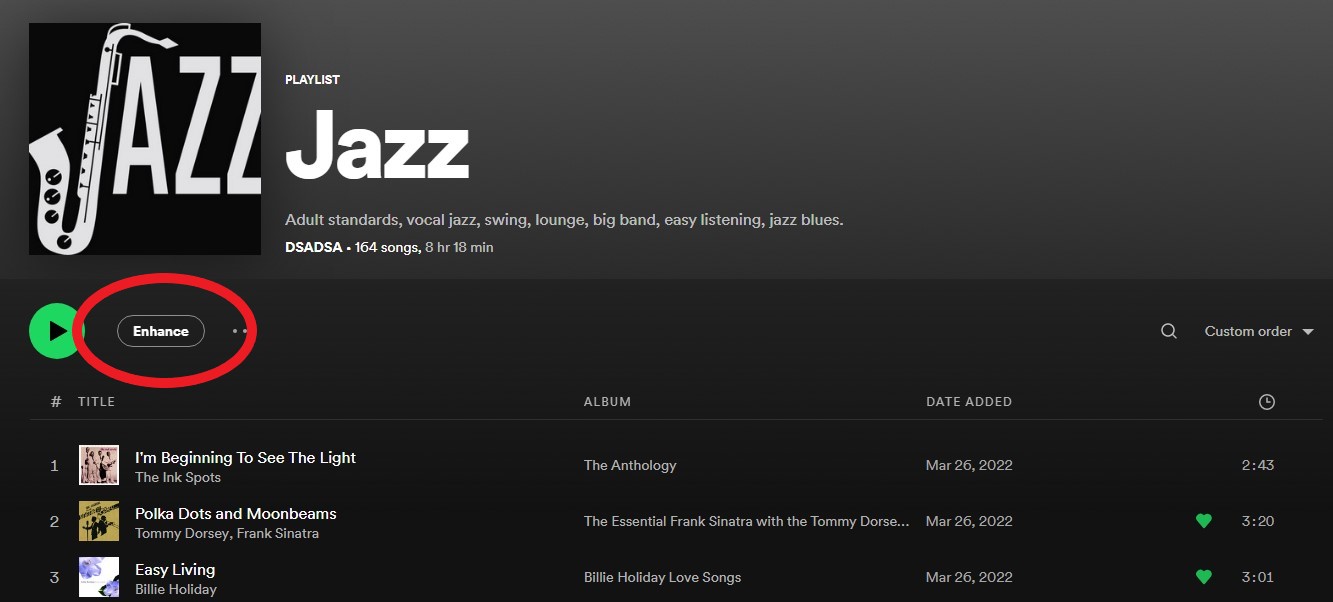
- Enabled enhance playlist
- Enabled new lyrics
- Enabled new search with chips experience
- Enabled a condensed discography shelf on artist pages
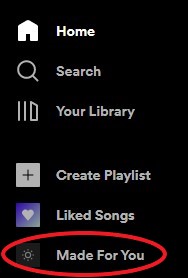
- Activated "Made For You" in the left sidebar
- Disabled Sentry (Prevented Sentry from sending console log/error/warning to Spotify developers)
- Disabled logging (Stopped various elements to log user interaction)
- Removed RTL rules (Removed all right-to-left CSS rules to simplify CSS files)
- Code minification
Fast installation / Update:
- Just download and run Install.bat
or
- Run The following command in PowerShell:
[Net.ServicePointManager]::SecurityProtocol = [Net.SecurityProtocolType]::Tls12; Invoke-WebRequest -UseBasicParsing 'https://raw.githubusercontent.com/amd64fox/SpotX/main/Install.ps1' | Invoke-Expression
Uninstall:
- Just run Uninstall.bat
or
- Reinstall Spotify
Possible problems:
Outdated versions of PowerShell
If you are using Windows 7, there may be errors in the installation process due to an outdated version of NET Framework and PowerShell. Do the following:
- Upgrade to NET Framework 4.8
- Upgrade to WMF 5.1
- Reboot your PC
After running Install.bat, the message "Curl command line utility not found" appeared
The curl command was not found in the system (in windows 10 and above it comes out of the box), you need to install it manually:
- Follow the link and download the installation file, depending on the bitness of the OS.
- We start the installation process, at the end we must restart the PC.
How do I go back to the previous version of the client ?
If you have problems with the patch after upgrading the client version, then use this tool to revert back to the working version.
Additional Notes:
- The repository is based on BlockTheSpot, and also some tricks were taken from spicetify-cli, many thanks to the contributors
- SpotX will only work correctly on the latest versions of Spotify, please make sure of this before asking a question.
- The modifiable files are replaced by the Spotify installer every time it is updated, so you will need to apply the patch again when this happens.
- SpotX will be installed even if you are using Spicetify, but you may need to run Install.bat again after running the
spicetify applyor other commands.